Octane Render Target
The Octane Render Target node is the heart of an Octane render. It is where most of the parameters reside for controlling a rendering such as Kernel type, Environment, and AOVs. You can create an Octane Render Target in the default Houdini® MAT network (Figure 1) because the Octane ROP references this location by default (Figure 2). The RTarget button in the Octane shelf and the Create Render Target option from the Octane menu in the Network window will also create an Octane Render Target node in the MAT network.
|
|
Octane Render Target
|
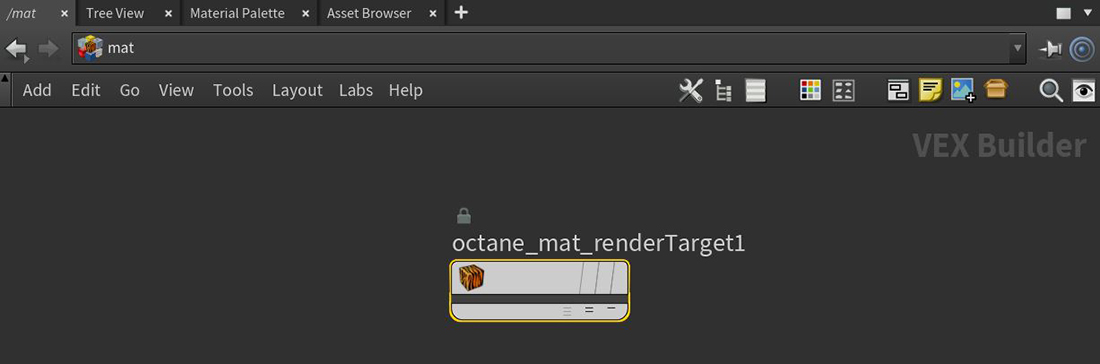
Figure 1: Adding an Octane Render Target to the MAT network
|
|
Octane Render Target
|
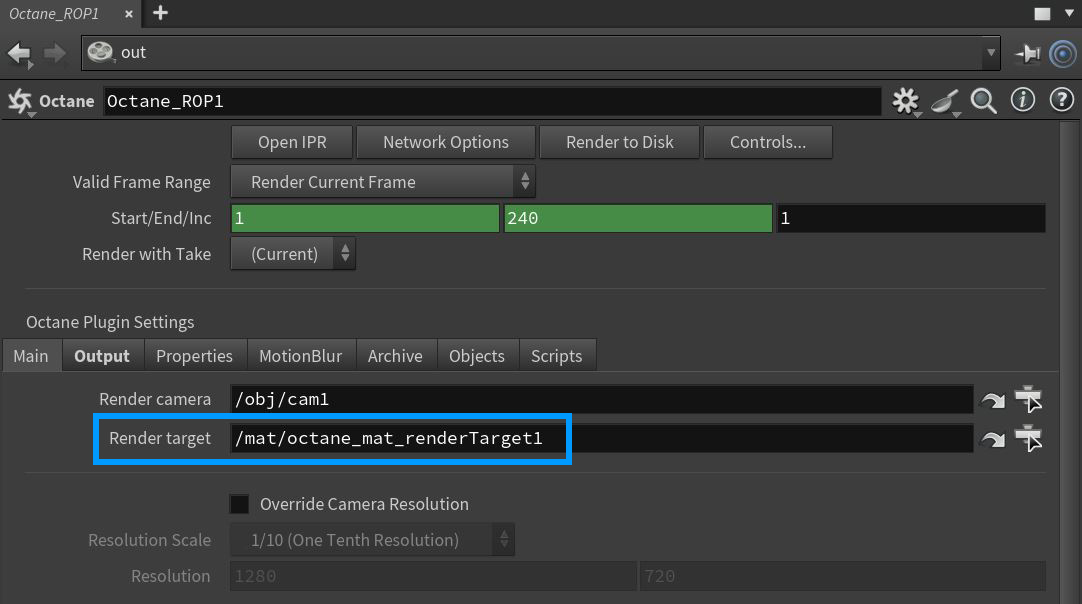
Figure 2: The default location that an Octane ROP uses to reference an Octane Render Target
Alternatively, the Octane Render Target parameters can also be accessed in the Render Target tab when using the Octane Render Setup node. The Octane Render Setup node combines parameters for both the Octane Render Target and the Octane ROP nodes into one node that resides in the OBJ network window (figure 3).
|
|
OCtane Render Setup
|
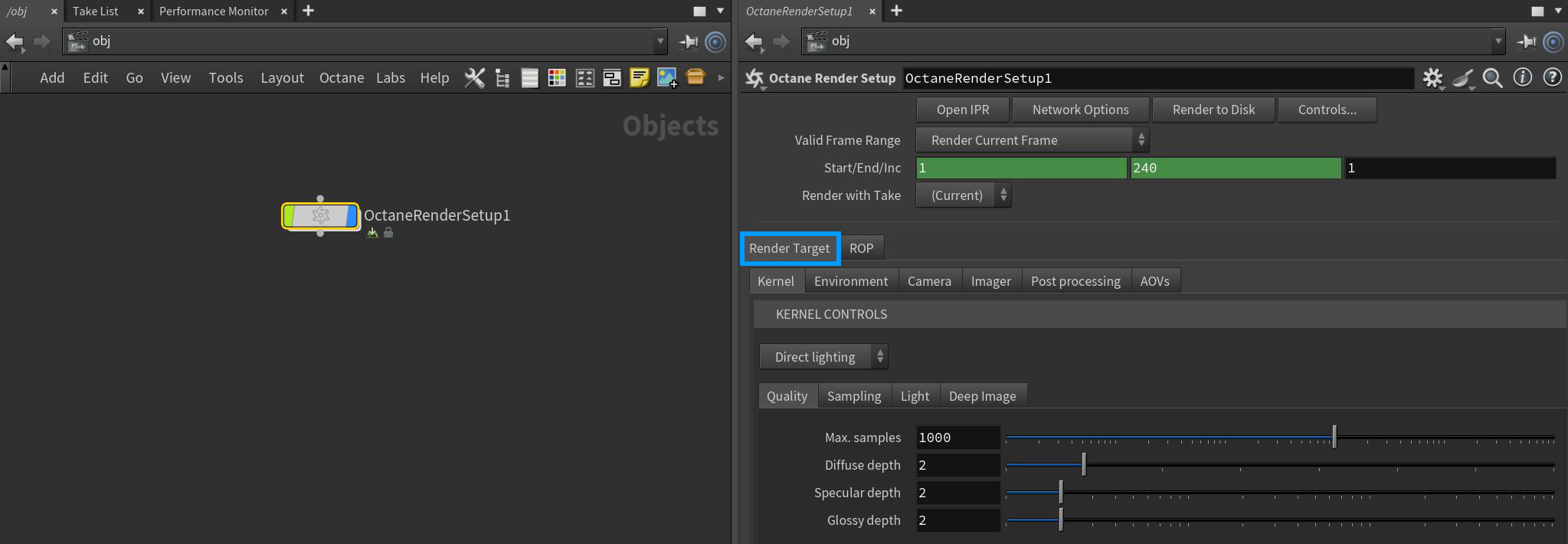
Figure 3: Accessing the Render Target parameters from the Octane Render Setup node
Octane Render Target Parameters
The Render Target parameters are categorized into six tabbed sections. The parameters for each of these tabbed sections are covered in their articles: Kernel, Environment, Camera, Imager, Post Processing, and AOVs.