OUT Render Target
The OUT Render Target is the Octane Network MAT node that is referenced in a standard Octane ROP node. The OUT Render Target lets you set up a custom Octane ROP network from scratch.
It offers powerful flexibility, especially when setting up advanced scenes, as it connects to everything that forms part of the scene, including the geometry, materials, environment, camera, and the render kernel. Having several Render Targets allows you to have several scene configurations, one of which can be the final configuration for a render.
The OUT Render Target node connects to a set of nodes represented by pins on the Render Target output node, where each node can be adjusted to setup the scene:
- Camera
- Environment
- Imager
- Kernel
- Post Processing
- Render Passes
- Camera Environment
- Composite AOVs
You can access the OUT Render Target node by right-clicking or pressing the Tab key in the MAT network (Figure 1).
|
|
out render target
|
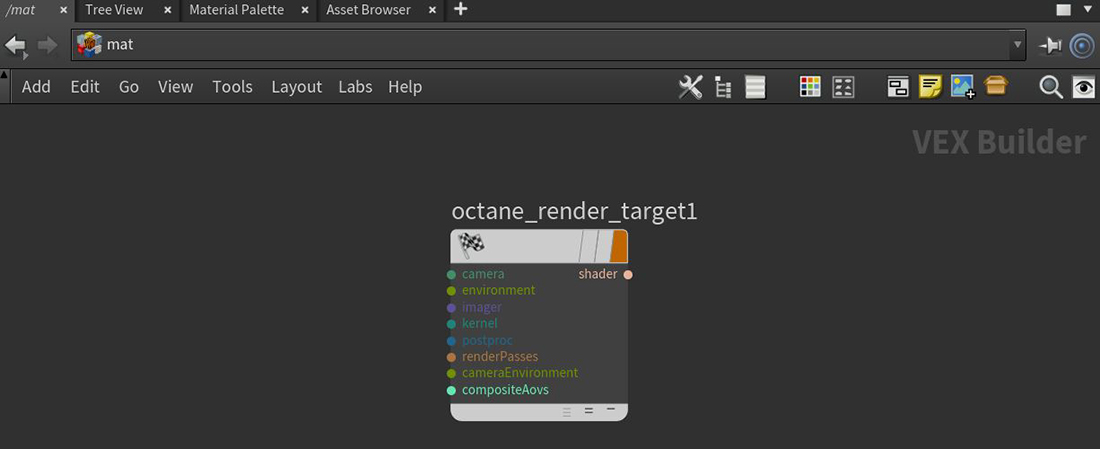
Figure 1: Accessing the OUT Render Target node in the MAT network