Solid Color
The Solid Color blend node is used to add a single color to the composite node tree. In figure 1, The Solid Color node is used to add a white background behind the cube and the ground plane which has a Shadow Catcher material applied to it and Alpha Channel activated in the Kernel parameters.
|
|
Solid Color
|

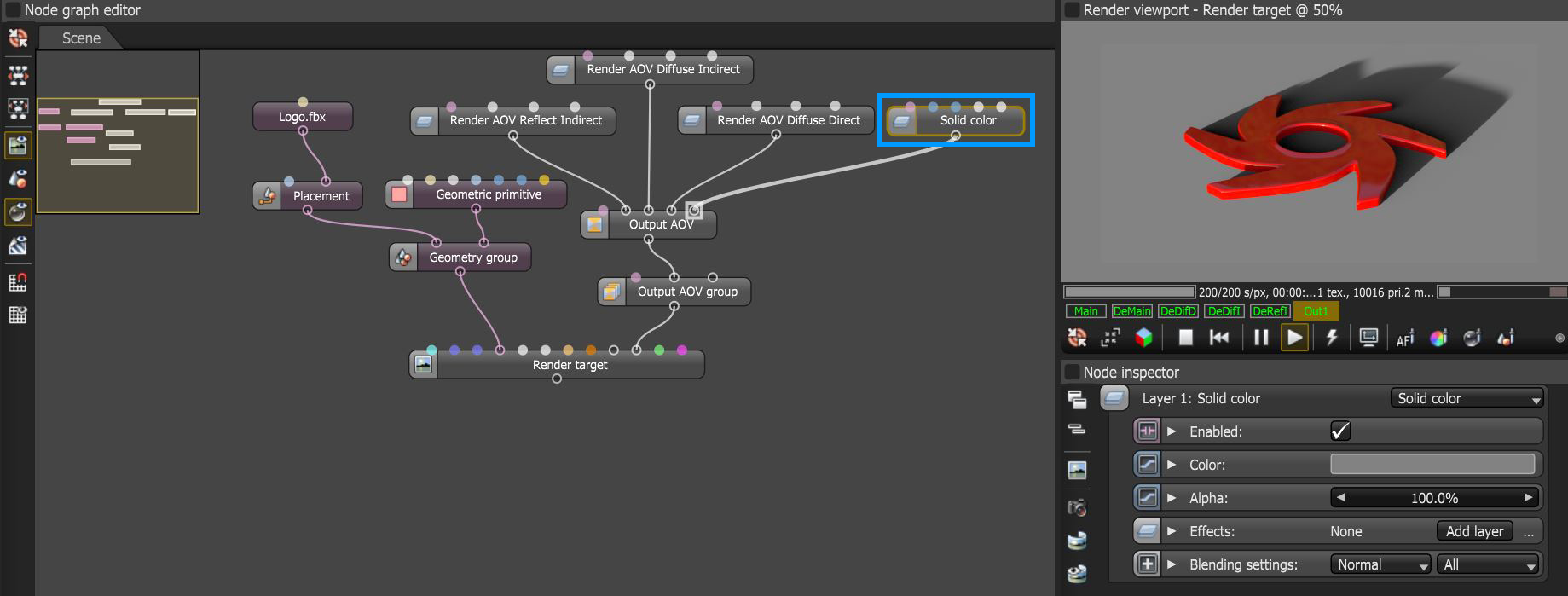
Figure 1: The Solid Color node used to add a grey background in the transparent areas behind the logo and its shadow catcher
Solid Color Parameters
Enabled - Determines whether the Solid Color node is active or not.
Color - Specifies the color.
Alpha - Specifies the level of opacity for the Solid Color.
Effects - Provides the ability to stack additional Output AOV nodes to this node using blending settings.
Blending Settings - Provides typical blending options used in the compositing process.