AOVs and Compositing
Arbitrary Output Variables (AOVs) are artist-specified render and data passes generated by OctaneRender® that can be used for compositing, checking shader output, debugging issues, etc. AOVs can output a variety of different image output passes, as well as include data passes such as normals, object positions, material IDs, motion vectors and more. AOV nodes can create simple composites inside of Octane using the Output AOV system as well as output as freestanding files to be used in external compositing applications.
Octane's AOVs are extensive and contain two types of AOV systems, the Render AOVs and the Output AOVs. They provide a way to composite the AOVs together directly in OctaneRender. The AOV systems can be found under the Render AOV and Ouptut AOV categories in the Node Graph Editor window (figure 1). The AOV implementation replaces the Render Pass implementation in older versions of Octane
|
|
Render and Output AOVs
|
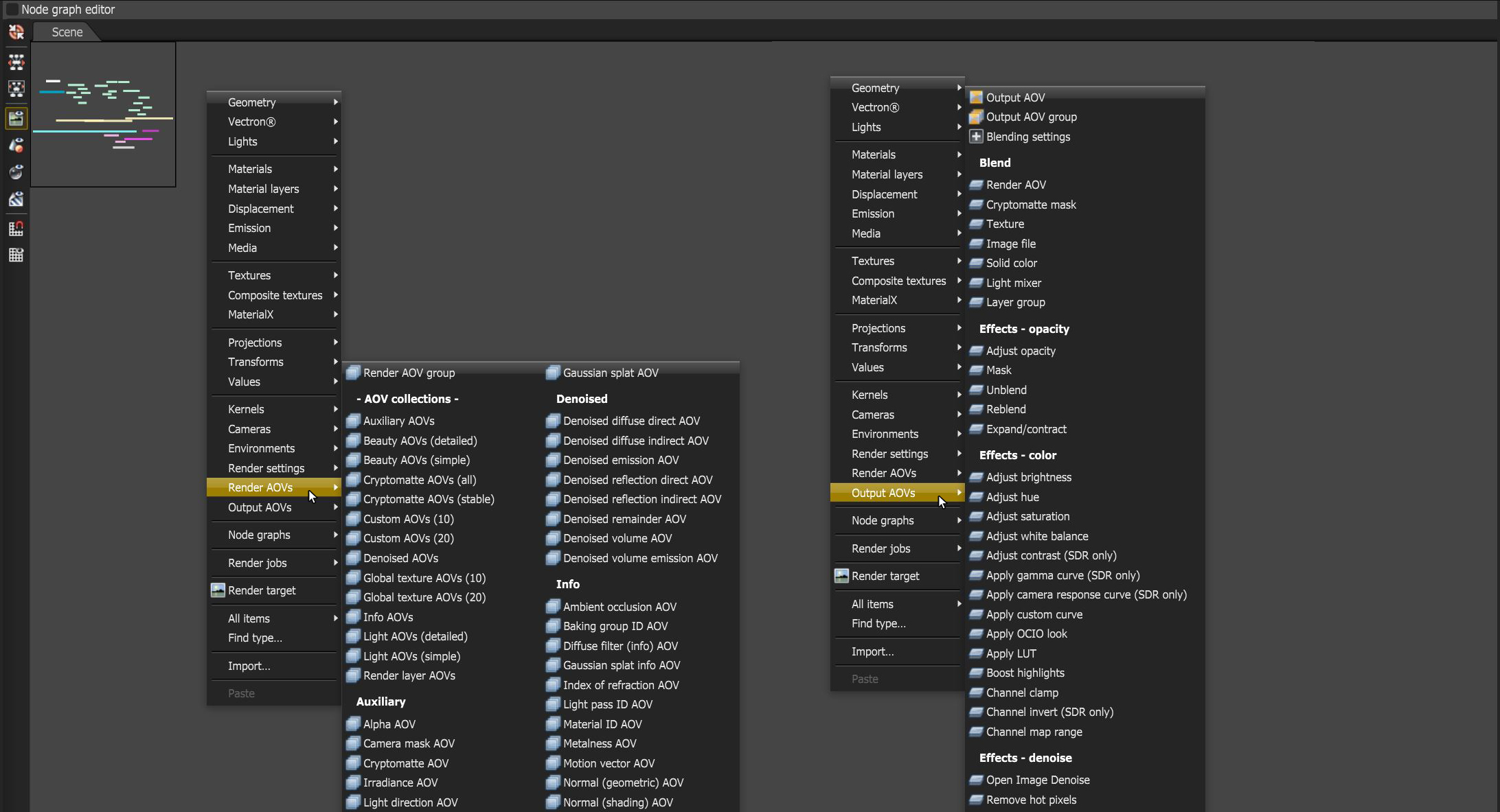
Figure 1: Accessing the AOV Render and Compositor nodes.
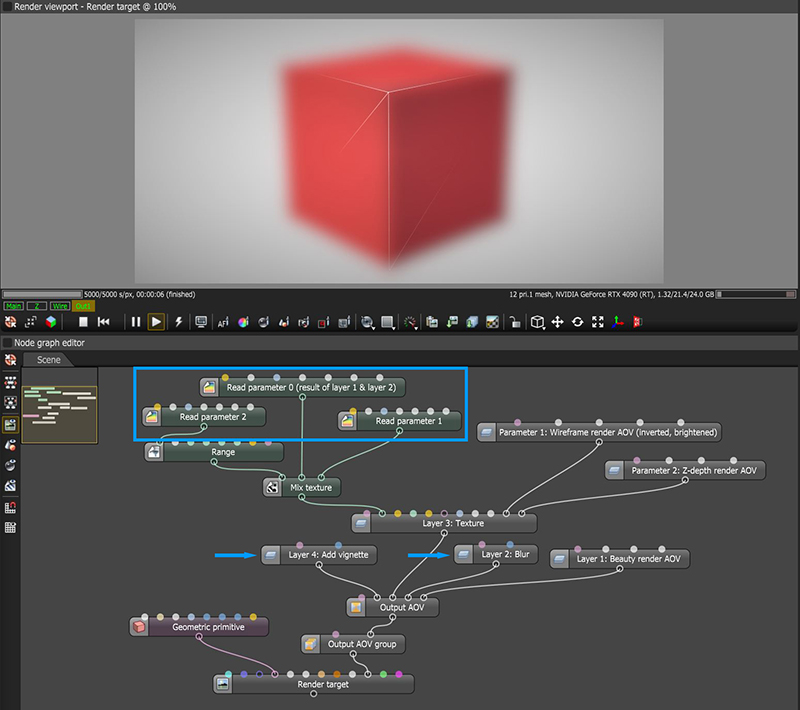
AOV generation and AOV compositing within Octane Standalone can be fairly simple or complex. In figure 2, a Wireframe AOV pass (parameter 1) is composited on top of the Beauty AOV (parameter 0) using a Z-depth AOV pass (parameter 2) as the blend value for the Range node. These parameter nodes reading the AOV values are Output AOV Parameter nodes covered in the Textures section. Further compositing was done using an Add Vignette and Blur Output AOV nodes.
|
|
AOV Compositing
|