Cryptomatte Mask
The Mask with Cryptomatte Output AOV node is used to mask out parts of a composite using a cryptomatte generated as a Render AOV (figure 1).
|
|
Mask With Cryptomatte
|
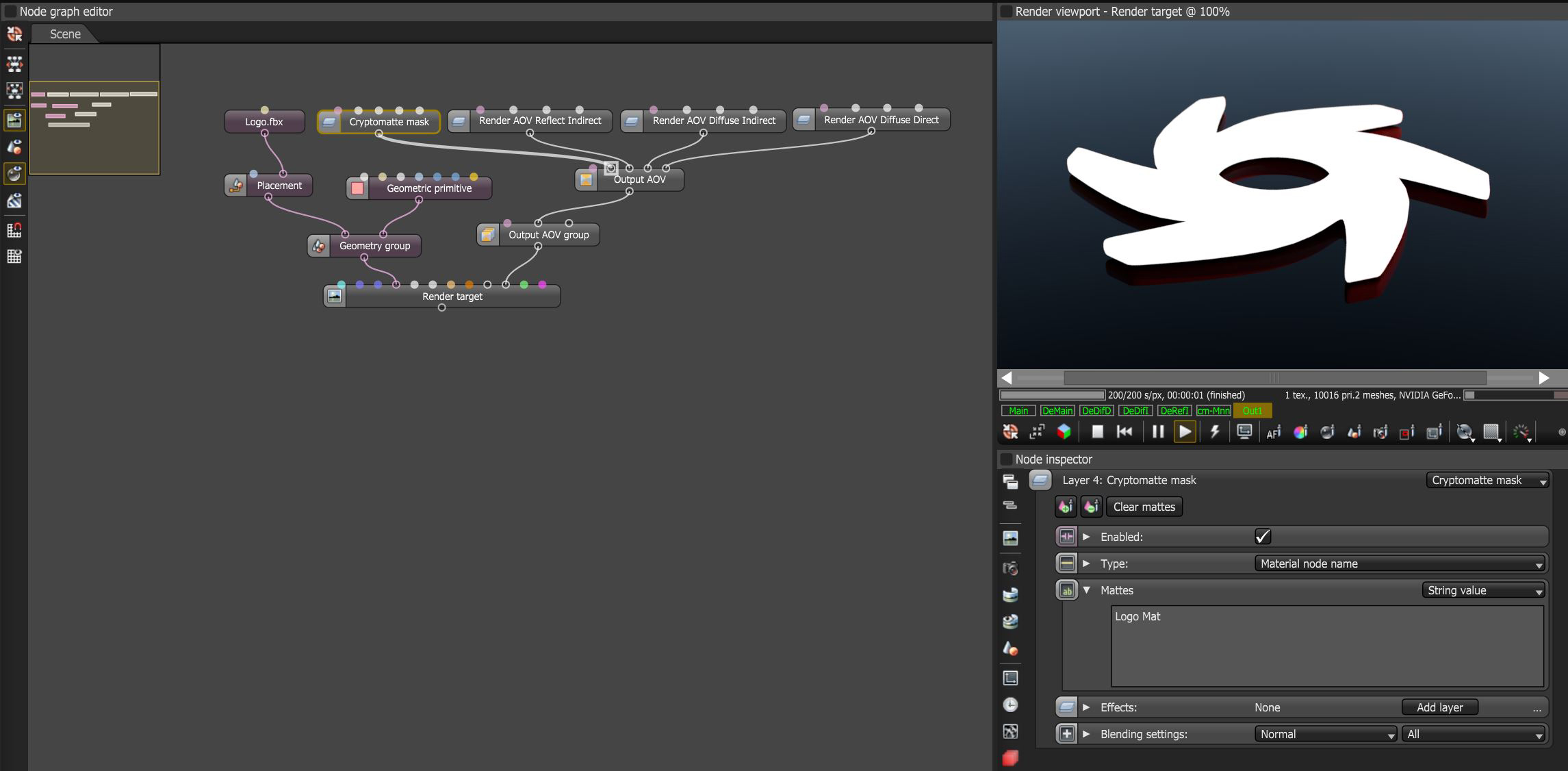
Figure 1: The Cryptomatte Mask Output AOV node used to mask out the Octane logo a composite node tree
Cryptomatte Mask Parameters
Enabled - Determines whether Mask with Cryptomatte is active or not.
Type - Determines the type of Crypomatte Render AOV from which to extract the mattes.
Mattes - Lists the names of the objects selected as mattes. A * is a wildcard that matches any sequence of characters and a - at the start of a line excludes any mattes by that name.
Effects - Provides the ability to stack additional Output AOV nodes to this node using blending settings.
Blending Settings - Provides typical blending options used in the compositing process.