Light Pass IDs
The Light Pass IDs are used to selectively determine which lights contribute to the scene or effect certain objects in a scene.By default all lights and objects are set to Light Pass ID 1. The ID number for a light source can be found in the light source's Blackbody or Texture Emission tab (figure 1).
|
|
Light Pass ID
|
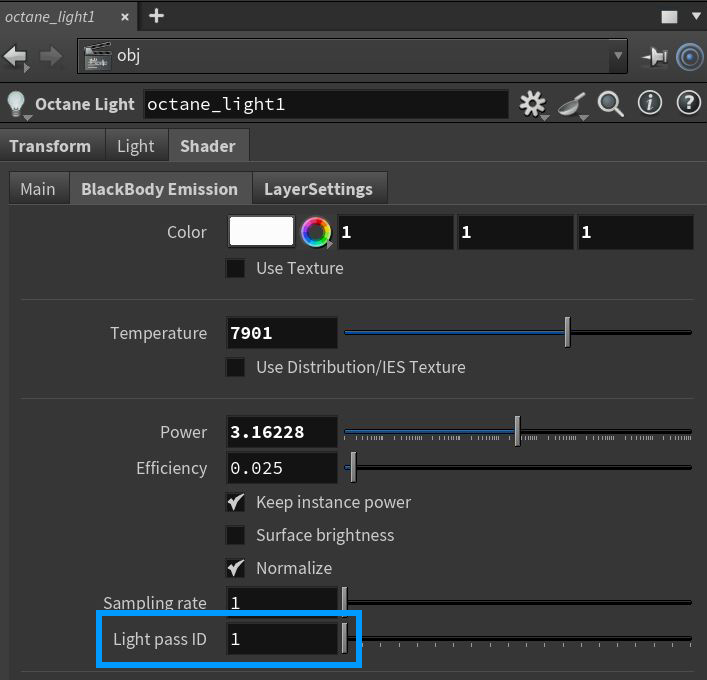
Figure 1: Accessing the Light Pass ID for a light source
If a scene object is used as a light source, the ID number can be accessed from the Visibility rollout under the Light Emission tab found in the Octane Object Parameters (figure 2).
|
|
Light Pass ID
|
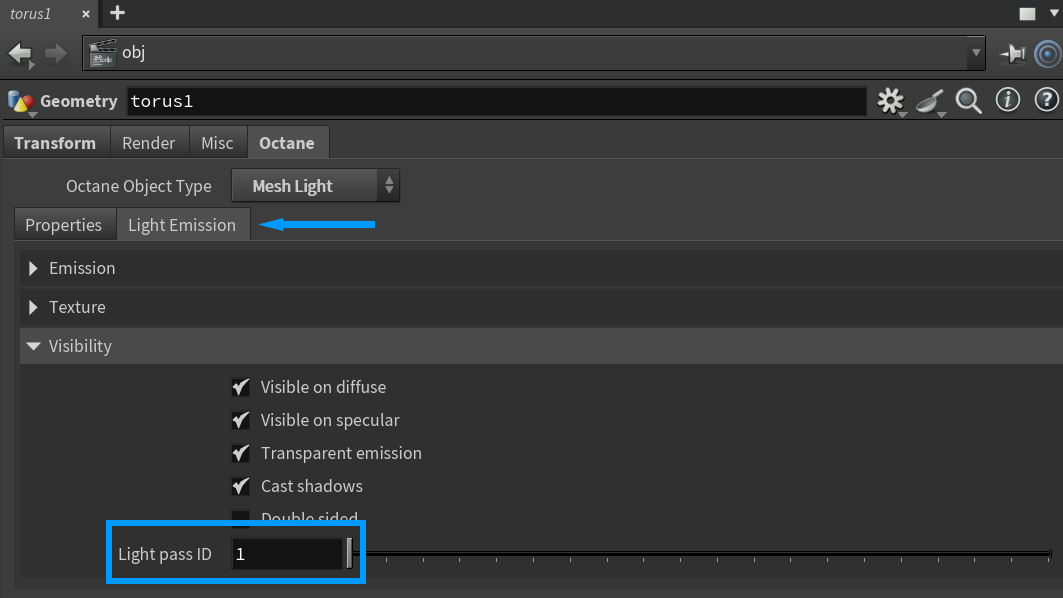
Figure 2: Accessing the Light Pass ID for a mesh light object
The Light Pass ID is then controlled from a RenderTarget node under the Kernel>Light tab (figure 3). The Light IDs Action needs to be set to Enable for the system to function.
|
|
Light Pass ID
|
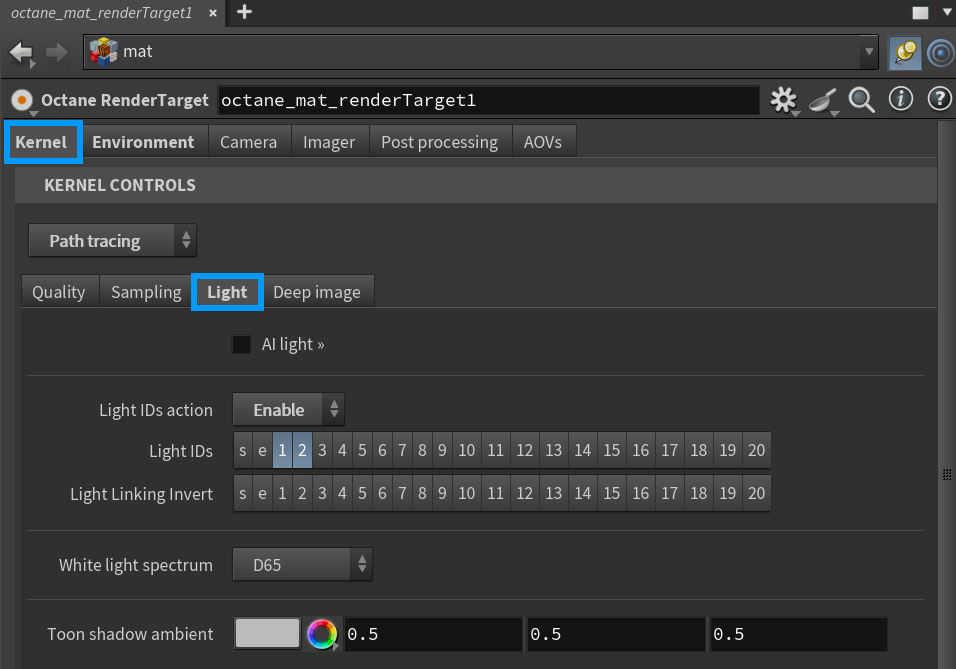
Figure 3: Accessing the Light Pass IDs in a RenderTarget node
The Light IDs parameter controls which light IDs are active or inactive. The Light Linking Invert will invert which ligh IDs are active or inactive.
Scene object can also specify which Light Pass ID they are associated with in their Octane Object Parameters tab. In figure 4, a scene object is being excluded from lights with a Light Pass ID of 1.
|
|
Light Pass ID
|
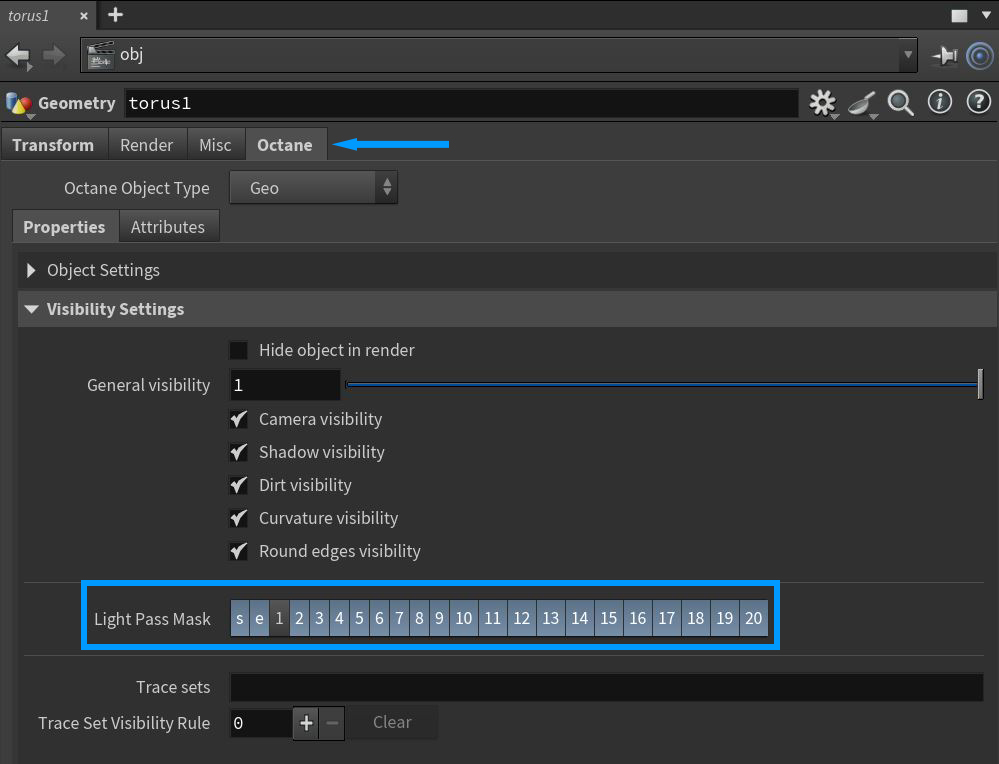
Figure 4: Accessing Light Pass IDs for scene objects