Custom Tab
Custom AOVs are a container that can be used to capture certain aspects of a scene via different methods. An option as been added to the Octane Obj Params tab to write masks into custom AOVs (figure 1). Additionally, it can be specified to write the mask into specific channels (all / red / green / blue). Custom AOVs have an option to allow you to specify whether you can write to the AOV only on the first bounce (for camera rays) or also after (specular) reflections and/or refractions. This way you can capture those attributes also in reflections and/or through transparent material. There can be up to 20 Custom AOVs in a scene (figure 2). However, the custom AOV masks can be contained in a single channel (R, G, or B). This allows for a total of 60 custom AOVs to be used in any given scene.
|
|
Custom AOVs
|
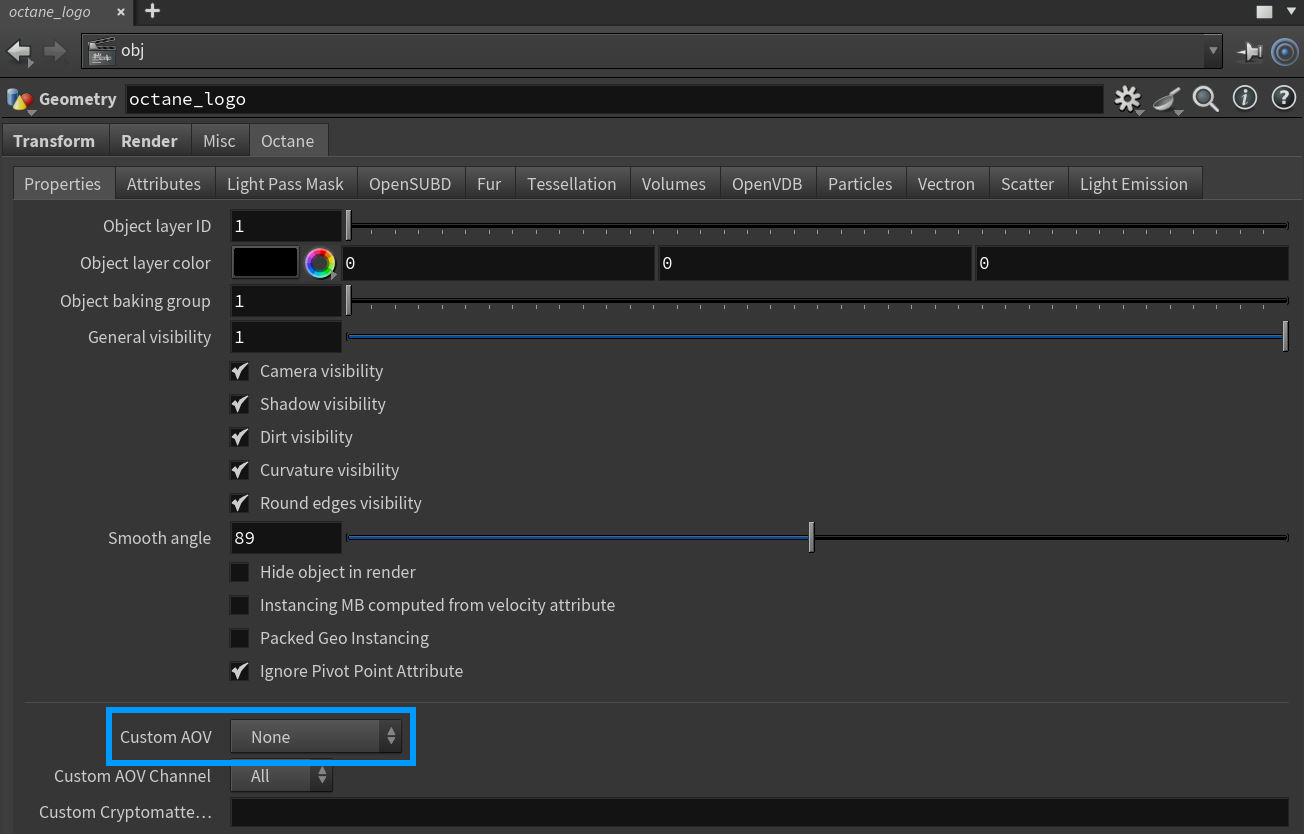
Figure 1: Adding Octane Spare Params to a scene object and accessing the Custom AOV parameters from the Properties tab
Global Texture AOVs apply a texture to the entire scene including or excluding the environment. Global Texture AOVs are rendered as info AOVs, which means that the Info AOV settings are applied to them as well. You can overwrite the alpha channel with your own texture, or use the default behavior which is equal to the alpha channel of the other info AOVs.