Toon Lighting
Toon shading is a non-photorealistic way of depicting lighting effects. While it still shows lighting effects, it does so in a simpler way, often with large areas of flat shaded color. In OctaneRender®, toon shading is controlled by Toon materials and light sources. Toon rendering in OctaneRender consists of two parts: a diffuse part, and a glossy highlight. The amount of detail in the shading is controlled using a Toon Ramp (Figure 2).
|
|
Toon Lighting
|
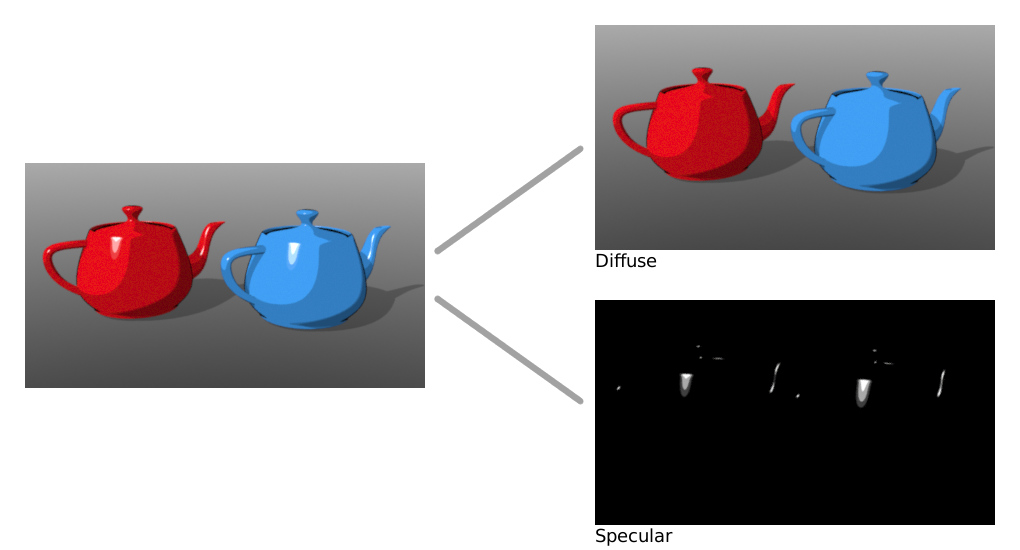
Figure 1: Toon rendering consists of a diffuse part and a glossy highlight
|
|
Toon Lighting
|
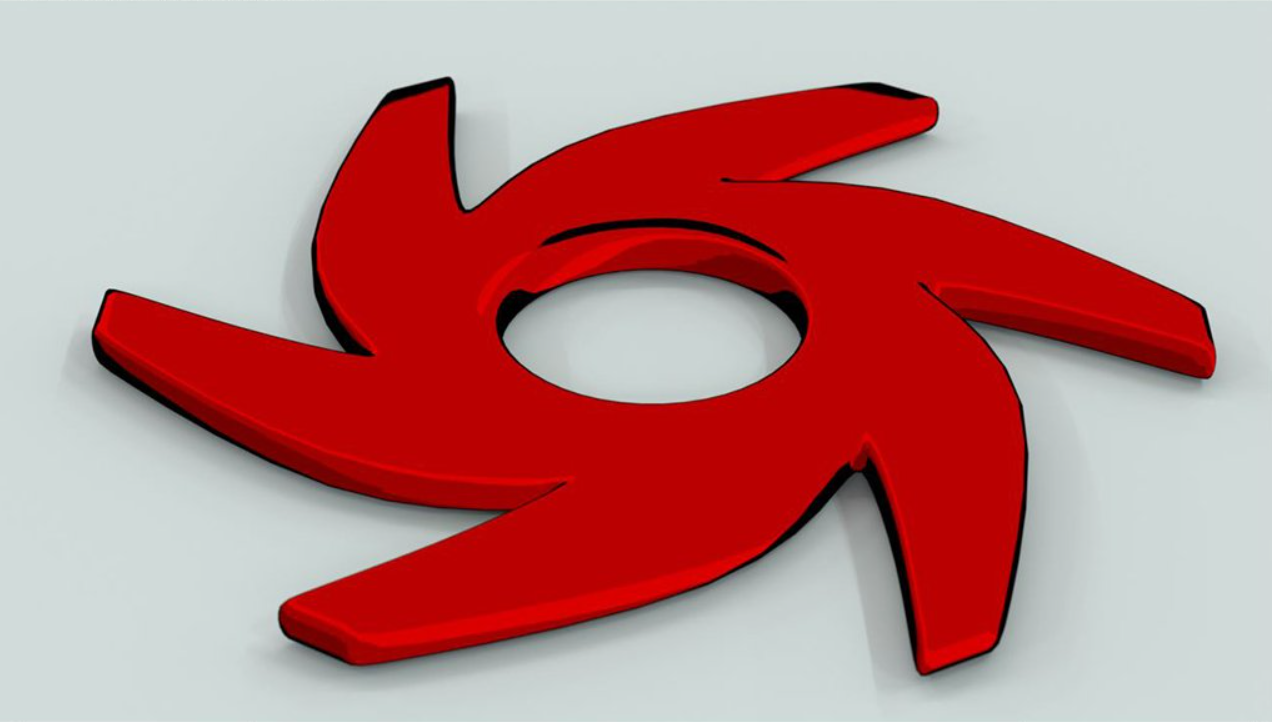
Figure 2: The amount of detail in the shading is controlled with a Toon Ramp
The Toon Material and Toon Ramp can be accessd under the Material category.
Toon shading uses its own light sources, independent from any mesh emitters in the scene. This is done because with area lights you can never render sharp boundaries between different colors in the toon shader. Toon lights are not visible in the rendered image. There are two kinds of toon lights: Toon Point light (Figure 3), and Toon Directional light (Figure 4).
|
|
Toon Point Light
|
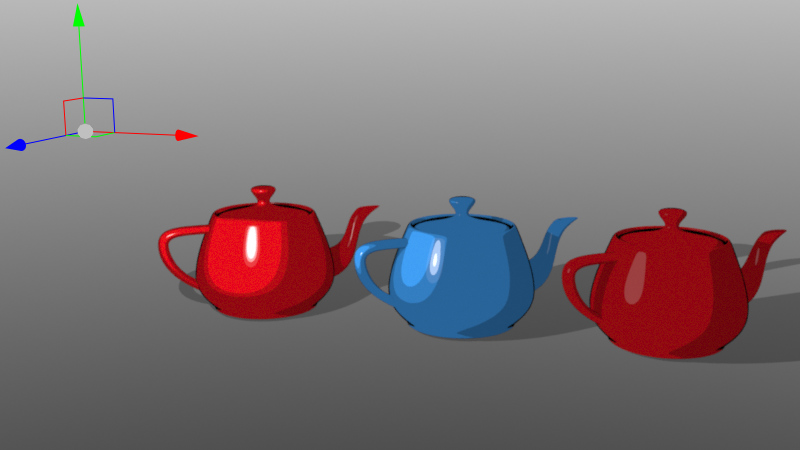
Figure 3: Point lights behave similar to small mesh lights
|
|
Toon Directional Light
|
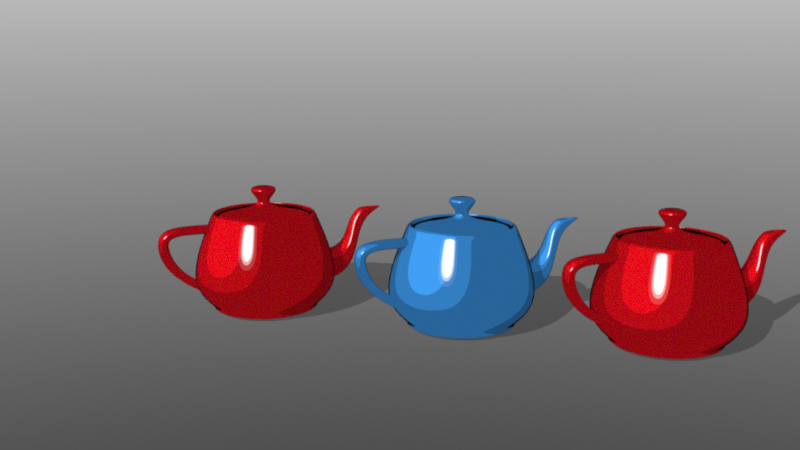
Figure 4: Directional lights behave similar to sunlight
|
|
Toon Point Node Graph
|
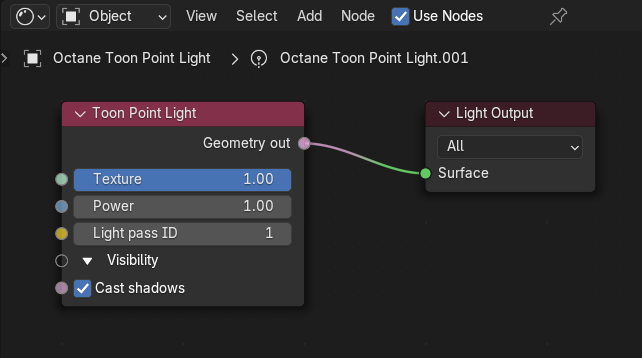
Figure 5: Basic Nodegraph showing the Toon Point Light
|
|
Toon Material Nodes
|
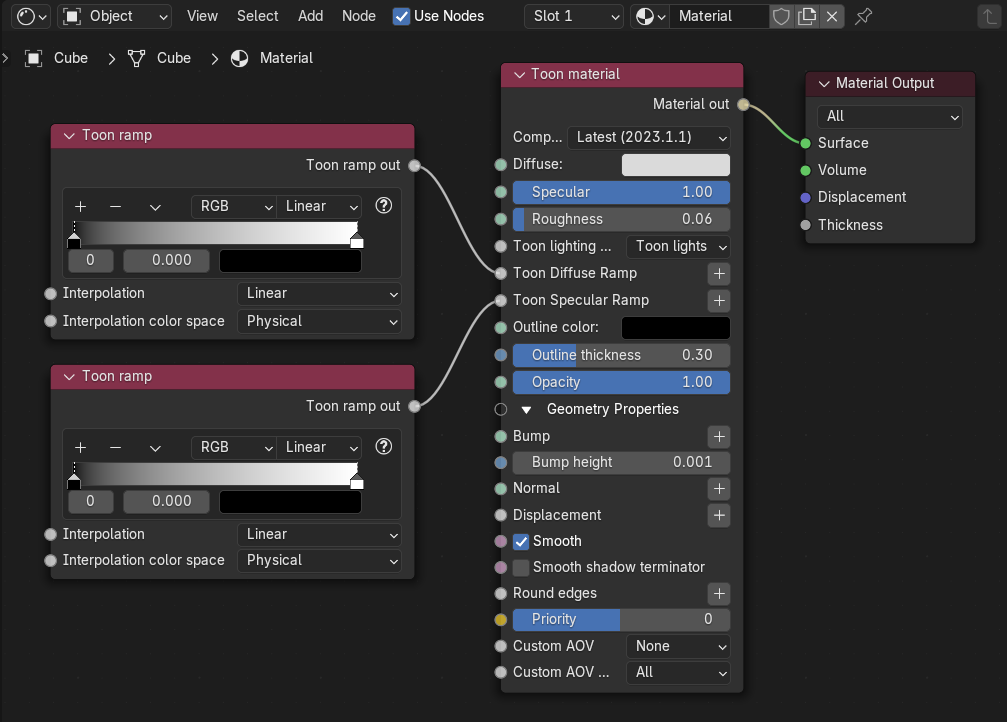
Figure 6: Basic Nodegraph showing the Toon Material and Toon Ramp for an object
To control shadow color and brightness, go to Kernel Settings and use the Toon Shading pin (figure 7).
|
|
Toon Shadowing
|
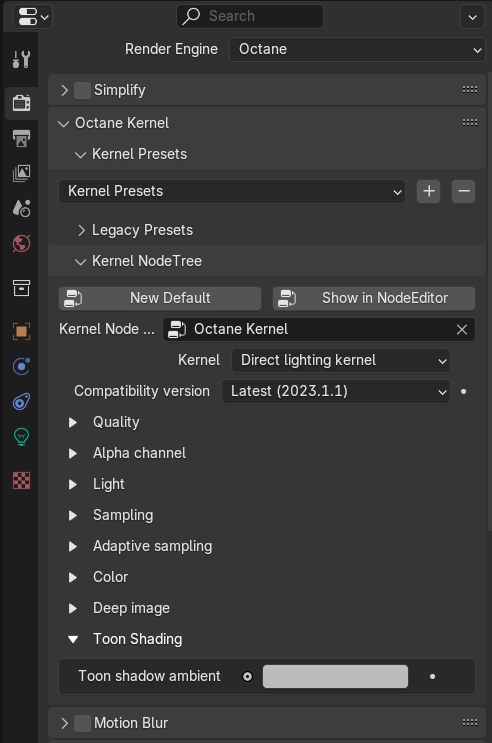
Figure 7: Kernel Toon Shadow Ambient Parameter