Material
There are several types of Octane Material nodes in OctaneRender® that can apply to surfaces to achieve a variety of appearances and rendering effects.
- Clipping Material - Allows one object to become a clipping volume for other objects in a scene.
- Composite - Mixes several materials using masks.
- Diffuse - Used for rough, non-reflecting materials, as well as light emitting meshes.
- Glossy - Used for shiny materials such as plastics or metals.
- Hair - Designed for hair and fur objects.
- Layered - Constructs complex materials that consist of a base layer and several material layers.
- Metallic - Similar to the Glossy material, except by default it exhibits more metal-like characteristics.
- Mix - Mixes any two Material types.
- Null - Used for mesh objects that should be invisible but contain a medium.
- Open PBR Surface Material - An open-source physically based shading model prviding consistent material creation across different renderers.
- Portal - Designates openings in scenes to allow the render kernel to better sample light from those areas.
- Shadow Catcher - Captures shadows.
- Specular - Used for transparent materials such as glass and water.
- Standard Surface - A material that closely aligns with the Autodesk Standard Surface shader specification.
- Toon - Designs hand-drawn looking surfaces.
- Toon Ramp - Controls shading on the model. To use this material, you also need to use Toon lighting in the scene.
- Universal - Brings substance maps and PBR outputs into OctaneRender.
- Utility
- Material switch - A node that controls which material is used in a shader network.
- Toon ramp switch - A node that controls which toon ramp is used in a shader network.
|
|
Materials
|

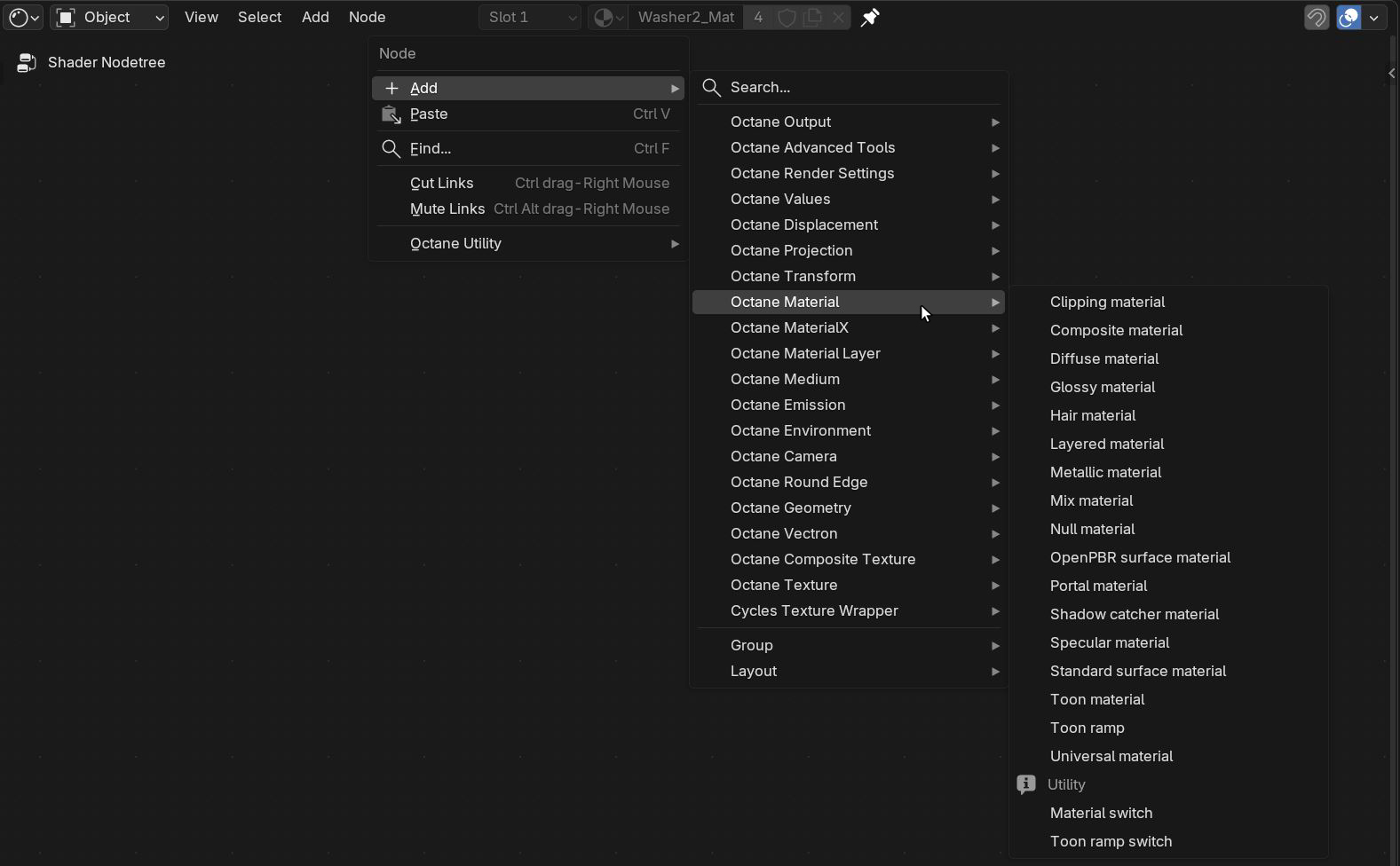
Figure 1: Octane Material Node List