Plane
OctaneRender® supports infinite planes through the Plane primitive. Infinite planes are useful for working on scale models, allowing the camera to zoom out infinitely (figure 1). It is applicable in space-expansive scenes like outer space, oceans, and cityscapes, and makes it possible to see the entire scope of a scene as it sits on a vast and never-ending terrain.
|
|
Plane
|

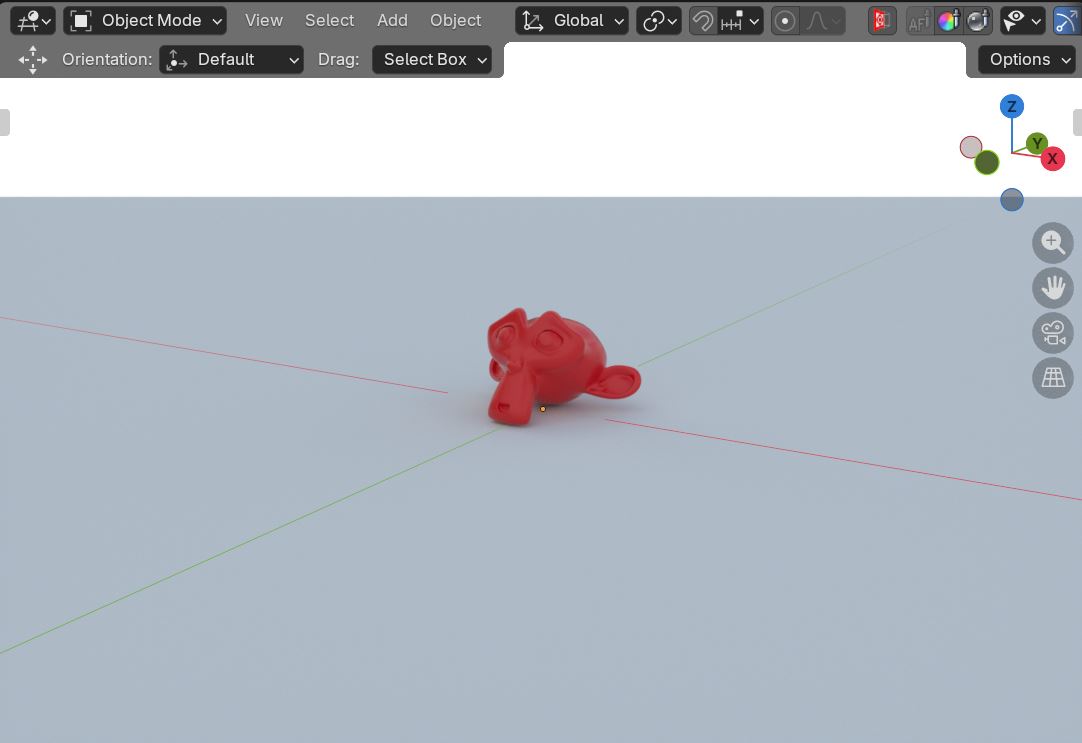
Figure 1: The Octane Plane object
The Plane object can be added to a scene by placing its material on a scene object such as a cube. The material should have a Placement node connected to the Displacement socket on the Material Out node (figure 2). A Transform node can be added to the Placement node providing additional control over the Plane's position and orientation.
|
|
Plane
|

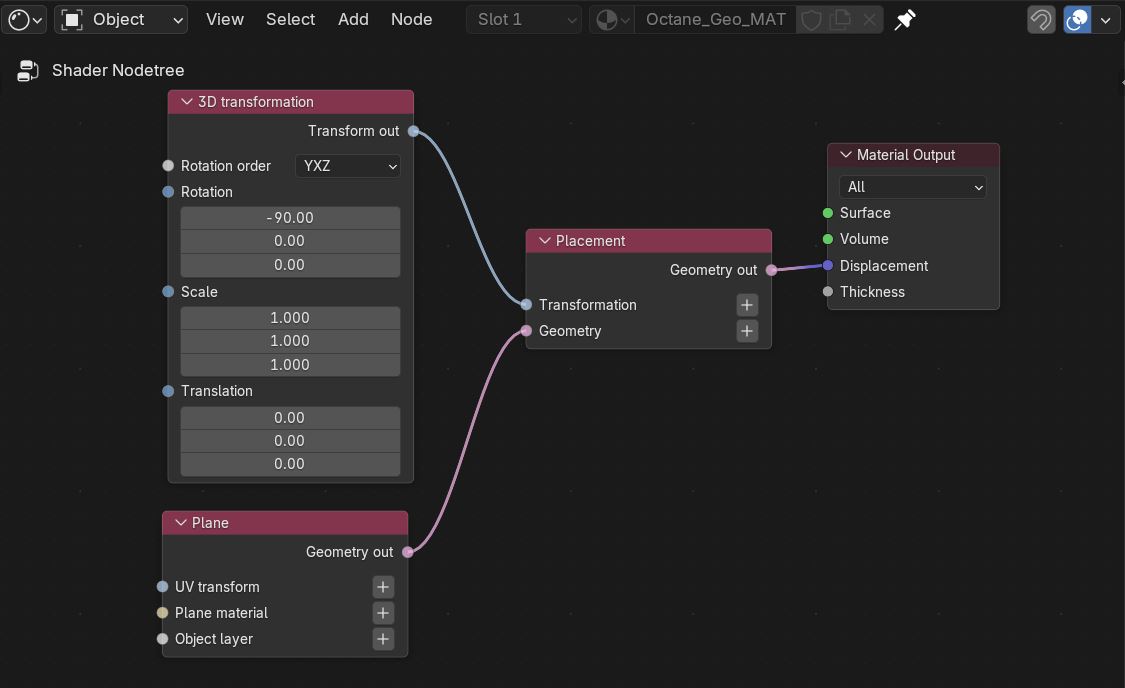
Figure 2: The Plane node connected to a Placement node
Additionally, the material needs to be specified in the object's Object Data Properties tab under the Octane Mesh Properties. The Placement node must also be specified in the Octane Geo Node parameter (figure 3).
|
|
Plane
|

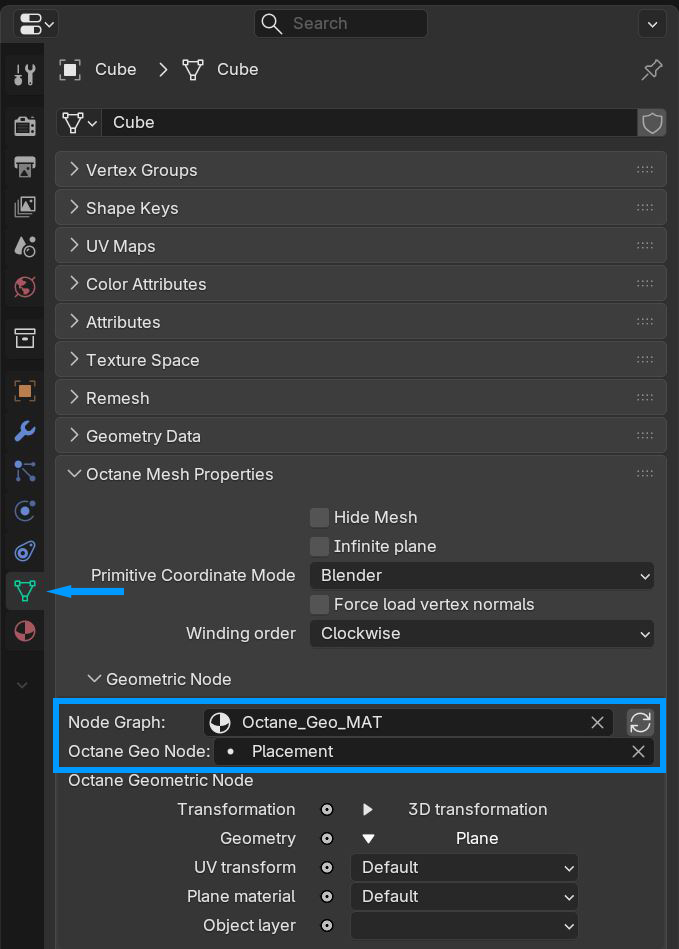
Figure 3: Specifying Object Data Properties