Geometric Primitive
Sometimes simple geometric primitives are needed for various purposes. OctaneRender® has a set of accessible primitives from the Geometric Primitive section under Octane Geometry in the Shader Editor window (figure 1).
|
|
Geometric Primitive
|

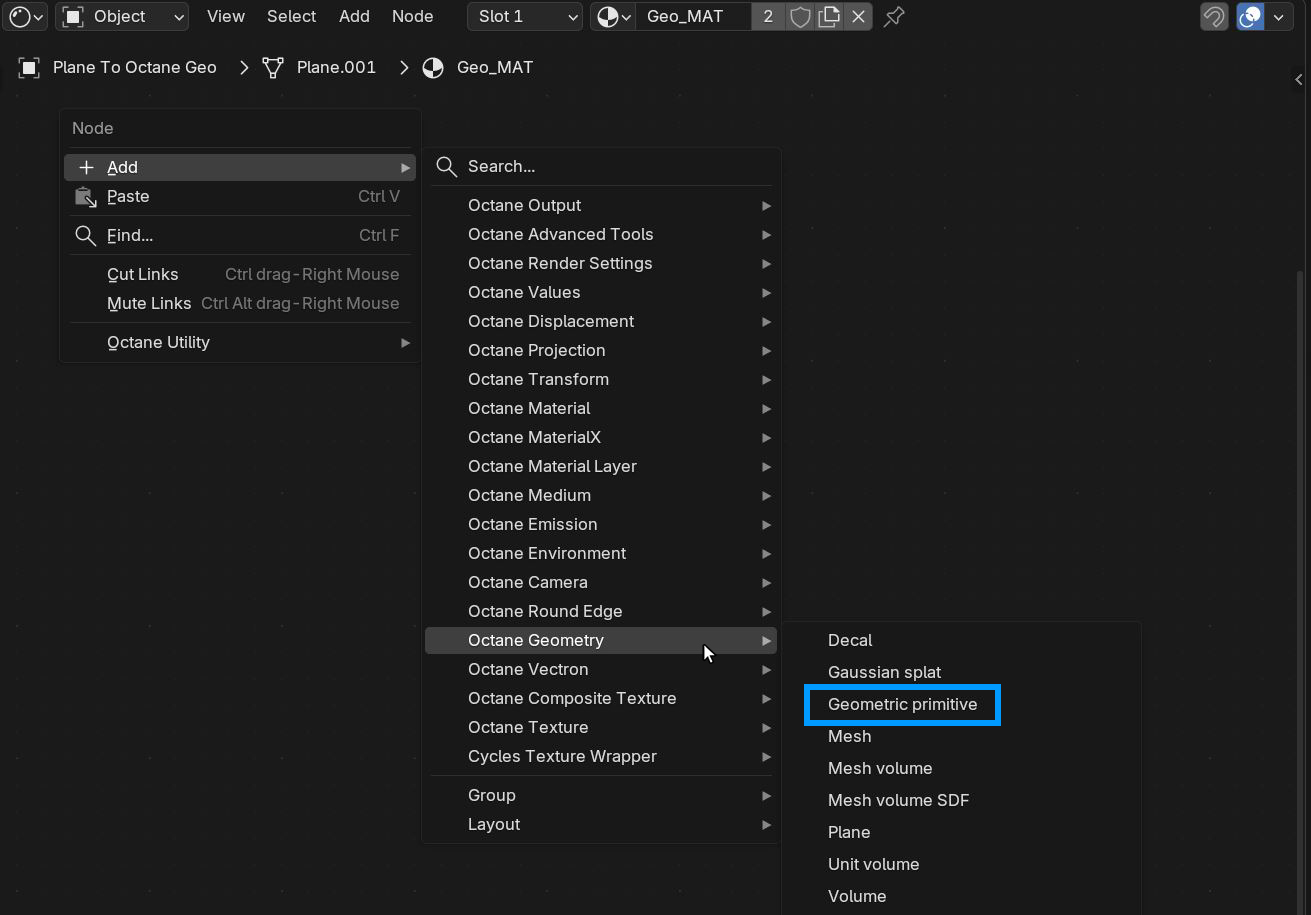
Figure 1: Accessing the Geometric Primitives
The Geometric Primitive node is connected to the Displacement socket on the Material Out node that is applied to the scene object. The material applied to the scene object then needs to have the same material specified in the Node Graph parameter found in the Object Data Properties under Octane Mesh Properties rollout (figure 2).
|
|
Geometric Primitive
|

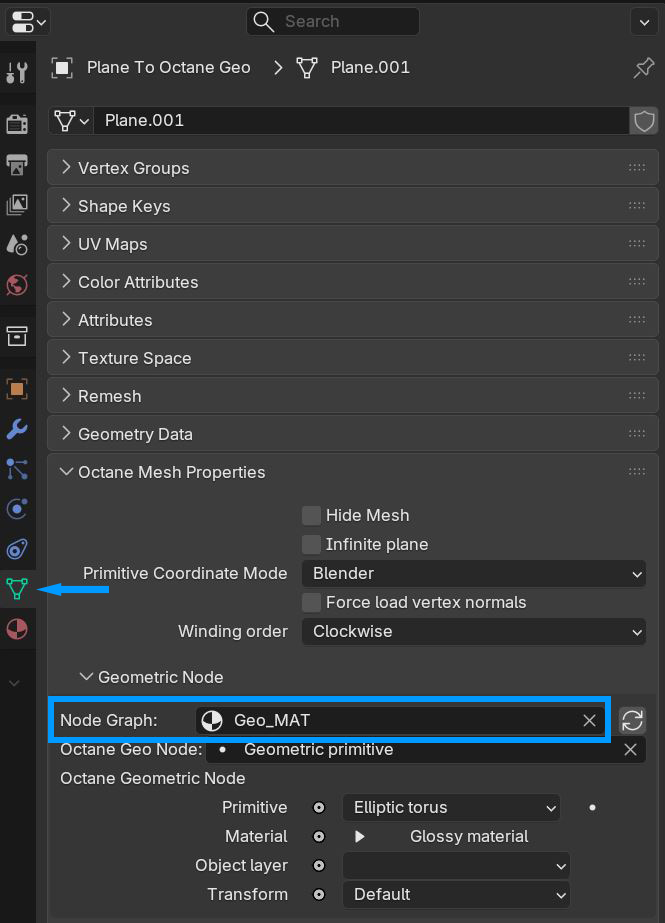
Figure 2: Specifying the geometry material in the Object Data Properties
The Geometric Primitive node can then be specified under the Octane Geo Node parameter (figure 3). and the primitive type can be selected from the Primitive parameter. In the following example the Elliptic Torus has been selected.
|
|
Geometric Primitive
|

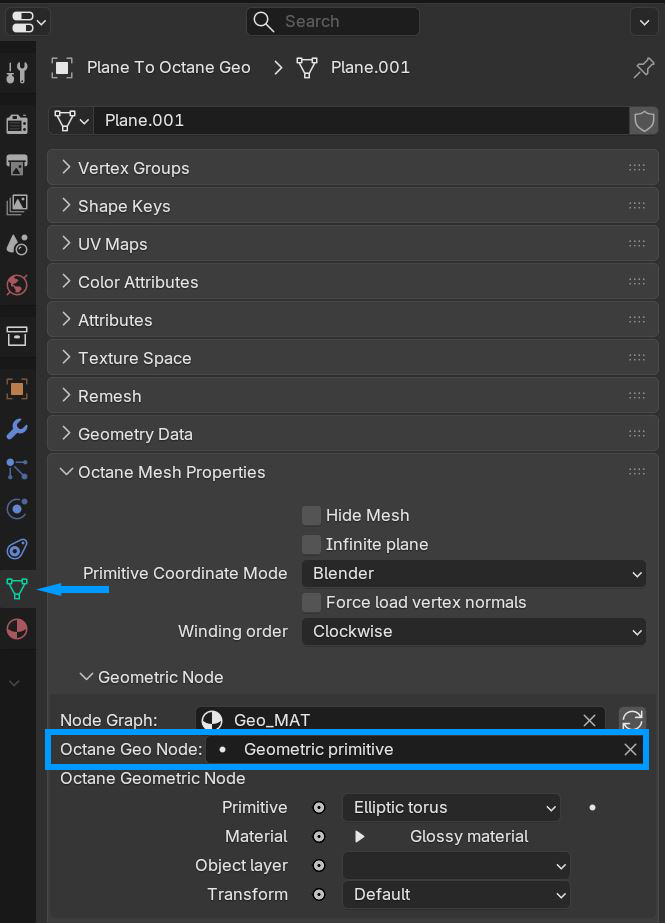
Figure 3: Specifying the Geometric Primitive in the Object Data Properties
The scene object will be visible in the solid or wireframe view but the Geometric Primitive will replace the scene object in the Octane Rendered view (figure 4).
|
|
Geometric Primitive
|

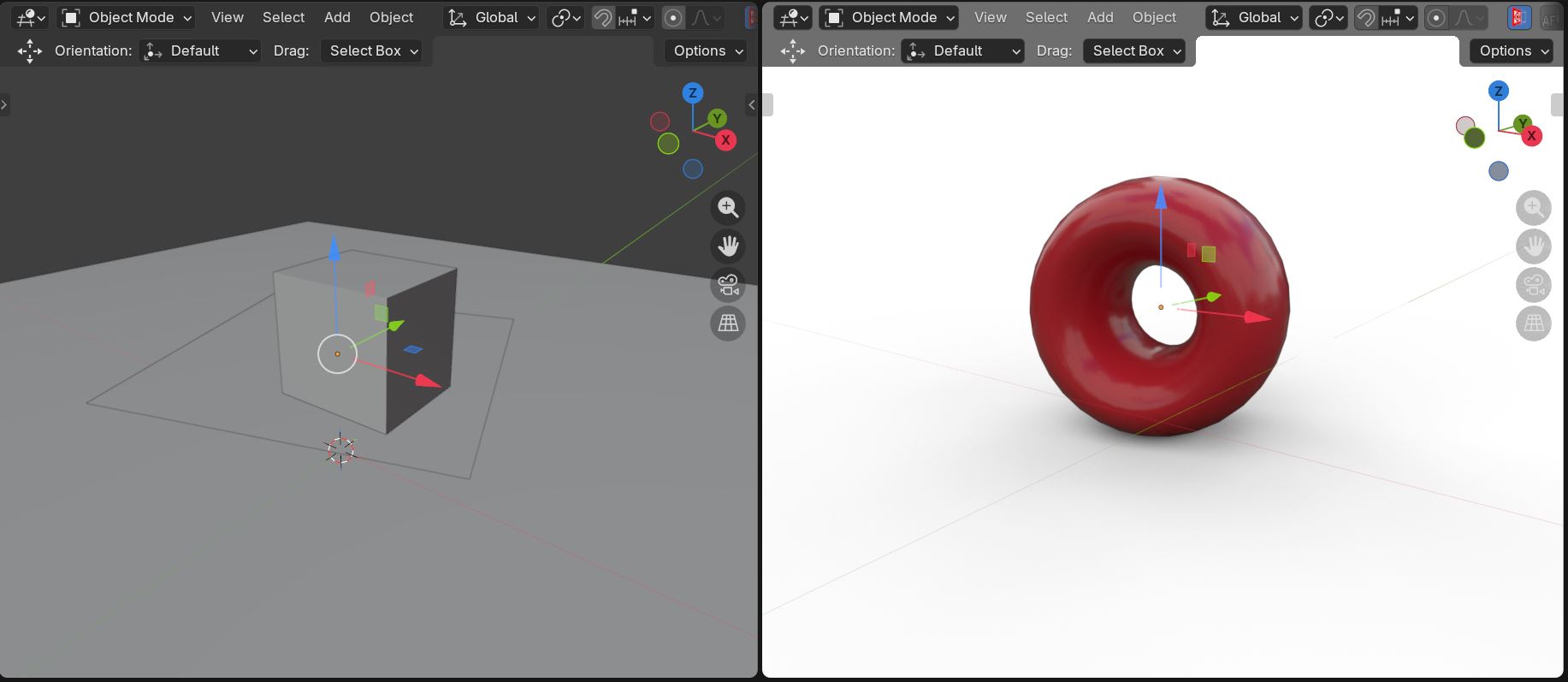
Figure 4: An Octane Geometric Primitive shape replacing the Blender cube in a rendered scene
An Octane material can be applied to the Geometric Primitive using the Material socket on the Geometric Primitive node (figure 5).
|
|
Geometric Primitive
|

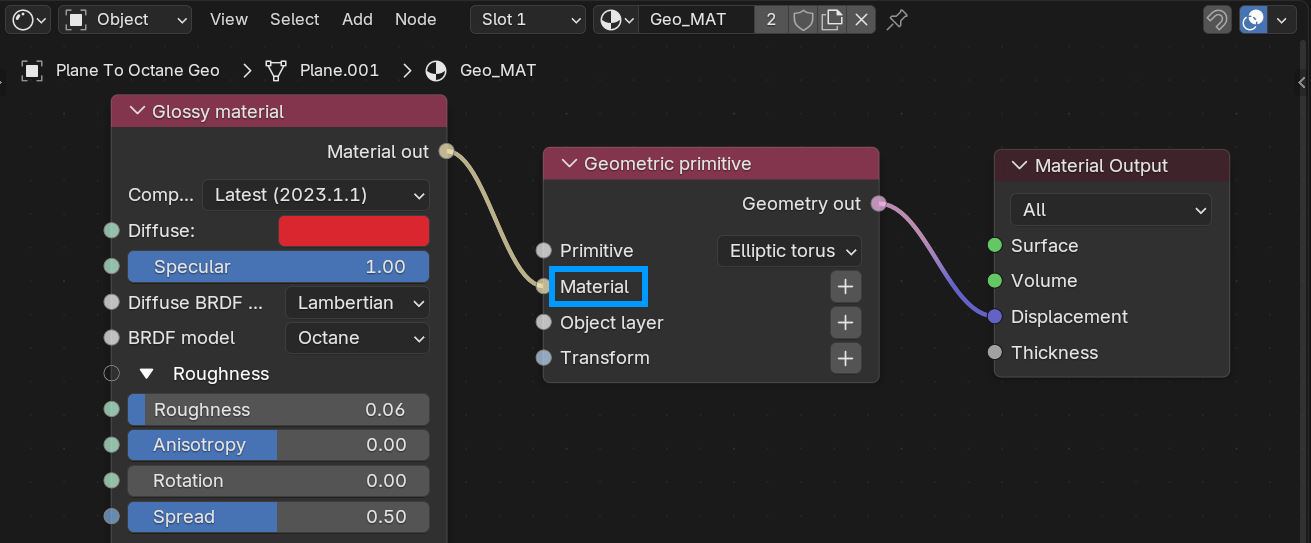
Figure 5: Applying an Octane material to the Geometric Primitive