Geometry
The Octane Geometry nodes empower Octane with the ability to construct intricate scenes using instances and numerous other Octane-specific primitives (figure 1). These tools should be utilized to reduce system resources and handle more complex scenes. Not all the nodes available in the Octane Geometry section work with the Shader Editor. The ones that do work are covered in this section.
|
|
Geometry
|

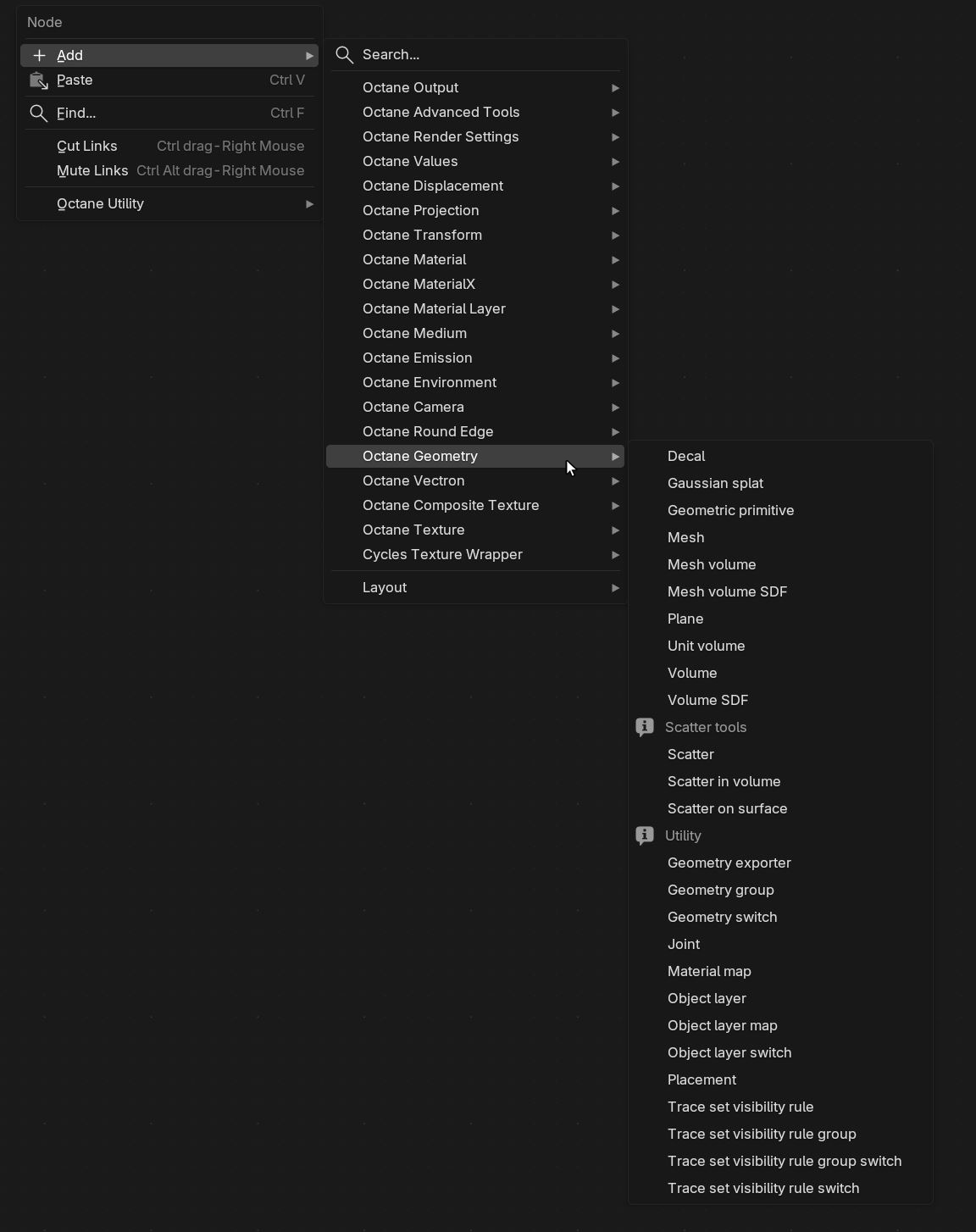
Figure 1: Octane Geometry Node List
The Octane Geometry nodes are utilized in the Shader Editor window (figure 2). They are connected to the Displacement pin on a material assigned to a scene object. The material needs to be specified in the Node Graph parameter under the Geometric Node rollout in the Data tab (figure 3). Additionally, the Geometry node from the shader network needs to be specified in the Octane Geo Node parameter (figure 3)
|
|
Geometry Shader Editor
|

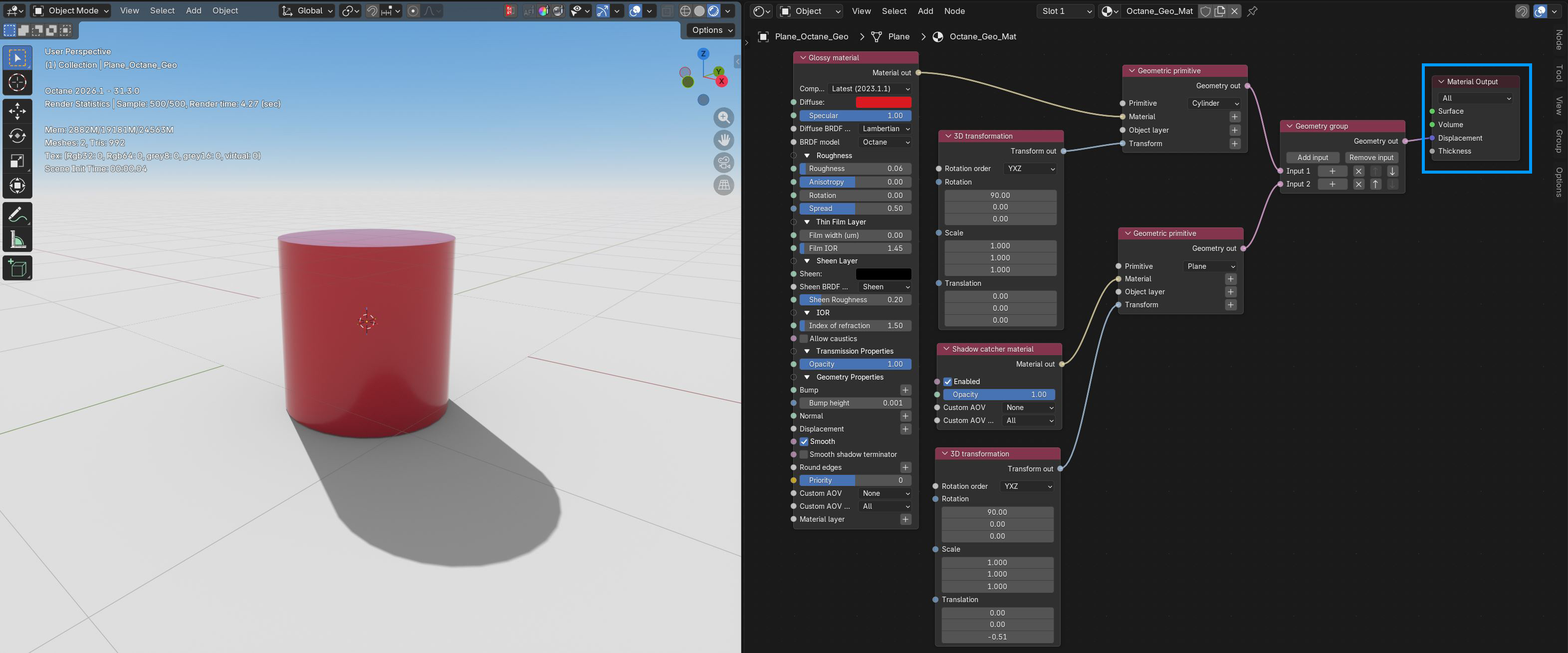
Figure 2: Two Geometric primitives are displayed using a Geometry Group node
|
|
Data Tab
|

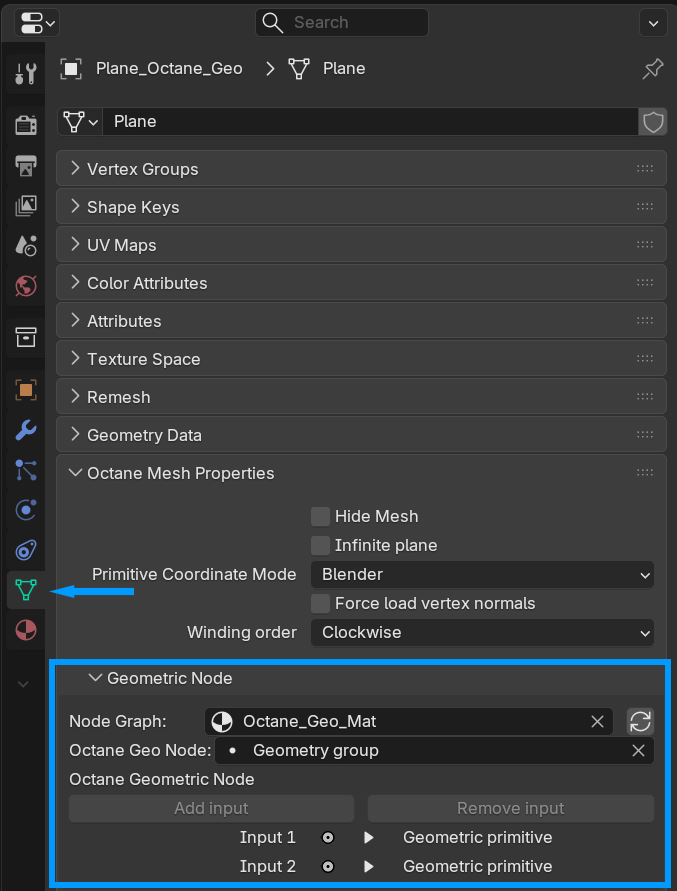
Figure 3: Specifying material and Geometry node in the Data tab