Gaussian Splat
OctaneRender® supports Gaussian Splat files which provide a representation of 3D scenes using a collection of Gaussians that approximate the geometery and lighting of a captured scene. Octane supports the .ply format for Gaussian Splat files. The Gaussian Splat node is accessed in the Shader Editor window and connects to the Displacement input pin on a material (figure 1).
|
|
Gaussian Splat
|

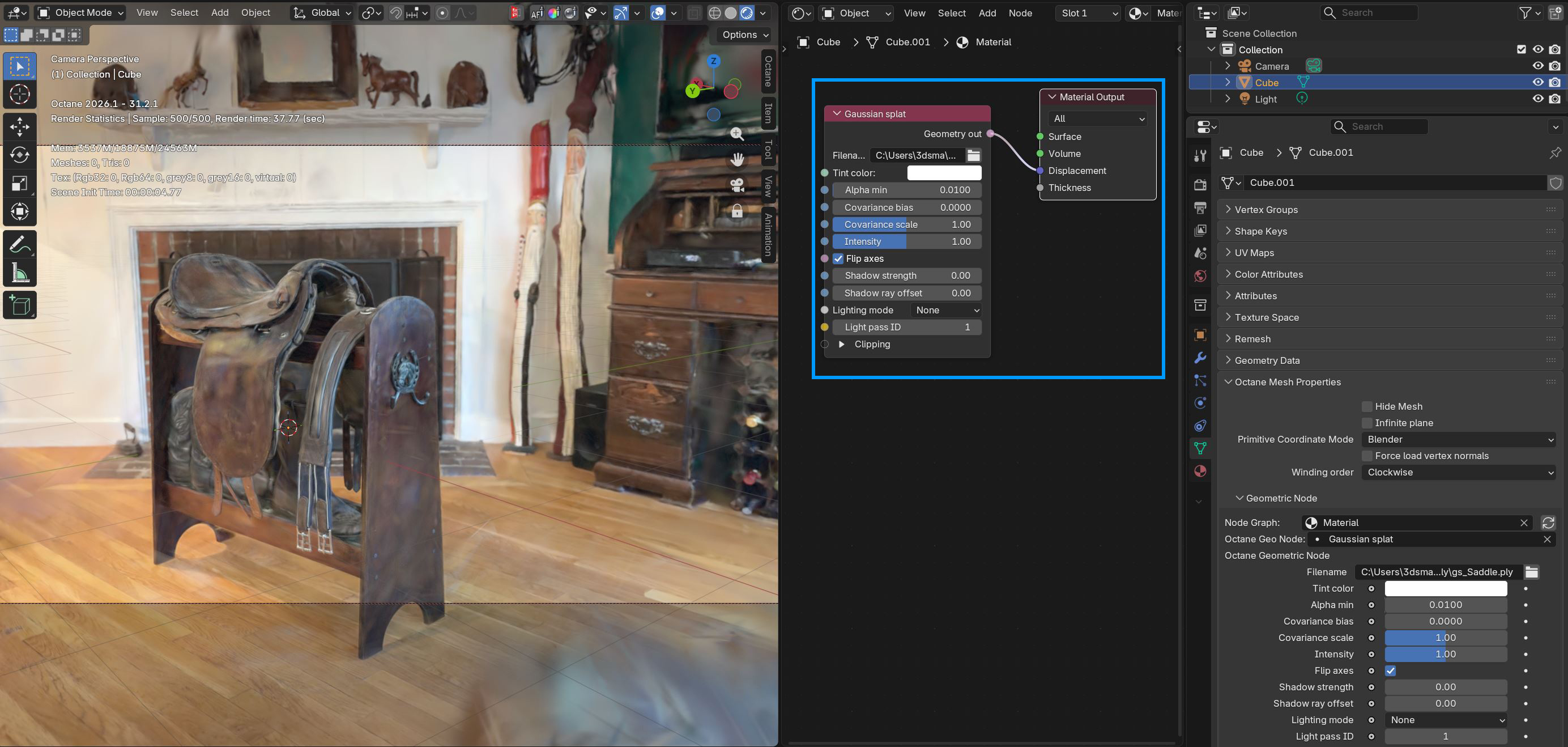
Figure 1: Connecting the Gaussian Splat node to a material node
Under the Geometric Node rollout in the Data tab, the material with the Gaussian Splat attached to the Displacement pin needs to be specified in the Node Graph property and the Gaussian Splat node can then be specified in the Octane Geo Node properties (figure 2). Objects with that material assignment in the scene will render as the imported .ply file.
|
|
Gaussian Splat
|

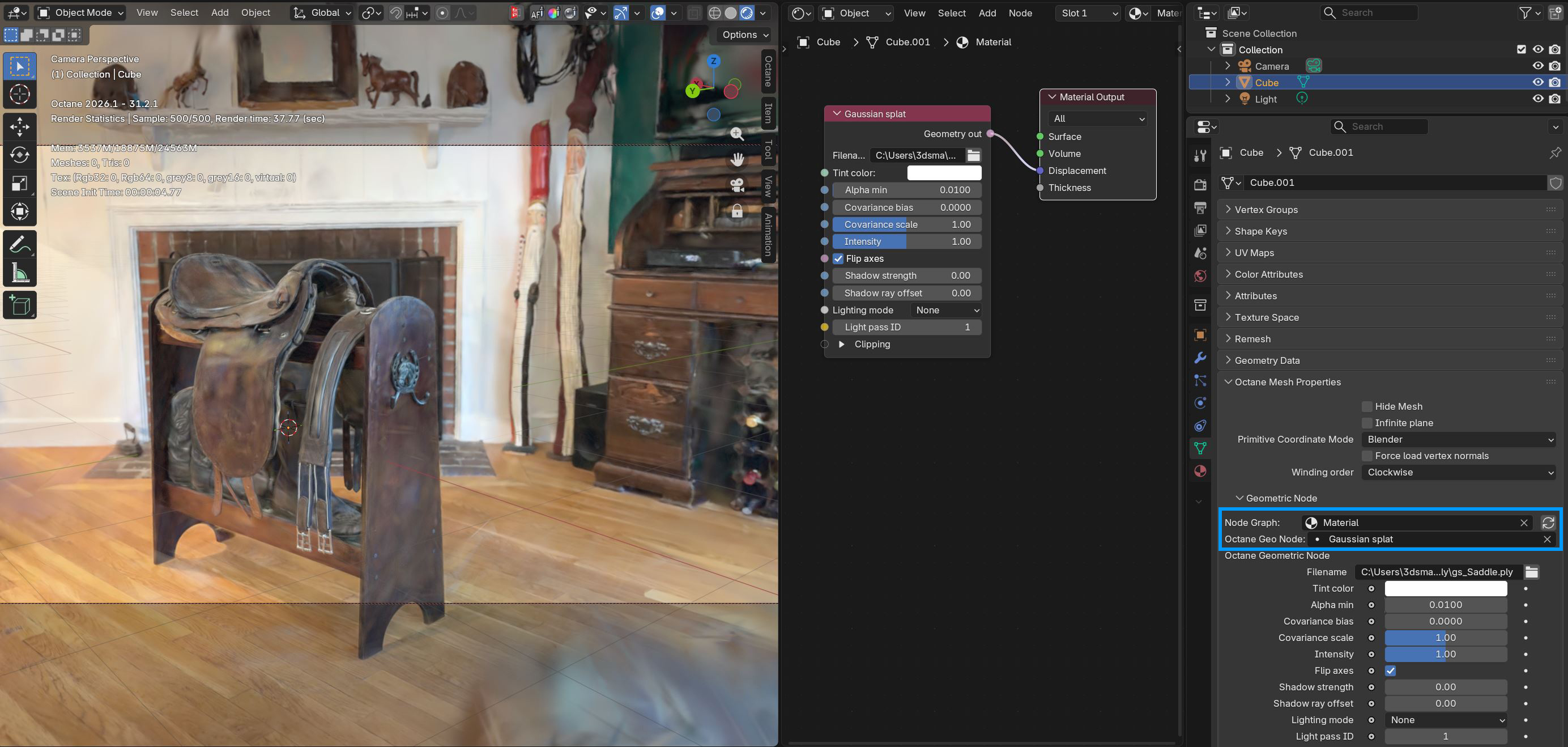
Figure 2: Specifying the Gaussian Splat material in the Data tab
Gaussian Splat Parameters
Filename - Specifies the .ply file to use for the Gaussian splat.
Tint Color - Applies an overall color tint to the Gaussian splat rendering.
Alpha Min - Regions of the Gaussian splat with an alpha smaller than this value will be invisible. Setting this value higher will produce better performance but lower visual quality.
Covariance Bias - Bias added to the Gaussian splat scale. Increasing this value makes the thin lines such as text more clearly visible. However, it might negatively affect rendering performance.
Covariance Scale - A scale multiplier of the Gaussian splat.
Intensity - The Gaussian splat color will be multiplied by this value.
Flip Axes - Inverts the Gaussian splat X and Y axes.
Shadow Strength - When set to a non-zero value, the Gaussian splat will simulate shadows from the light sources. Larger values will produce darker shadows. A setting of 0 effectively disables shadows.
Shadow Ray Offset - Determines an offset added to the shadow ray position when tracing the Gaussian splat shadows. This can be used to adjust the look of self-shadowing Gaussian splats.
Lighting Mode - Determines how the Gaussian splat interacts with light.
- None - Gaussian splat brightness will not be scaled by the emitter power. Shadows from mesh emitters are not supported in this mode.
- Power - Gaussian splat brightness will be scaled by the emitter power and dimmed with distance to the light.
- Power and Color - Gaussian splat brightness will be scaled by the emitter power and dimmed with distance to the light. Additionally, it will be tinted by the light color.
Light Pass ID - The ID of the light pass that captures the contribution of the Gaussian splat cloud.