Decal
The Decal system is designed to allow for decals or stickers to be placed on scene objects. In figure 1, the Digits procedural texture is used as a decal on an object surface.
|
|
Decal
|
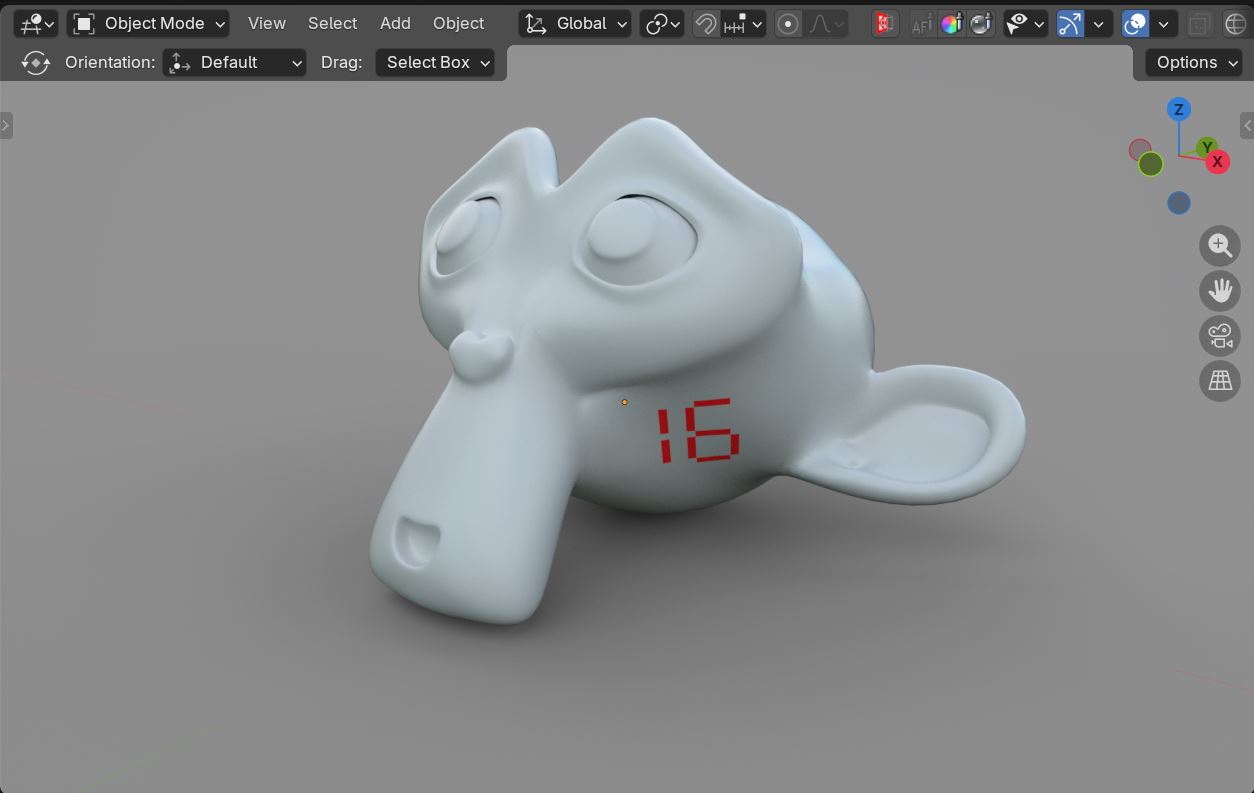
Figure 1: A decal applied to a scene object
The decal system consists of two decal-specific nodes, the Decal Texture node and the Decal node. The Decal Texture node is connected to the material node on the object in the scene that displays the decal on its surface (figure 2). Any other texture nodes needed for the scene material can be connected to the Base Texture socket on the Decal Texture node. In figure 2, a Greyscale Color node is used as the Base Texture.
|
|
Decal Texture
|
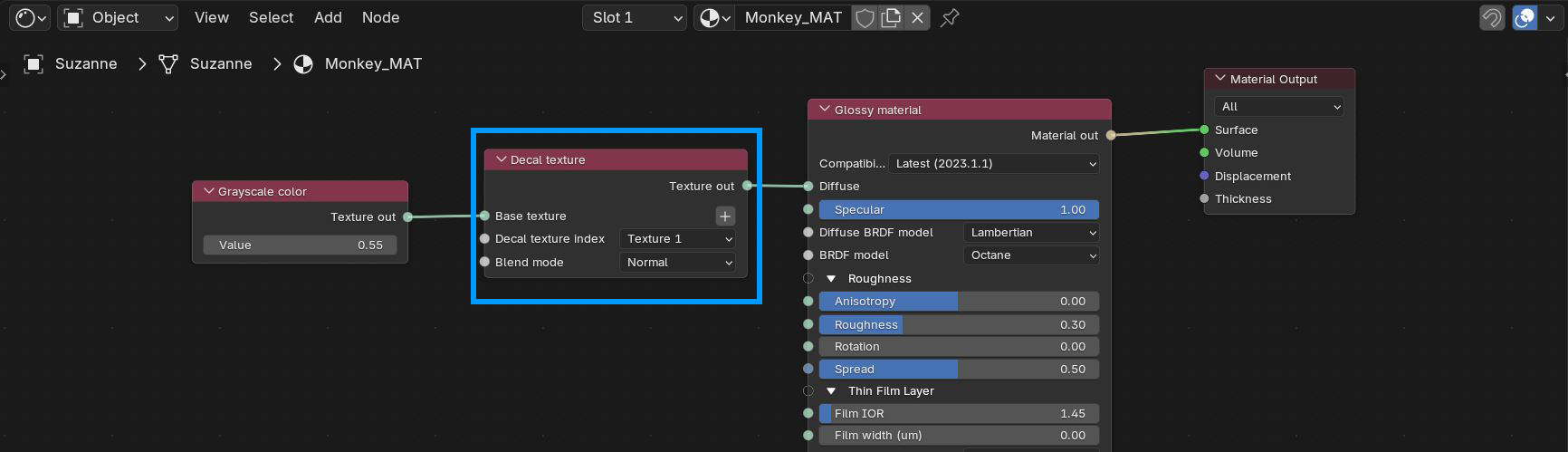
Figure 2: The Decal Texture node connected to a scene material
The Decal Texture Index is used to specify which Texture Input to use on the surface of the scene object as the decal (figure 3). The Texture Inputs are located on the Decal node discussed below.
|
|
Decal Texture
|
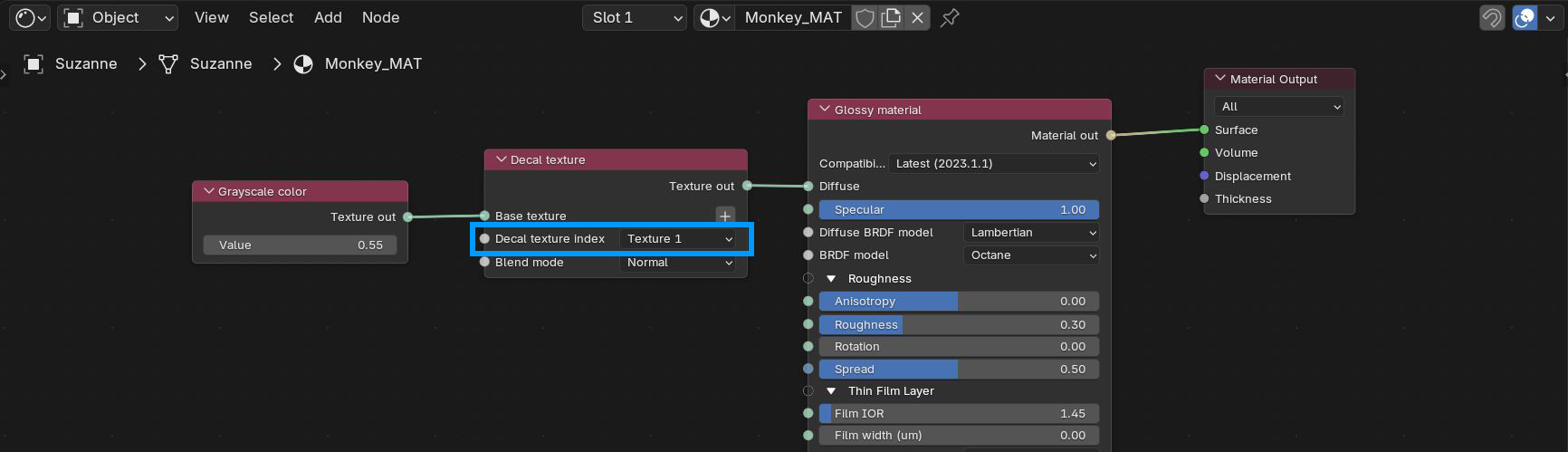
Figure 3: Specifying a decal Texture Input
Decal Texture Parameters
Base Texture - Determines the base color underneath the decal or decals. This input pin can also accept other texture maps.
Decal Texture Index - Specifies which Texture Input to use from the Decal node.
Blend Mode - Determines the blend mode used to mix the decal texture with the base color or texture.
Decal Node
The Decal node is added to the material applied to the cube object in the scene that becomes the decal object (figure 4).
|
|
Decal
|
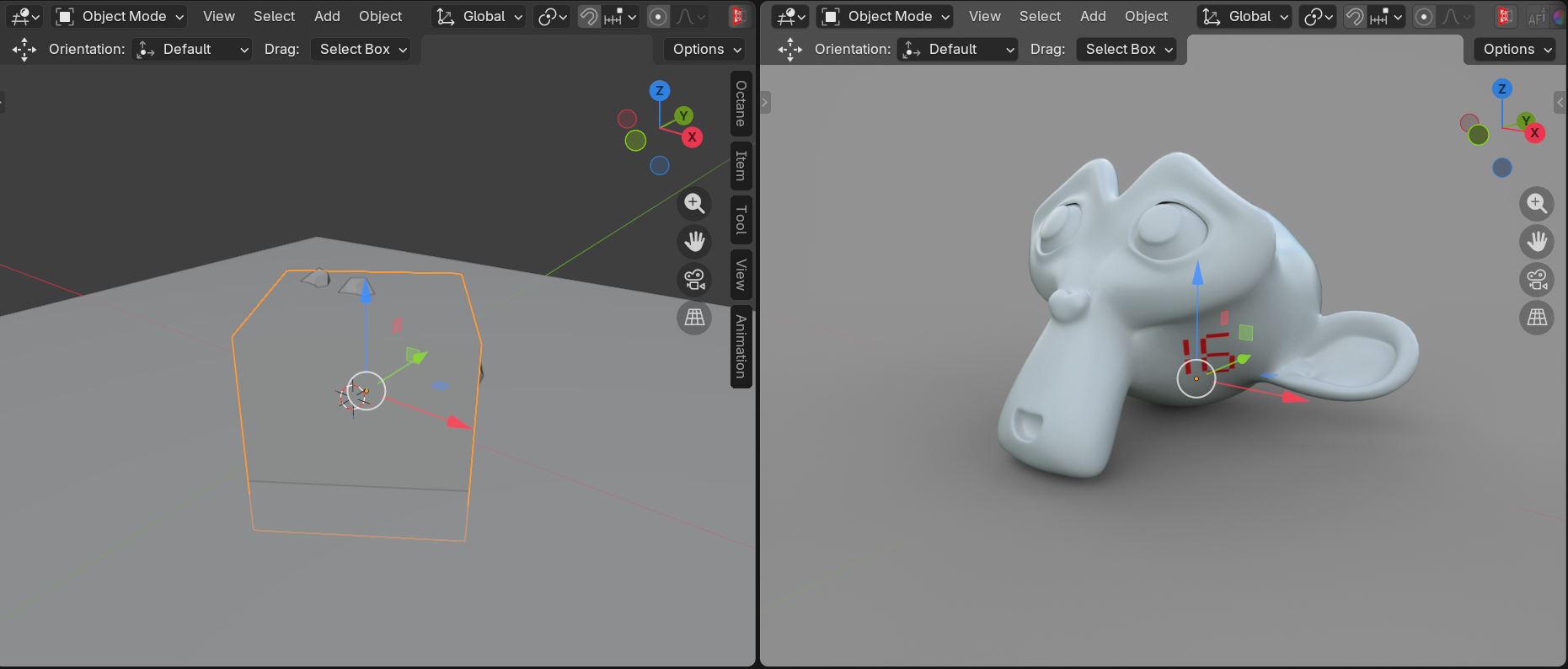
Figure 4: The cube in the scene used as the decal object
The Decal node is connected to the Geometry socket on a Placement node. The Placement node is then connected to the Displacement socket on the Material Out node (figure 5). Nothing is connected to the Surface socket because this material only displays the decal texture(s).
|
|
Decal
|
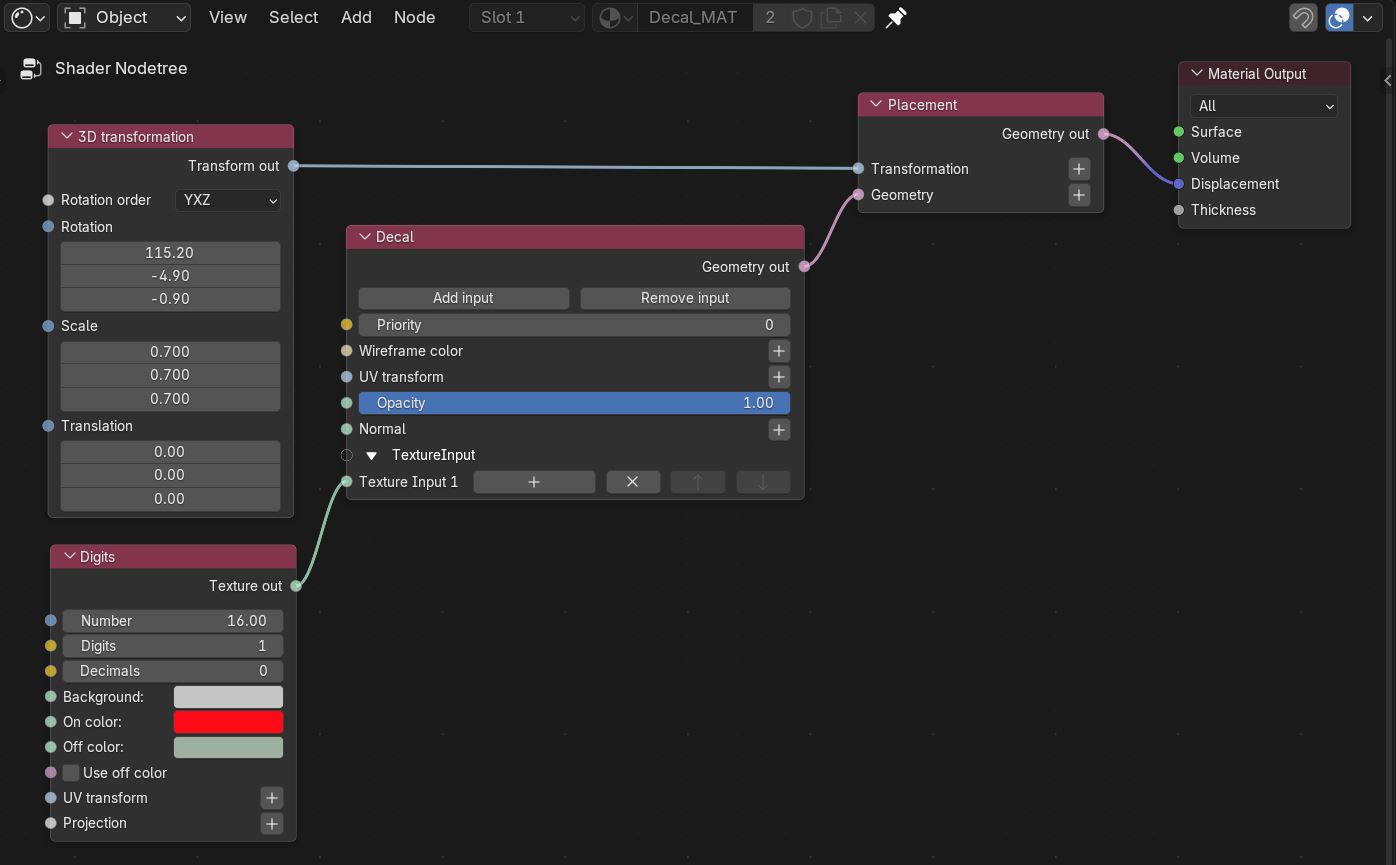
Figure 5: The Decal and Placement nodes
Decal Parameters
Add/Remove Input - Adds or removes texture input slots.
Priority - Determines which decal has priority when multiple decals overlap on a surface.
Wireframe Color - Color of the decal wireframe. The wireframe along the boundaries helps with aligning the decal in 3D space. This feature can be enabled in the render viewport window.
UV Transform - Provides basic UV transformations for the decal depending on the projection type set in the connected texture map input.
Opacity - Determines the opacity for the connected texture map.
Normal - Determines the normal channel for the decal. This channel can be used to override the target's normal channel.
Texture Input(s) - The texture input slot where texture maps can be connected as decals. The Input numbers correspond to the Decal Texture Index in the Decal Texture node applied to the scene object that displays the decal on its surface.