OSL projection
A scriptable node that lets you write OSL (Open Shader Language) scripts to define arbitrary Projection types (figure 1). It's similar to an OSL texture, but it connects to a Projection input. OSL is a standard created by Sony Imageworks. To learn about the generic OSL standard, read the OSL Readme and PDF documentation.
|
|
OSL Projection
|

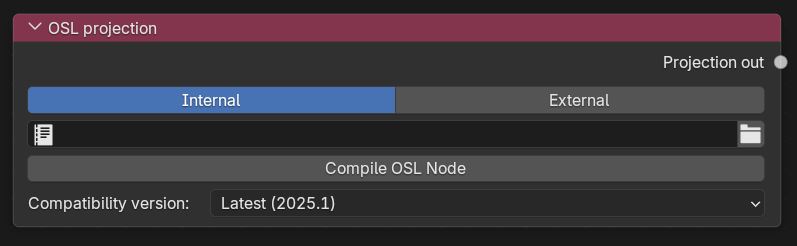
Figure 1: The OSL projection node
There are two options to add scripts for OSL projections. The Internal option lets you open another area in Blender® for the Text Editor and create a new text file for the OSL script. The External option lets you to select a pre-coded OSL file from the File Explorer window.
The initial script’s declaration component includes one required output variable with Output Typepoint. The OSL I/O Type point corresponds to an OctaneRender® Projection attribute node (Box, Mesh, UV, Spherical, Cylindrical, etc.).
Shader OslProjection (
output point uvw = 0)
{
uvw = point(u, v, 0);
}
A projection shader must have one output of a point-like type. All global variables have the same meaning as within texture shaders. The output value specifies a texture coordinate.
For a list of OSL variable declaration I/O Types in the OSL Specification that OctaneRender® supports, refer to the Appendix topic on OSL Implementation in the OctaneRender® Standalone manual. To learn more about scripting within OctaneRender® using the Open Shader Language, refer to The Octane OSL Guide.
OSL Projection Parameters
Interal - Text Editor datablock for the OSL script.
External - pre-coded OSL file.
Compile OSL Node - Compile the script.
Compatibility Mode - The Octane version that the behavior of this node should match.