Color correction
The Color Correction node adjusts image map attributes such as Brightness, Hue, Saturation, Gamma, and Contrast. In figure 2, the Color Correction node alters the RGB Color node's hue and brightness values before connecting to a Diffuse material's Diffuse pin
|
|
Color Correction
|

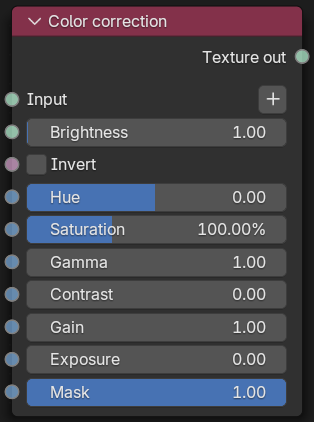
Figure 1: Color correction Node
|
|
Color Correction
|


Figure 2: A Color Correction node example
Color Correction parameters
Input - The Texture to apply the operation.
Brightness - Brightness or color correction.
Invert - Invert the colors from the input texture.
Hue - Shift the hue of the color. A value of 1.0 shifts the color by 180 degrees on the color wheel.
Saturation - Saturation correction.
Gamma - Gamma correction.
Contrast - Contrast correction.
Gain - Gain correction.
Exposure - Exposure correction in stops.
Mask - Blends between the input (if set to 0) and the color corrected result (if set to 1).