Light Types
There are seven physical light types available in OctaneRender®. They can be accessed from the Lights category in the Node Graph Editor window (figure 1).The Toon Directional and Toon Point lights are covered in Toon Shading under the Effects category.
|
|
Light Types
|

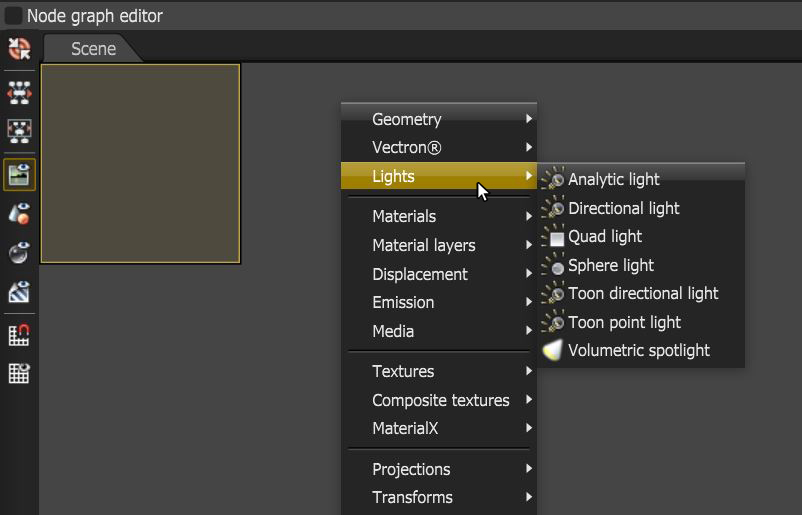
Figure 1: Accessing the light types in the Node Graph Editor window
Any of the light types can be connected to a scene through the use of a Geometry Group node (Figure 2).
|
|
Geometry Group
|

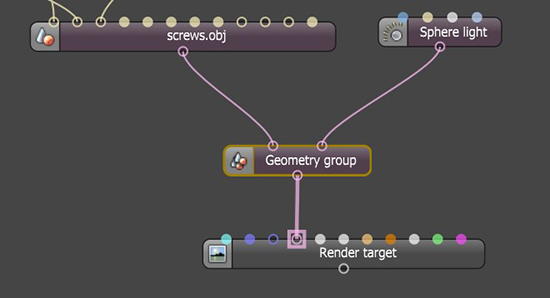
Figure 2: Adding lights using a Geometry Group node