Box
The Vectron® Box primitive creates a box shaped Vectron object (figure 1).
|
|
BOX PRIMITIVE
|
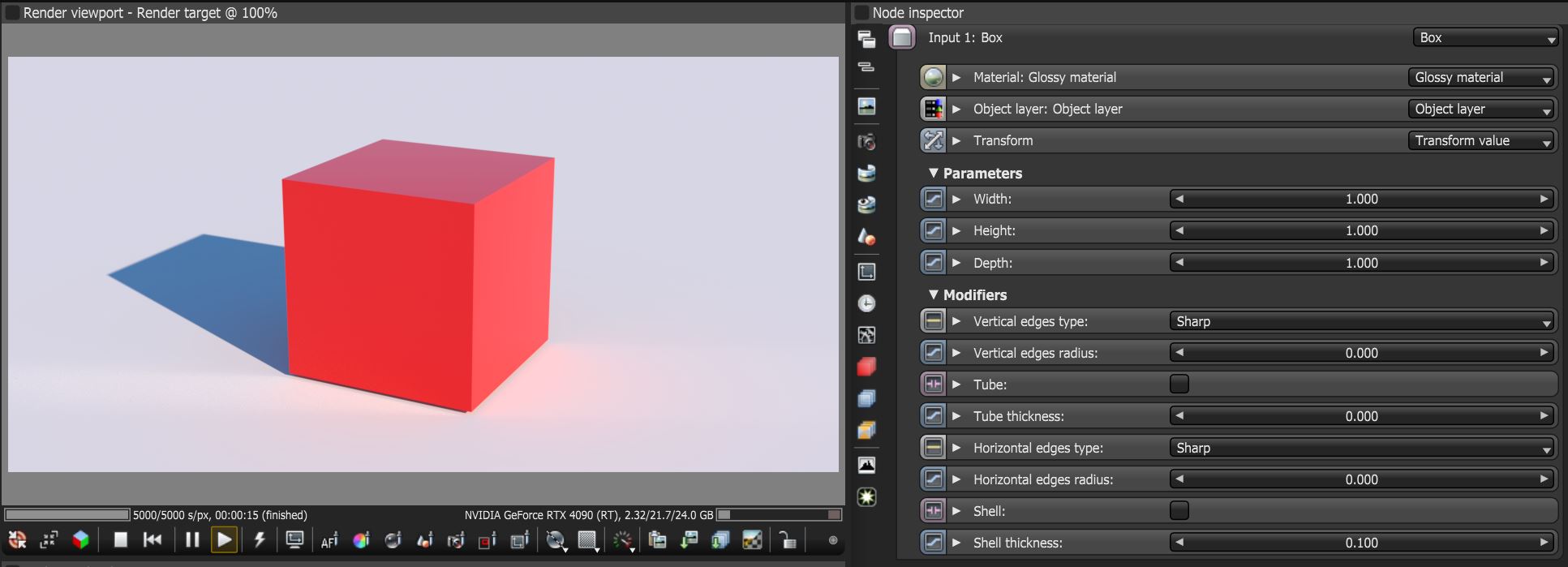
Figure 1: The Box Vectron object
Box Parameters
Material - The Material input. See the Materials topic in this manual for more details.
Object Layer - The Object Layer input. See the Object Layer Node topic under Rendering for details.
Transform - Provides values for translation, rotation, and scale.
Parameters
Width - The width of the box.
Height - The height of the box.
Depth - The depth of the box.
Modifiers
Vertical Edges Type - Determines the vertical edge types (Sharp, Fillet, or Chamfer).
Vertical Edges Radius - Determines the radius of the vertical edges if Fillet or Chamfer is selected.
Tube - Hollows out the interior making the box shape a square tube.
Tube Thickness - Determines the thickness between the inner and outer surfaces of the tube shape.
Horizontal Edges Type - Determines the horizontal edge types (Sharp, Fillet, or Chamfer).
Horizontal Edges Radius - Determines the radius of the horizontal edges if Fillet or Chamfer is selected.
Shell - Makes the shape a shell when the surface has an open edge such as in the case of subtracting one vectron shape from another.
Shell Thickness - Determines the thickness of the shell.