Tool Sample Position
The Sample Position node takes the sample position and converts it into an RGB color with R and G in the range -1 to +1. Sample position textures are typically used to store position values for objects such as particles and points. Figure 1 illustrates what a sample position texture typically looks like when connected to the Diffuse input on an Octane material.
|
|
Tool Sample Position
|

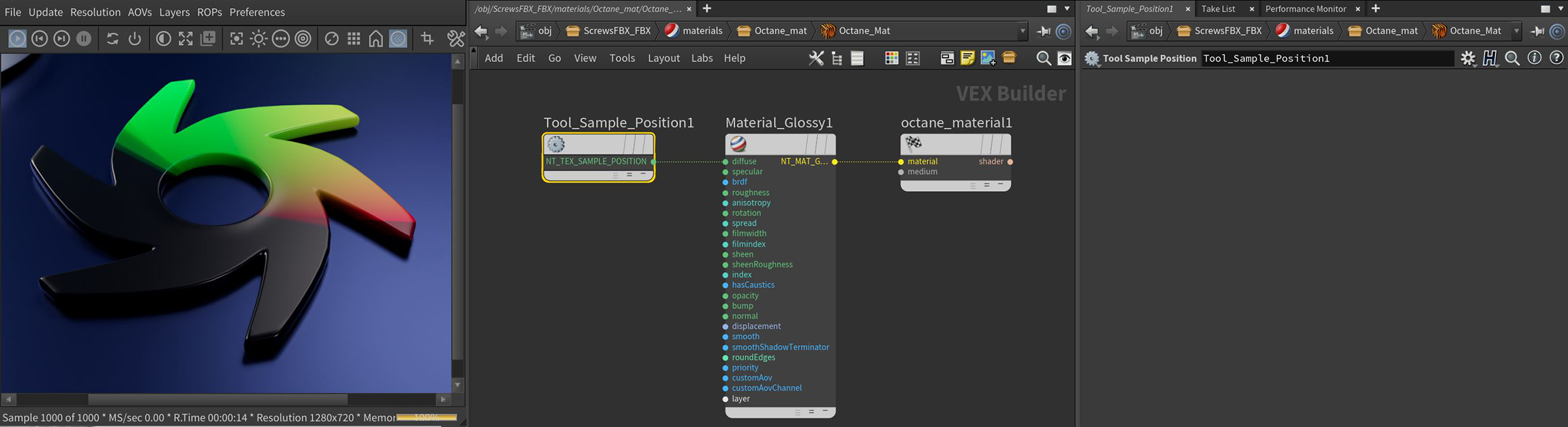
Figure 1: Connecting the Sample Position texture to the Diffuse input on an Octane material