Tool Subtract
The Subtract node subtracts pixel values of one incoming texture with the pixel values of the other incoming texture. In Figure 1, a Marble texture is tinted red using the Add node. The Marble texture is then blended with an RGB Color node (also set to red) using the Subtract node. The result is a texture with all the red color being removed. The top render is the result of the Subtract node and the bottom is the result without the Subtract node.
|
|
Tool Subtract
|

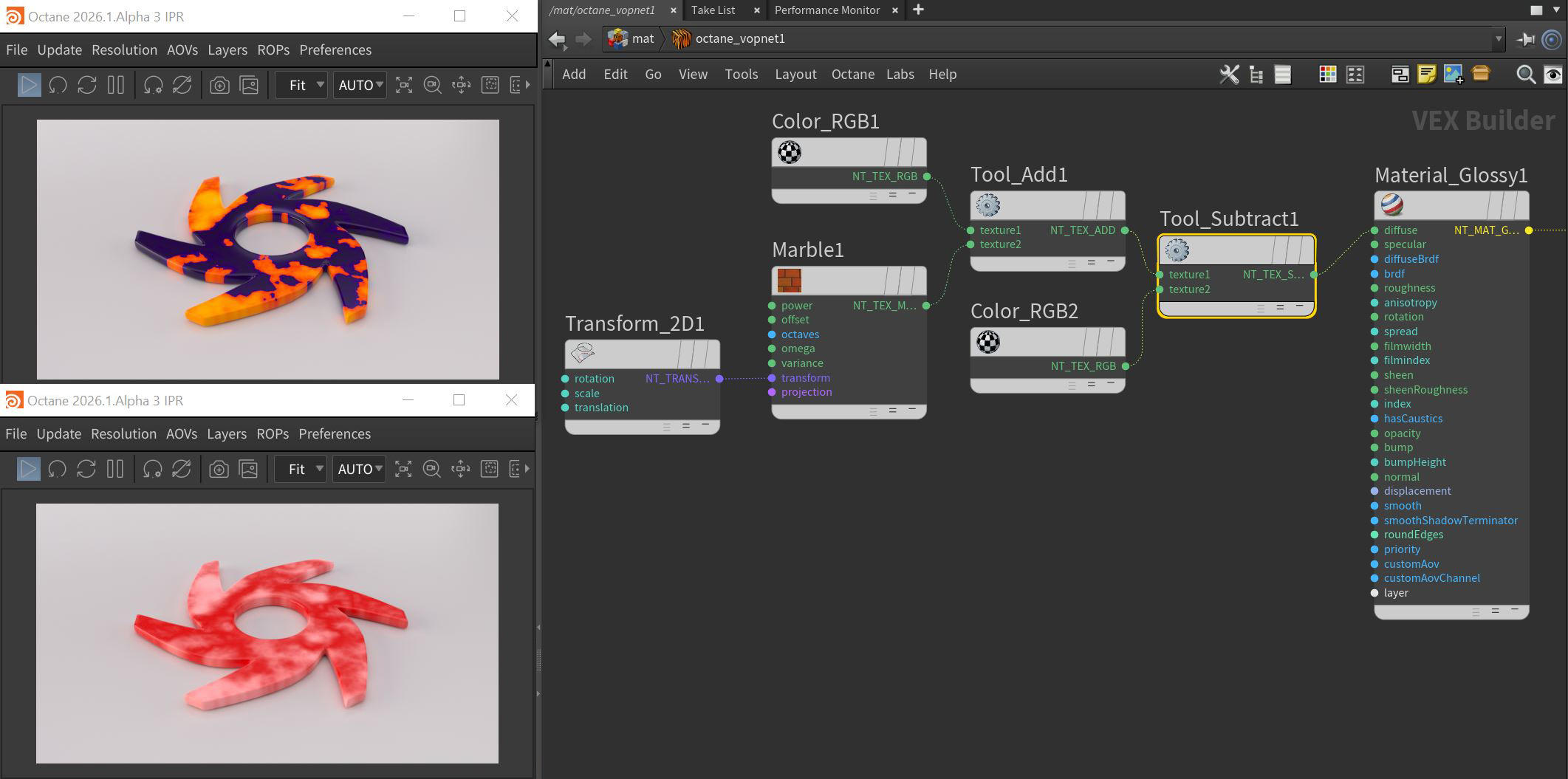
Figure 1: Using the Subtract node to mix a Marble texture with two RGB color nodes