Material Clipping
The Clipping material allows for real-time Boolean operations using a shader-based clipping process. The clipping material can be applied to a mesh, volume, or Vectron object. The new surface(s) can be automatically filled with the parent object's material and textures using the clipping material's UV set (figure 1).
|
|
Material Clipping
|

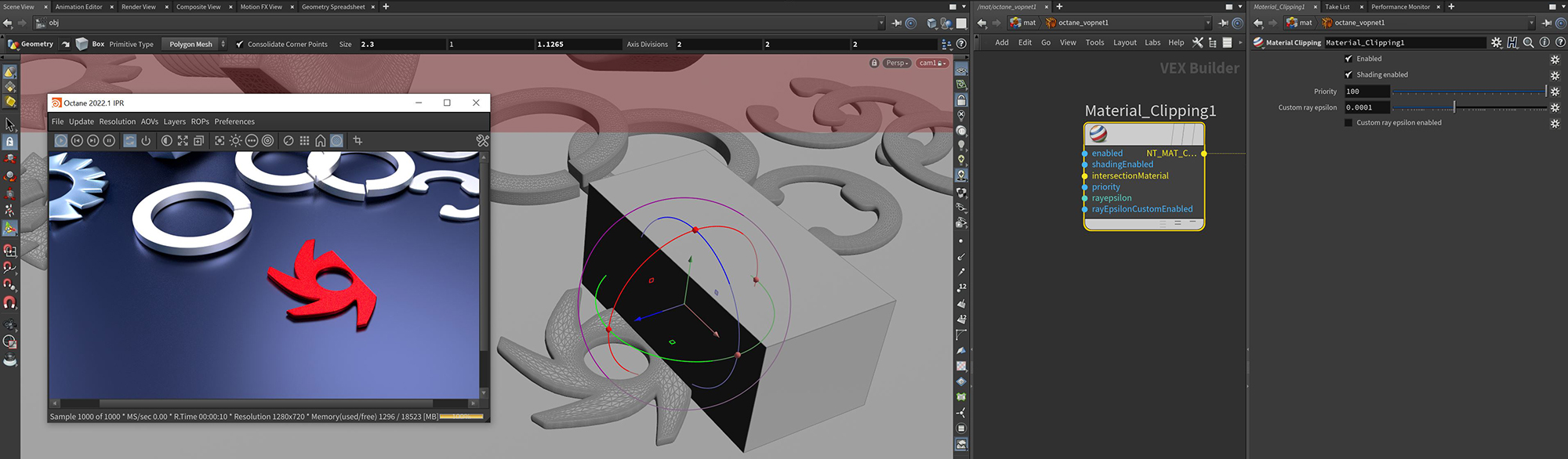
Figure 1: The Clipping Material applied to a cube primitive and used to clip away part of the Octane Logo
Material Clipping Parameters
Enabled - Activates or deactivates the Boolean system.
Shading Enabled - If activated, the remaining area will be filled in, otherwise, it will be hollow.
Intersection Material Pin - An intersection material can be specified here and will be applied to the clipped area, otherwise, the clipped area will be shaded with the parent material.
Priority - The material priority for this surface material.
Custom Ray Epsilon - The clipping material offset distance
Custom Ray Epsilon Enabled - If activated, the clipping material will use the specified custom ray epsilon instead of the global ray epsilon found in the Kernel node.
There are a couple of requirements for using the clipping material:
- The clipping material must be the only material attached to the geometry that clips other materials.
- Geometry with a clipping material applied that has 100% co-planar surfaces can cause artifacts due to how ray tracing works.
- Multiple clipping materials on multiple objects can be in a scene, however, they cannot overlap.
- Geometry that is intended to be clipped must be an enclosed manifold/water tight surface.