Environment - Texture
The Texture environment uses an HDRI texture map into the Filename parameter as a lighting source which will also render as the background environment (figure 1).
|
|
Environment Texture
|

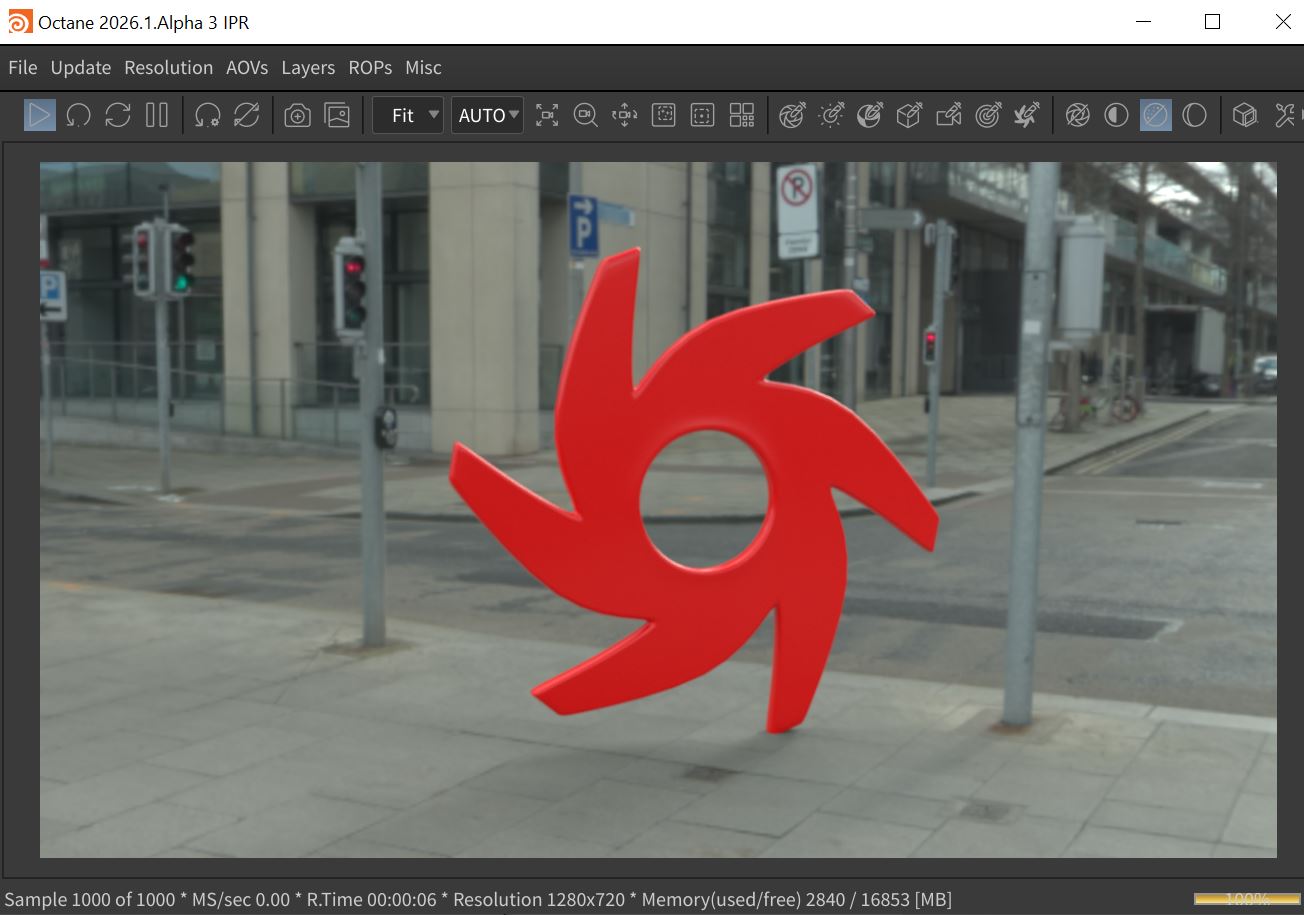
Figure 1: Using an HDRI for the Texture environment
The Texture system is found in the Environment tab of the Render Target parameters window (Figure 2). The Texture system can also be found in the Octane Render Setup node located in the Object window (figure 3).
|
|
Environment Texture
|

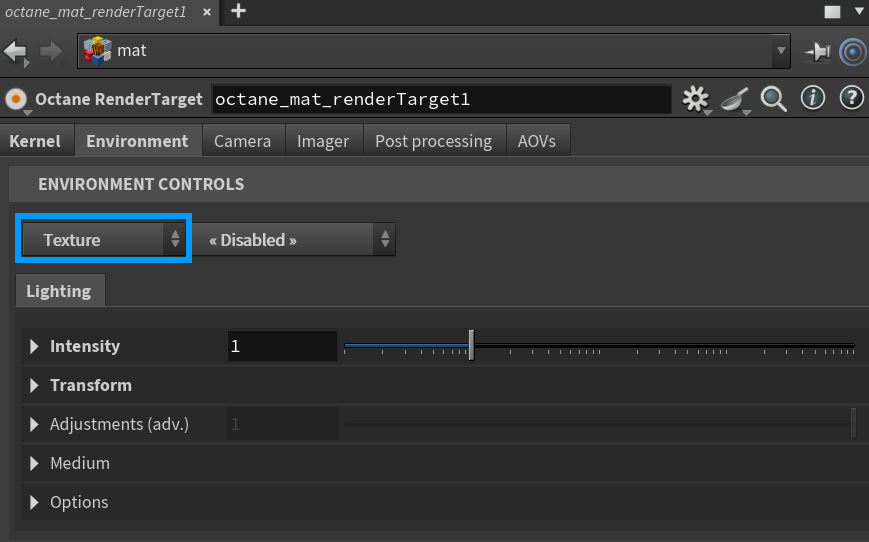
Figure 2: Accessing the Texture parameters node from an Octane Render Target node
|
|
Environment Texture
|

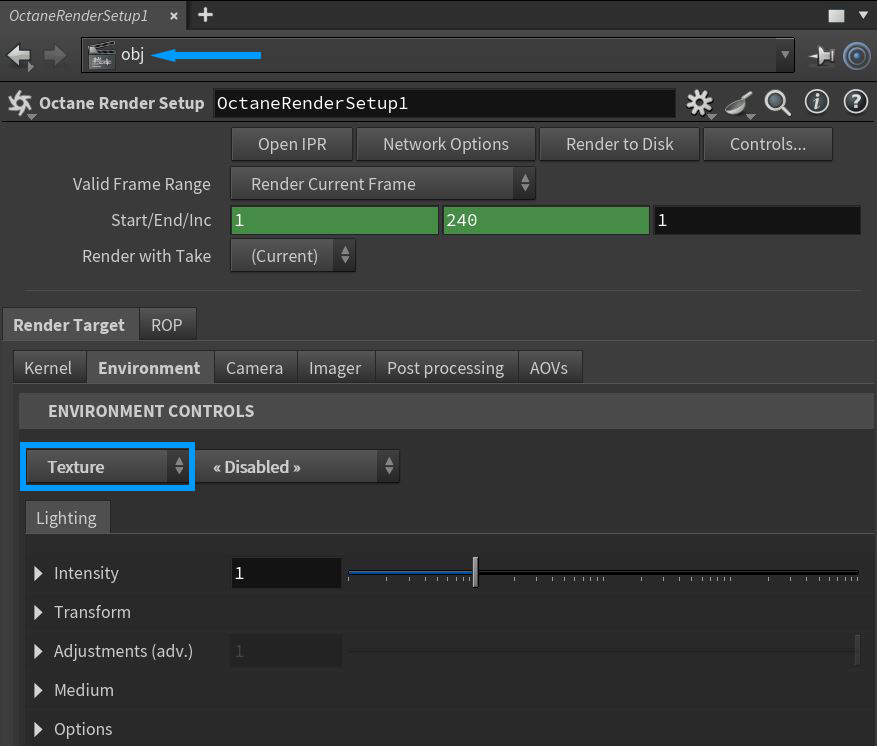
Figure 3: Accessing the Texture parameters in the Octane Render Setup node
Parameters specific to the Texture system are found in the Intensity, Transform, Adjustments, Medium, and Options rollouts.There is a Backplate tab available to further control the options for displaying backplate elements (figure 4). If the Backplate is set to anything other than Disabled, the Backplate parameters will override any duplicate background elements available in the Texture tab. Note that the Backplate parameters do not affect the physical lighting on scene objects.
|
|
Environment Backplate
|

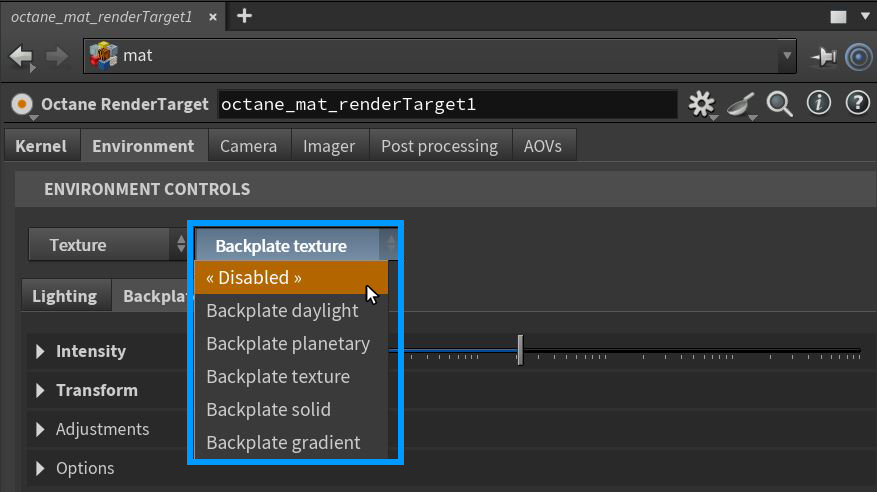
Figure 4: Accessing the Environment Backplate parameters
Texture Environment Lighting Tab Parameters
Intensity Rollout
Power - Controls the illumination's strength or brightness.
Filename - A HDRI image can be loaded here for use as the environment texture.
Color Space - Determines the color space for the imported environment texture.
Reload - Reloads the specified environment texture.
Invert - Inverts the image.
Legacy Gamma - Adjusts the gamma if the color space is set to Linear sRGB + Legacy Gamma.
Linear sRGB Invert - Inverts the image after conversion to Linear sRGB color space, not before.
Transform Rollout
Rotate, Tilt, Roll, Scale, and Translate (2d & 3D) - Offers control over the position, orientation,and scale of the texture using both 2D and 3D parameter sets.
Border U & V - Determines the behavior of the the backplate texture when the U and V values fall outside of the 0-1 UV space.
Adjustments Rollout
Offers control over image adjustments such as brightness, color, hue, etc.
Medium Rollout
Offers control of a medium used to give aerial density and fog to the Texture system. This is an actual volume medium effect, not a cheat. It interacts directly with any lighting in the scene.
Options Rollout
Importance Sampling - This toggles the Sky texture's importance sampling, similar to the Texture environment's importance sampling.
Cast Photons - If photon mapping is used, this option casts photons from the bright areas of the scene.
Backplate Texture Tab Parameters
These parameters will override their conterparts in the Lighting tab.
|
NOTE The Backplate parameters do not affect the physical lighting on scene objects. |
Intensity Rollout
Power - Controls the illumination's strength or brightness of the backplate.
Filename - A HDRI image can be loaded here for use as the backplate texture.
Color Space - Determines the color space for the imported backplate texture.
Reload - Reloads the specified backplatet texture.
Invert - Inverts the image.
Legacy Gamma - Adjusts the gamma if the color space is set to Linear sRGB + Legacy Gamma.
Linear sRGB Invert - Inverts the image after conversion to Linear sRGB color space, not before.
Transform Rollout
Projection - Determines the type of project to use to wrap the environment texture around the backplate.
Rotate, Tilt, Roll, Scale, and Translate (2d & 3D) - Offers control over the position, orientation,and scale of the texture using both 2D and 3D parameter sets.
Border U & V - Determines the behavior of the the backplate texture when the U and V values fall outside of the 0-1 UV space.
Adjustments Rollout
Offers control over image adjustments such as brightness, color, hue, etc.
Options Rollout
Backplate - Makes the Background Plate environment visible in the background.
Reflections - Makes the Background Plate environment visible in reflections..
Refractions - Makes the Background Plate environment visible in refractions.