Environment - Solid
The Solid environment provides a single color as the light for the environment. This creates an overall consistent color cast with no variation in the scene (figure 1).
|
|
Environment Solid
|

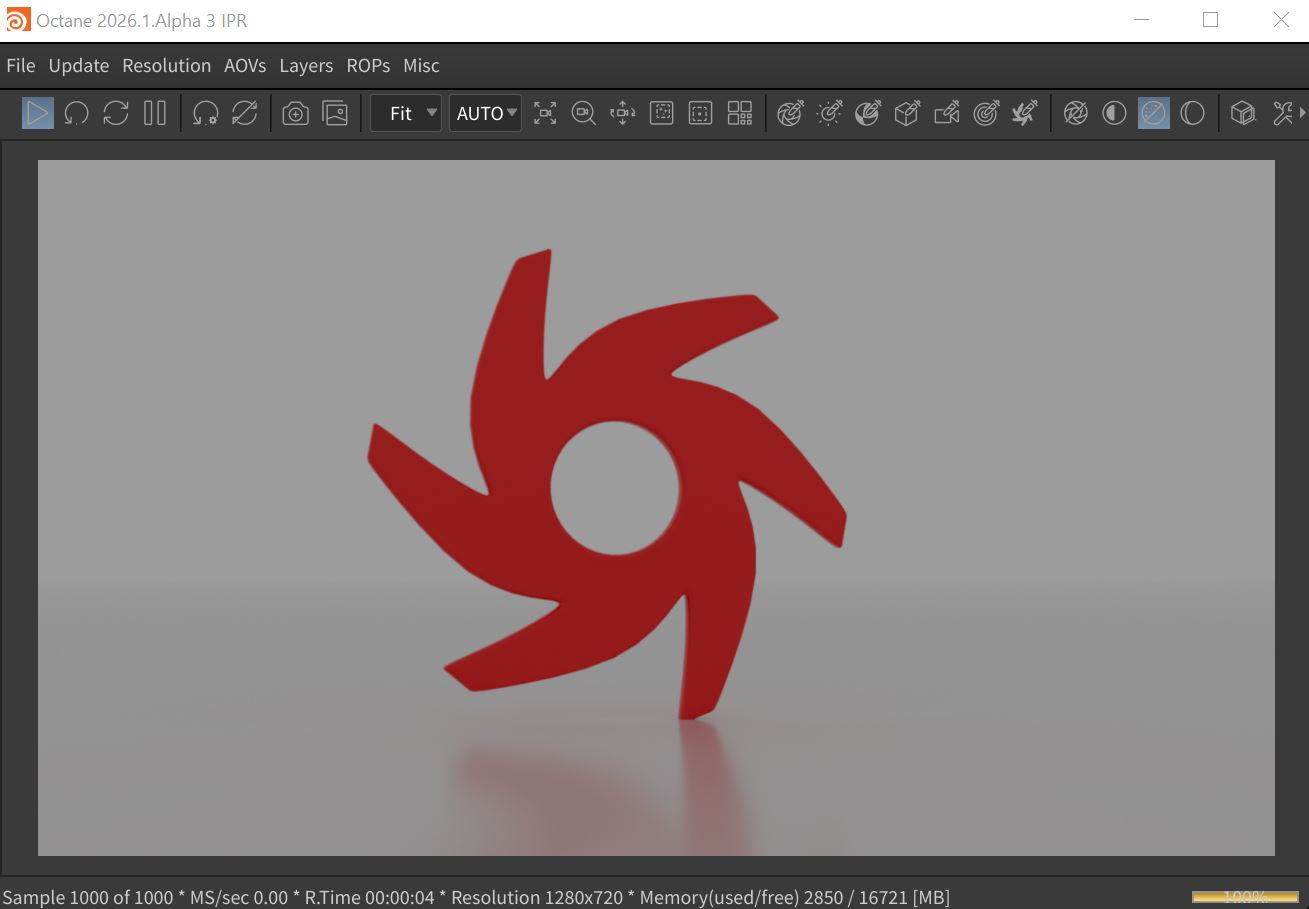
Figure 1: A scene rendered using the Solid environment
The Solid system is found in the Environment tab of the Render Target parameters window (Figure 2). The Solid system can also be found in the Octane Render Setup node located in the Object window (figure 3).
|
|
Environment Solid
|

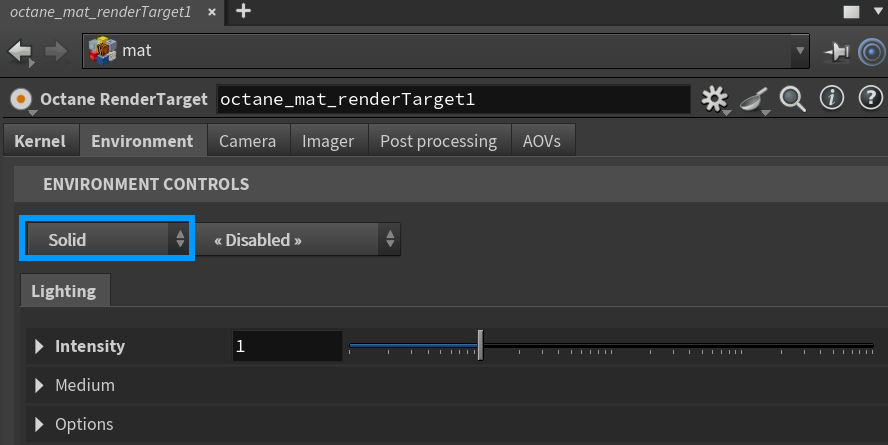
Figure 2: Accessing the Solid environment node from an Octane Render Target.
|
|
Environment Solid
|

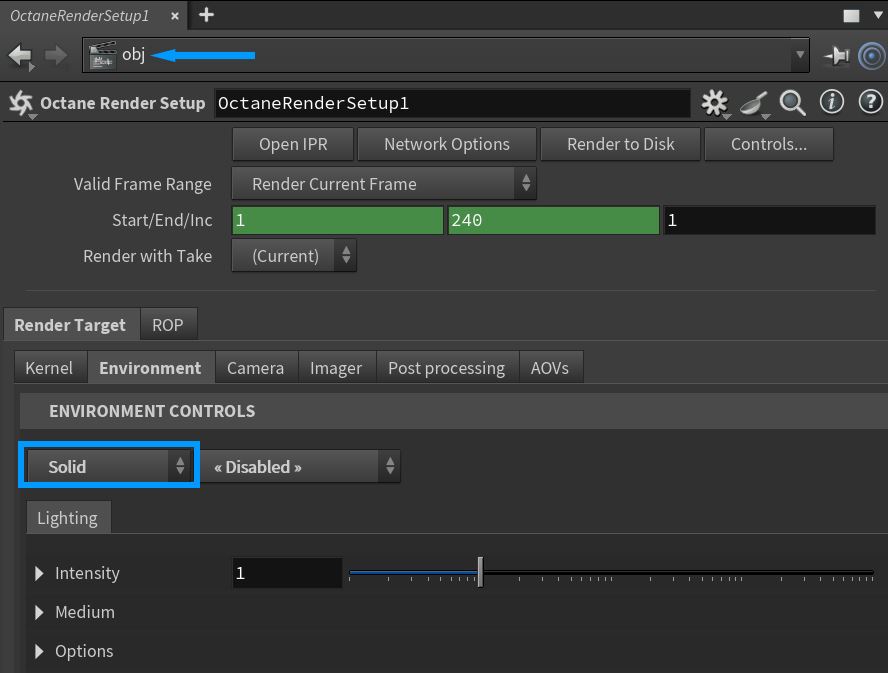
Figure 3: Accessing the Solid parameters in the Octane Render Setup node
Parameters specific to the Solid system are found in the Intensity, Medium, and Options rollouts.There is a Backplate tab available to further control the options for displaying backplate elements (figure 4). If the Backplate is set to anything other than Disabled, such as Backplate Solid, the Backplate parameters will override any duplicate background elements available in the Solid tab. Note that the Backplate parameters do not affect the physical lighting on scene objects.
|
|
Environment Backplate
|

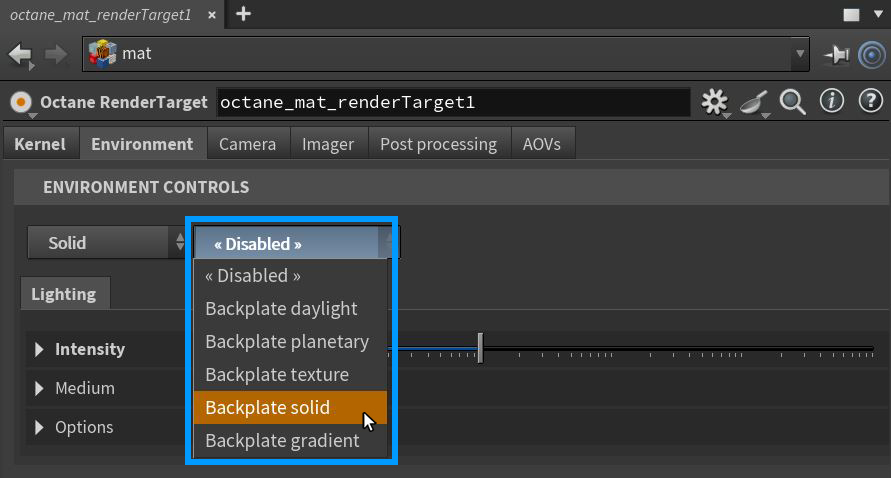
Figure 4: Accessing the Environment Backplate parameters
Solid Environment Lighting Tab Parameters
Intensity Rollout
Power - Controls the brightness of the solid light color.
Color - Determines the color of the light environment.
Medium Rollout
Offers control of a medium used to give aerial density and fog to the Solid system. This is an actual volume medium effect, not a cheat. It interacts directly with any lighting in the scene.
Options Rollout
Importance Sampling - This toggles the Sky texture's importance sampling, similar to the Texture environment's importance sampling.
Cast Photons - If photon mapping is used, this option casts photons from the bright areas of the scene.
Backplate Solid Tab Parameters
These parameters will override their conterparts in the Lighting tab.
|
NOTE The Backplate parameters do not affect the physical lighting on scene objects. |
Intensity Rollout
Power - Controls the brightness of the solid light color.
Color - Determines the color of the light environment.
Options Rollout
Backplate - Makes the Background Plate environment visible in the background.
Reflections - Makes the Background Plate environment visible in reflections..
Refractions - Makes the Background Plate environment visible in refractions.