Color Management & OCIO
Octane is a spectral render engine. This means that colors within the render are not subject to a specific color space or RGB color but instead are treated using physically accurate wavelength. The wavelengths are only after the fact converted to RGB color spaces.OctaneRender® has its own color settings, display gamma, tone mapping, and color correction for input textures and output renderings. OctaneRender supports OpenColorIO (OCIO) for color management. All color mangement and tonemapping adjustments can be found in the Octane RenderTarget node under the Imager tab (Figure 1). Details on the tone mapping settings can be found in the Imager topic.
|
|
Color Management
|

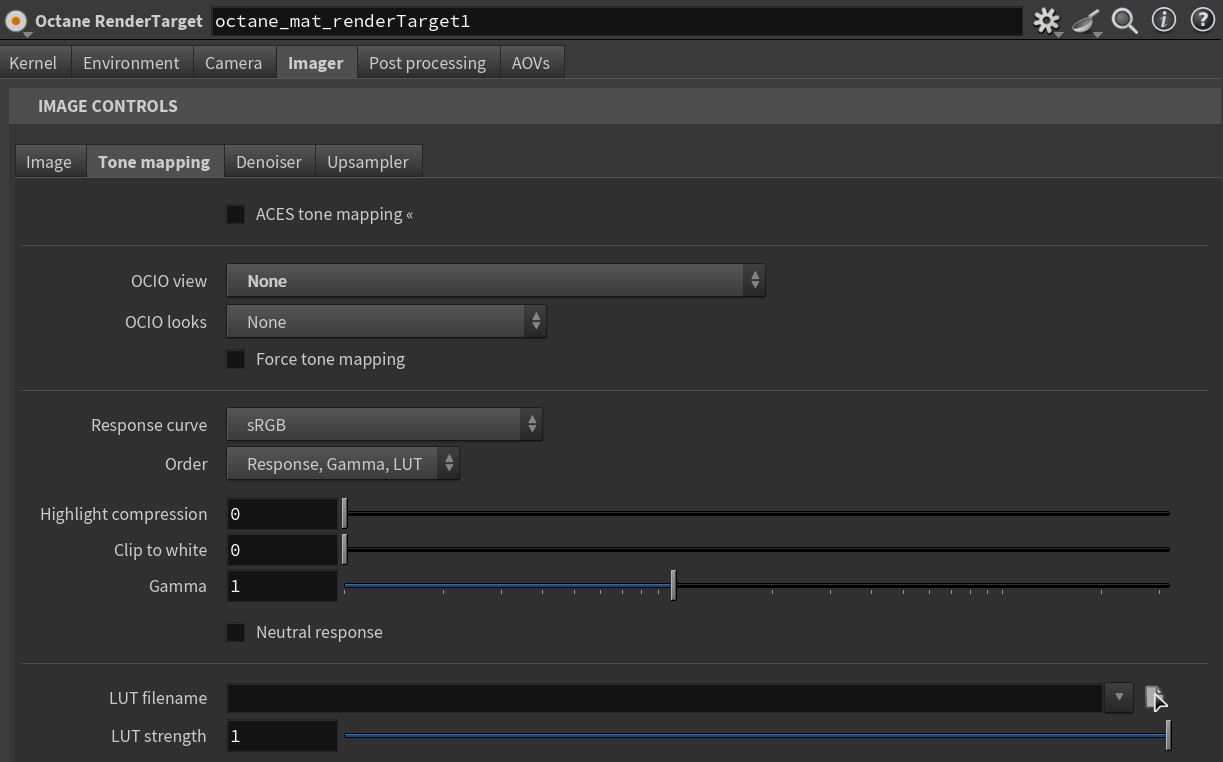
Figure 1: The color management and OCIO settings in the Octane Imager window
The ocio view/looks parameters are dependent on the OCIO version set in the ocio.json (set to ACES1.3 by default in Houdini 20.5/21) in the houdini documents packages folder (documents/houdini21.0/packages) or the houdini.env. By default tonemapping only affects the IPR image. The color space of the file output is defined in the ROP settings (figure 2). If you want your final image to match your IPR when rendering to EXR you will have to apply the same OCIO transform in your compositing software.Only if rendering to a format like png or when using Force Tone Mapping in the ROP settings will the tone mapping applied to your output image (figure 3).
|
|
Color Management
|

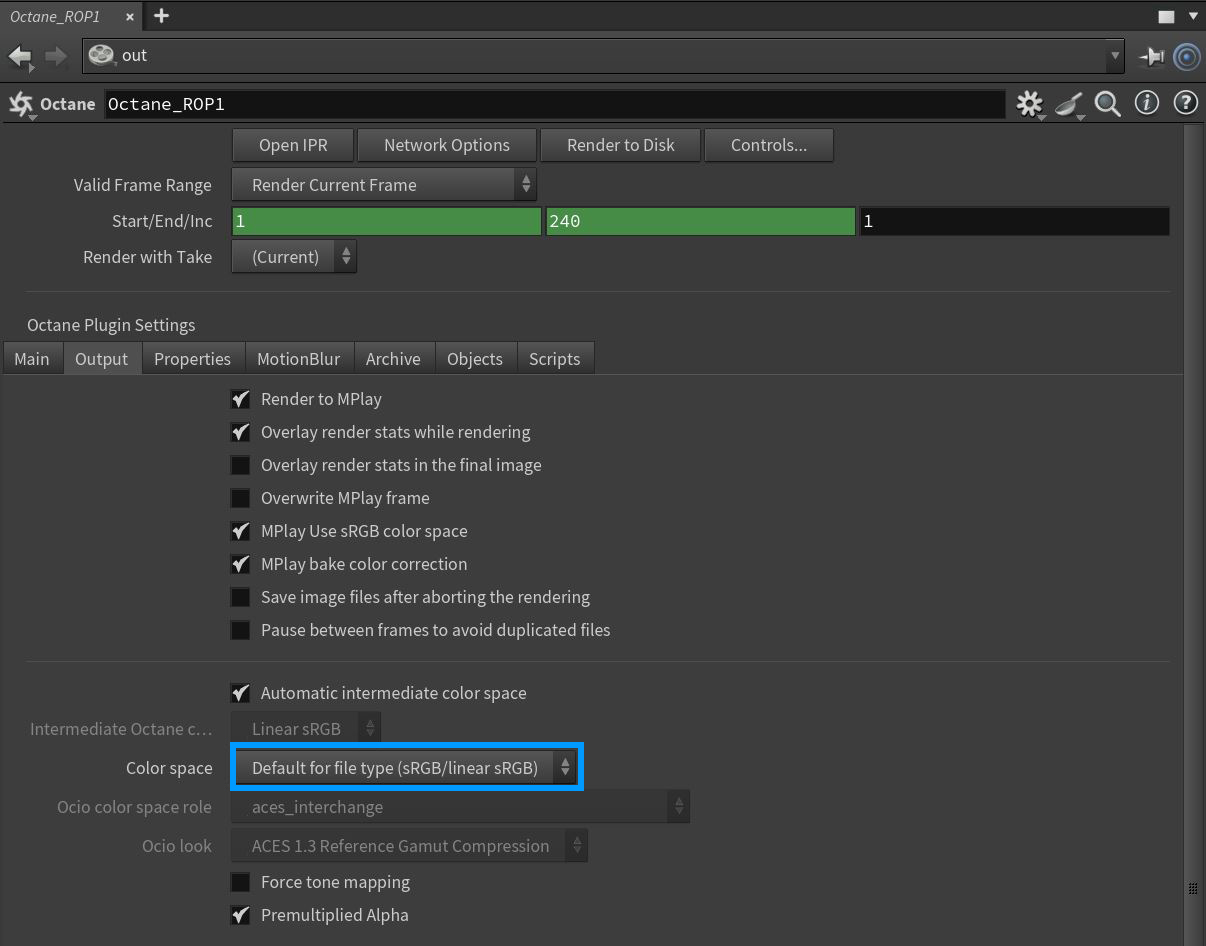
Figure 2: Accessing the Color Space options in a ROP node
|
|
Color Management
|

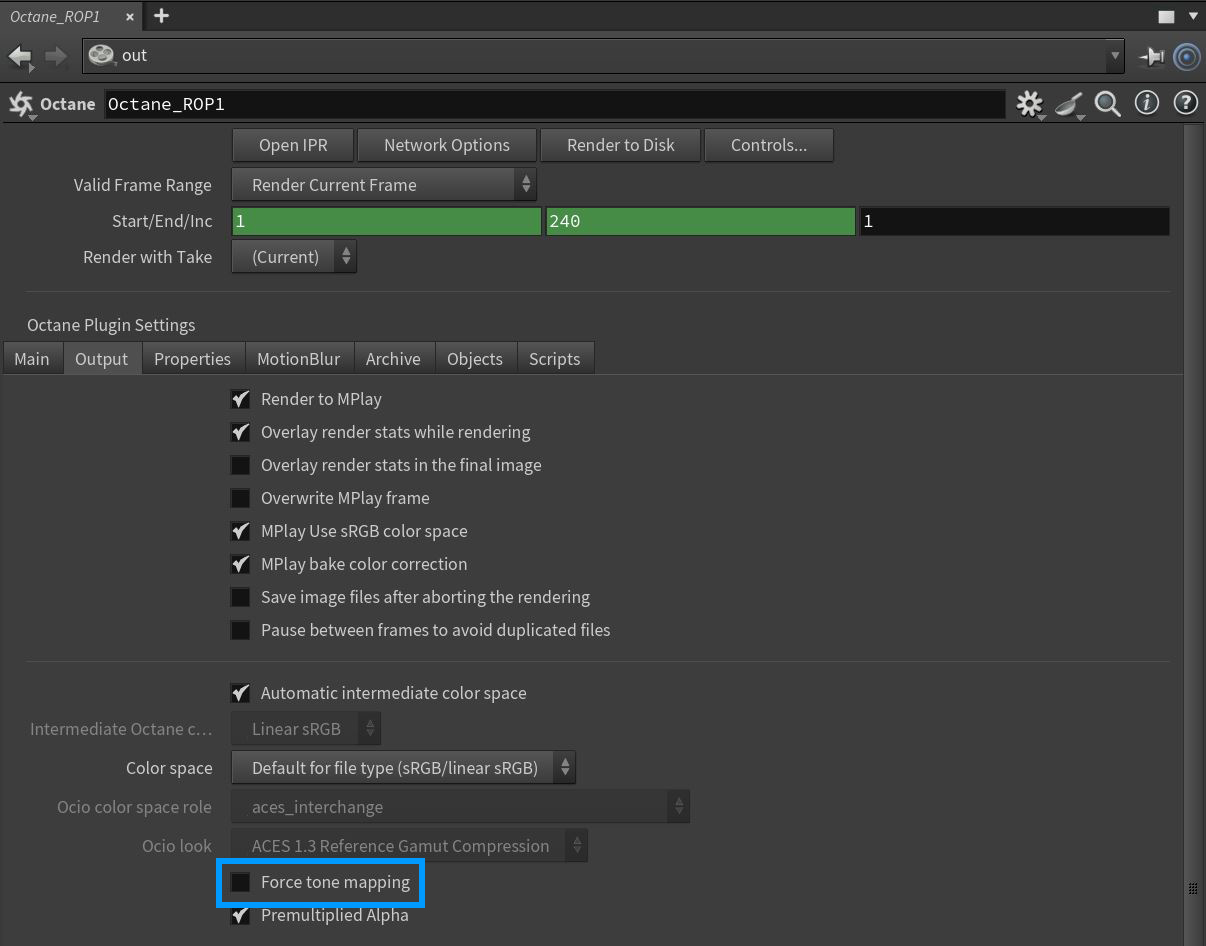
Figure 3: Force Tone Mapping in the ROP node