Turbulence texture
The Turbulence texture generates a procedural noise texture that has a different quality than the Noise texture (figure 2).
|
|
Turbulence
|

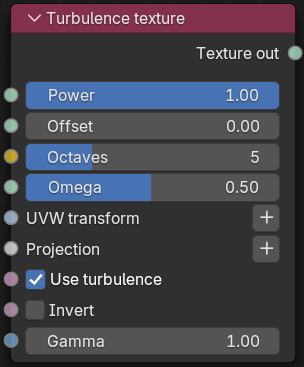
Figure 1: Turbulence texture Node
|
|
Turbulence
|

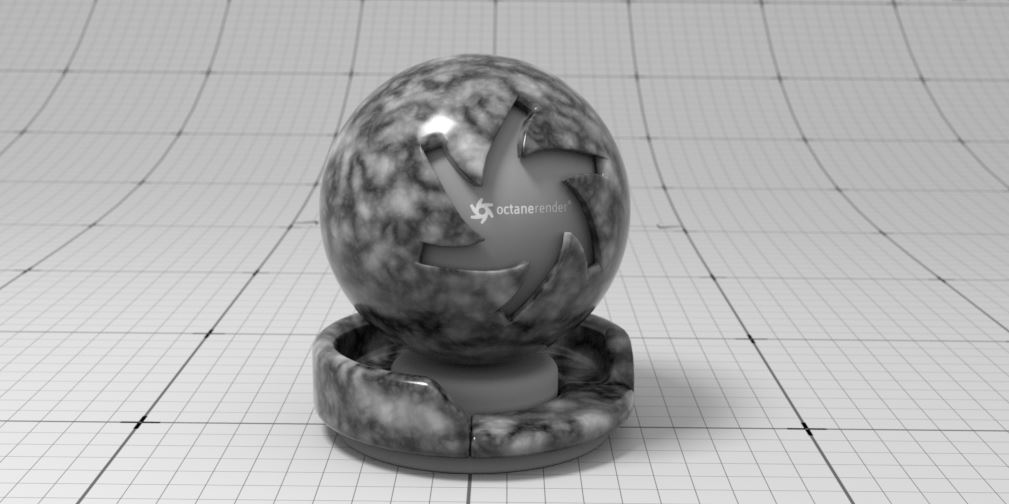
Figure 2: A Turbulence texture node example
Turbulence Texture Parameters
Power - Controls overall texture brightness.
Offset - Shifts the Turbulence pattern in 3D space.
Octaves - Sets the noise detail's scale.
Omega - Controls fractal pattern detail.
UVW Transform - Positions, scales, and rotates the surface texture.
Projection - Determines how the texture projects onto the surface.
Use Turbulence - Toggles the turbulent noise calculation, which multiplies against procedural noise.
Invert - Inverts the Noise texture values.
Gamma - Adjusts the Noise texture's luminance values.