Mix material
The Mix material mixes any two material types, including other Mix materials. It accepts any two Material nodes as inputs, and you control the mix amount by a value, color, or texture (figure 1).
|
|
Mix Material
|
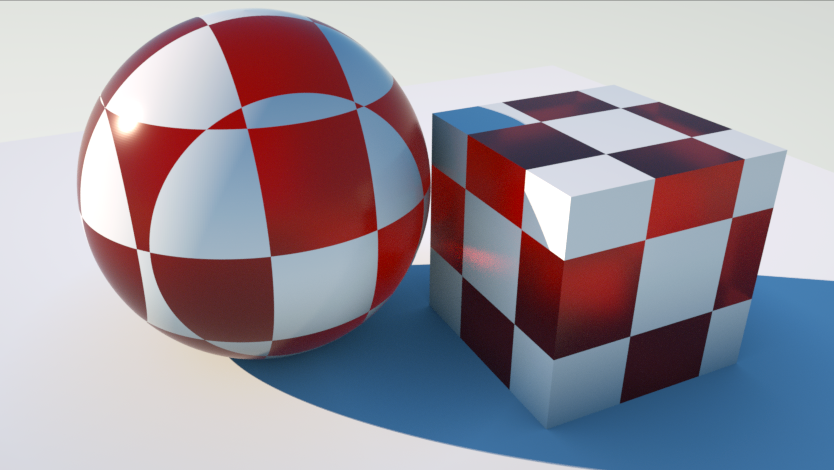
Figure 1: Glossy and Specular materials mixed together with a Mix material
|
|
Mix Material
|
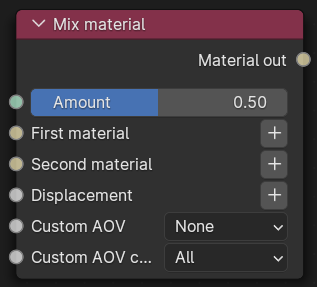
Figure 2: Mix material Node
Mix Material Parameters
Amount - Controls the blend between the first and second material inputs.
First material - Input for the first material node for blending.
Second material - Input for the second material node for blending.
Displacement - Use any of the Octane Displacement node. The two materials' individual displacements are not used when you connect them to a Mix material node. Instead, the Mix material has its own Displacement input (figure 3).
|
|
Displacement
|
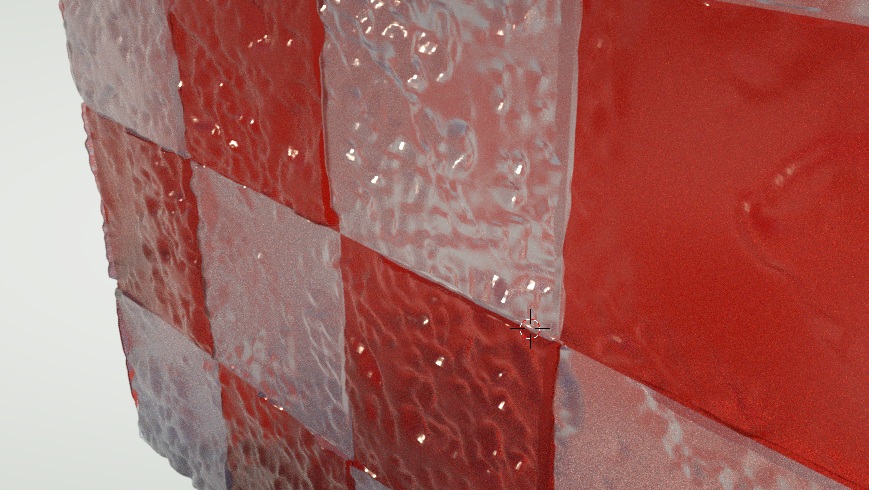
Figure 3: Displacement applied to an Object through the Mix material's Displacement input
Custom AOV - Writes a mask to the specified custom AOV.
Custom AOV Channel - Determines whether the custom AOV is written to a specific color channel (R, G, or B) or to all the color channels.