Vertex Displacement
Vertex Displacement is a more robust displacement system that does not suffer from the same limitations as Texture Displacement. It works with all textures and projections, including Procedurals, OSL textures, and images. Height maps and Vector Displacement maps are also supported, and can be mixed using the Vertex Displacement mixer node. In figure 1, a single plane was used to create the landscape using an imported displacement texture with the Auto Bump Map parameter activated (see figure 5). The scene also includes volume fog to add depth.
|
|
Vertex Displacement
|

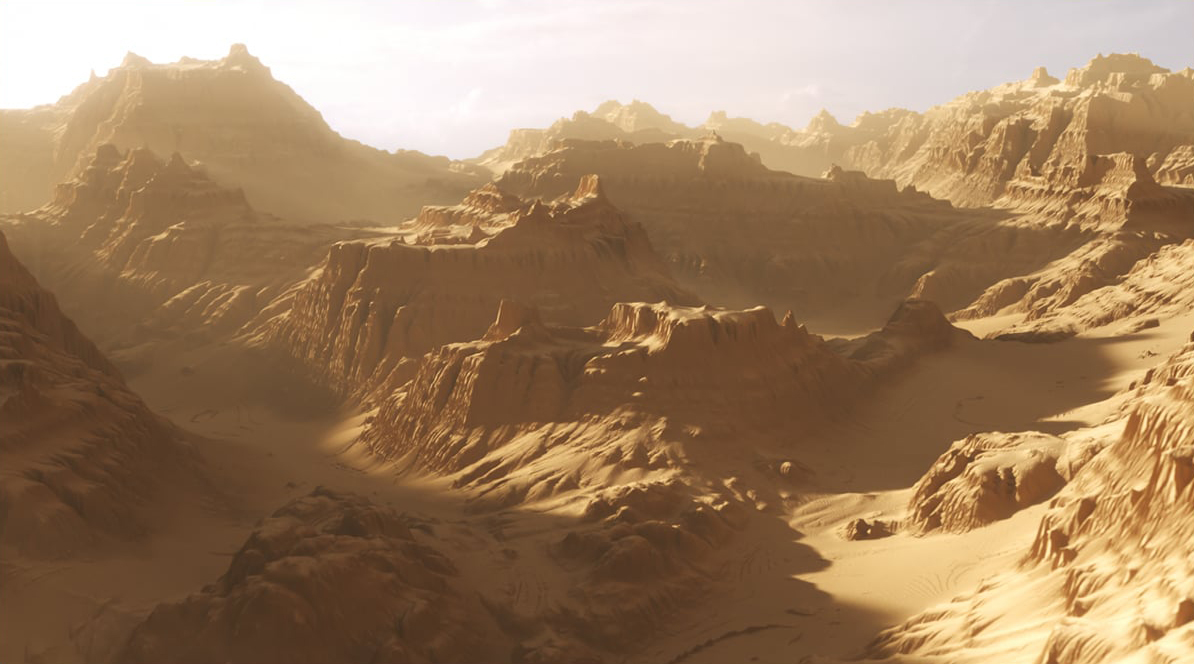
Figure 1: A landscape created using Vertex Displacement
|
|
Vertex Displacement
|

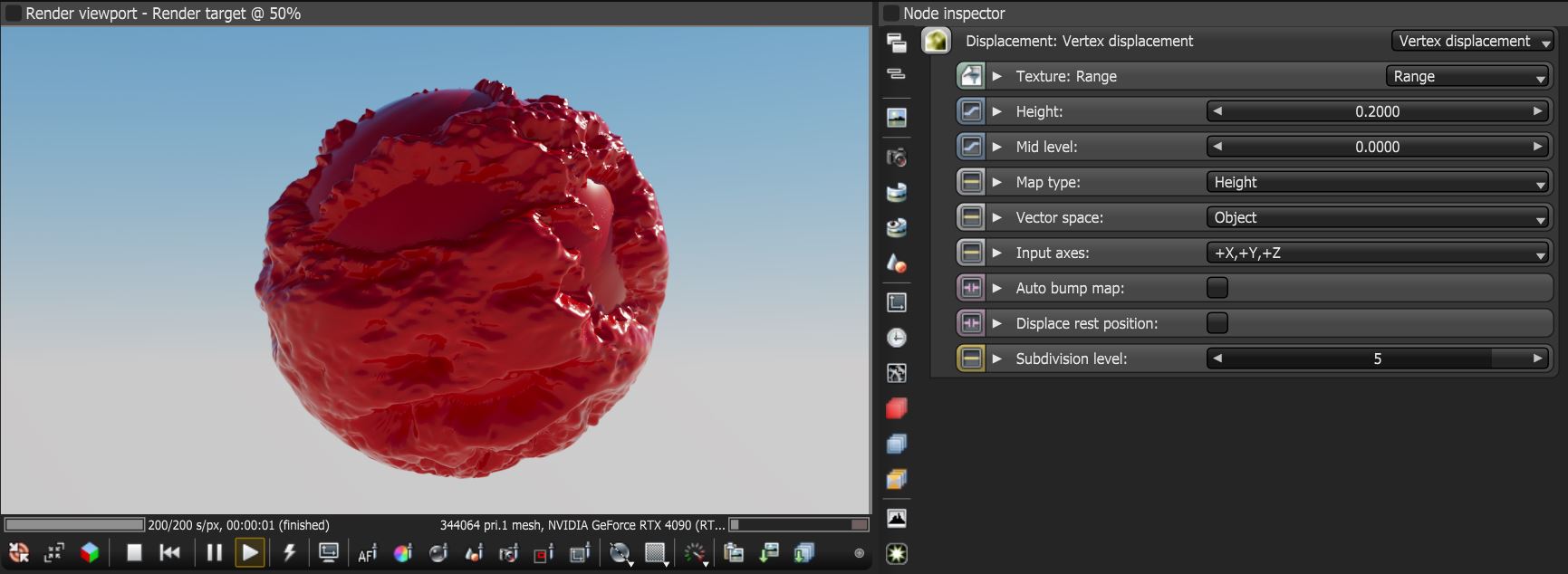
Figure 2: The Vertex Displacement parameters
Vertex Displacement Parameters
Texture - All texture types are supported, including Images, Procedurals, and OSL textures.
Height - The displacement height in meters.
Mid Level - The image value that corresponds to no displacement. The range is always normalized to [0,1]. Set this value to 0.5 for image textures that use 50% to represent no displacement.
Map Type - Determines which type of displacement mapping will be used.
- Height - Uses a greyscale channel to push mesh vertices straight up and down along a surface normal.
- Vector - Uses all three RGB color channels to push vertices along directional vectors (X, Y, Z) allowing geometry to overhang, curve, and expand outside of the surface normal direction.
Vector Space - Valid when Map Type is set to Vector and defines how RGB color channels are translated into 3D geometric offsets.
- Object - The RGB values correspond to the absolute local X, Y, Z axes of the 3D object. Best for static objects that do not bend or deform.
- Tangent - The RGB values align dynamically with the local orientation of the surface. Red is mapped along the surface tangent, Green (Y) aligns along the surface normal, and Blue (Z) follows the bitangent. Best for deforming or animated objects.
Input Axis - Provides information regarding how to interpret RGB data, this setting is only valid with the Vector map type.
Auto Bump Map - Generates an automatic bump map to achieve fine details without requiring high subdivision levels. Only supported with Height displacement maps.
Subdivision Level - The subdivision level applied to polygons using this material. Overrides the subdivision level set in Geometry preferences. Higher subdivision levels achieve greater displacement detail, but can also increase rendering and pre-processing times.
|
NOTE For Image textures, set the Gamma to 1.0 to avoid holes in the geometry. The vertices should be shared between adjacent faces.. |
Figure 3 illustrates the power of the Vector Map Type coupled with the Vector Space set to Tangent. Figure 4 shows the vector displacement map used to generate the surfaces in figure 3. The map is applied with a box projection on a geometric sphere and cube.
|
|
Vector Vertex Displacement
|

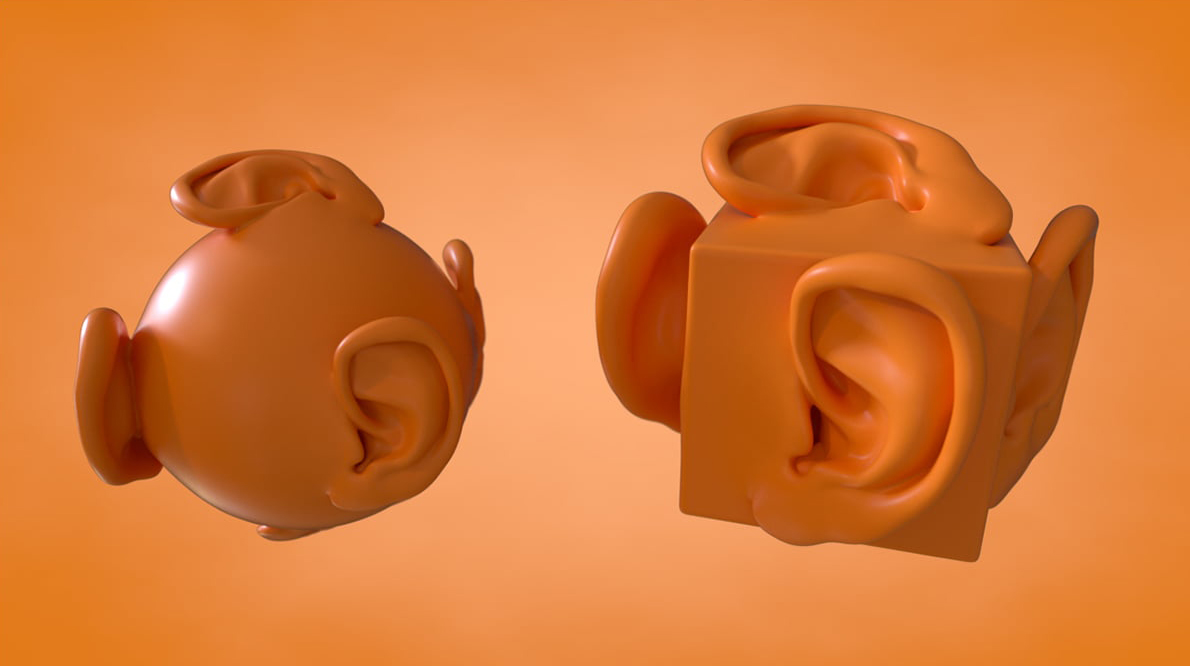
Figure 3: An example of a Vector Displacement map, which works in tangent space
|
|
Vector Displacement Map
|

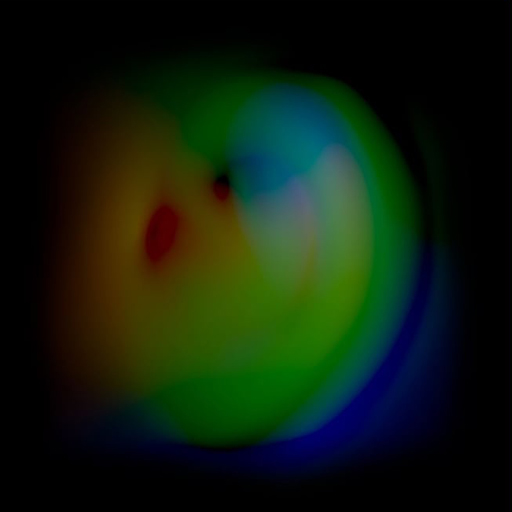
Figure 4: The vector displacement map used in Figure 3
The Auto Bump Map parameter adds extra detail via bump mapping. The bump mapping works the same as using the bump channel in the material, thus creating the illusion of extra detail, while not creating more polygons (figure 5).
|
|
Auto Bump Map
|

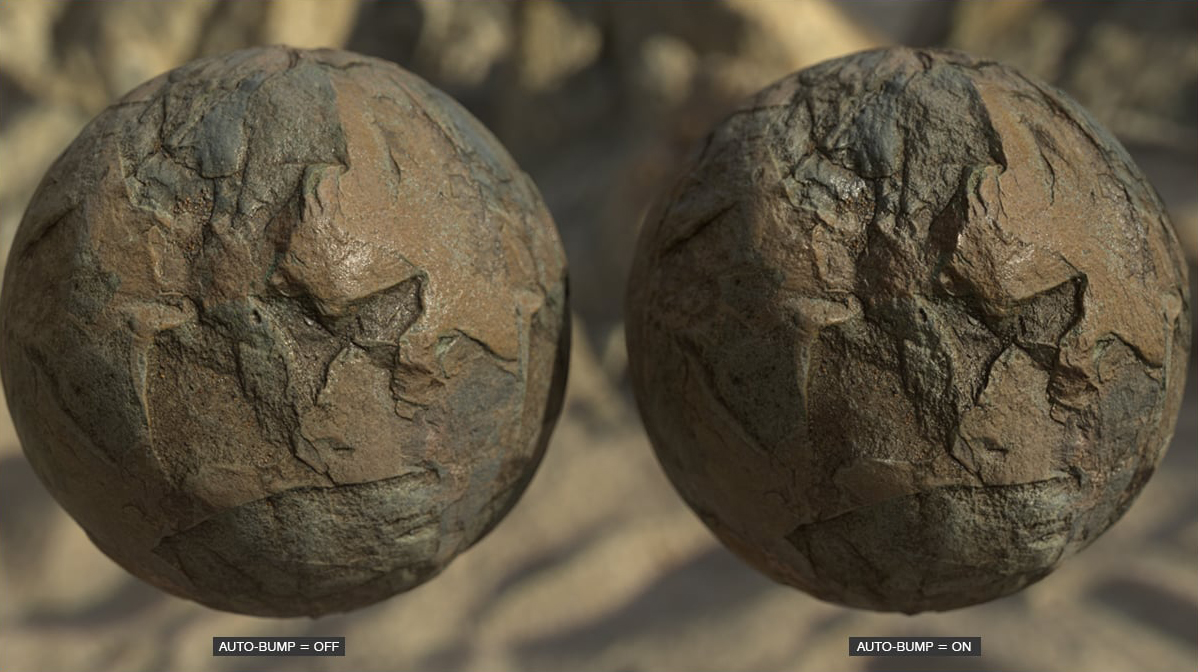
Figure 5: Using Auto Bump Map to add fine details