Image File
The Image File blend node is used to import an external image file for compositing (figure 1).
|
|
Image File
|
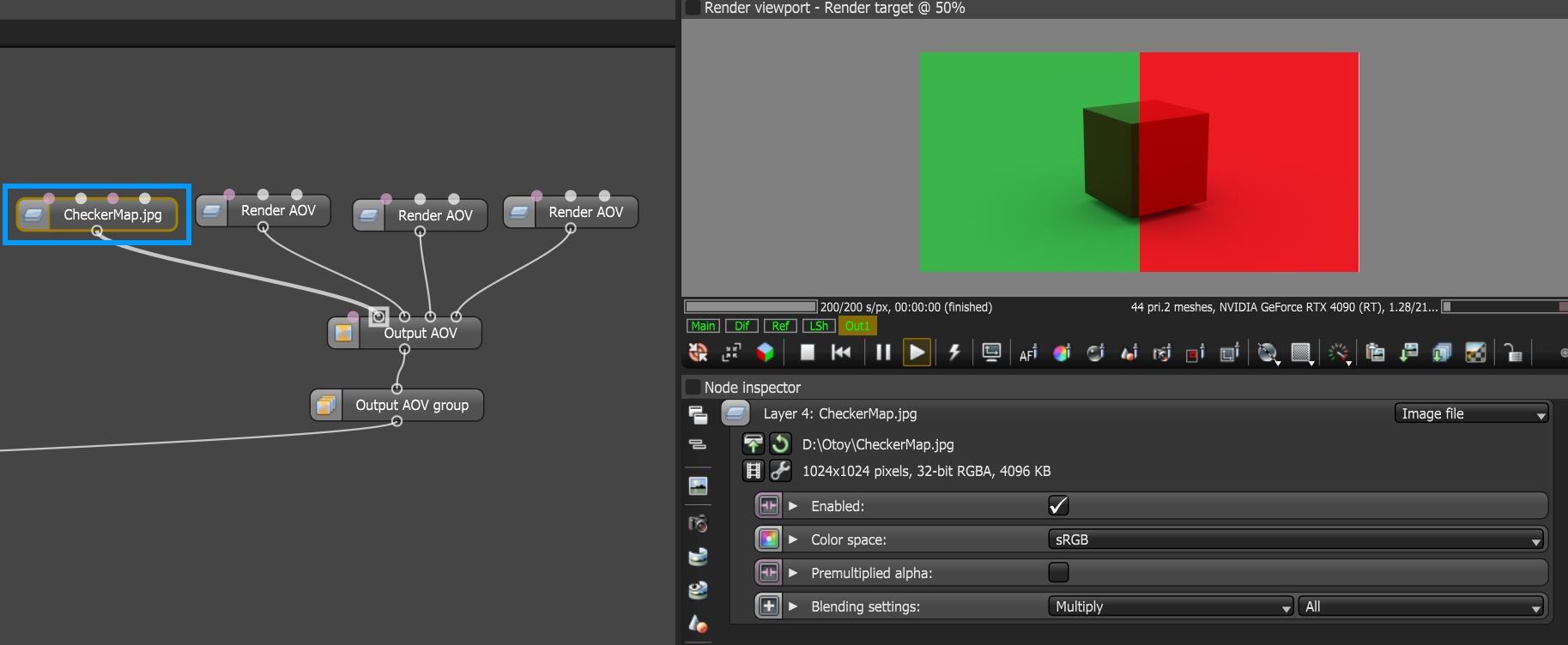
Figure 1: An Image File Output AOV node blended over a series of Render AOV nodes
Image File Parameters
Enabled - Determines whether the image file is active or not.
Color Space - Sets the color space for the imported image.
Premultiplied Alpha - Determines whether the RGB channels have been premultiplied by the alpha channel.
Effects - Provides the ability to stack additional Output AOV nodes to this node using blending settings.
Blending Settings - Provides typical blending options used in the compositing process.