Adjust Opacity
The Adjust Opacity node can be used to adjust the opacity of a composite or components of a composite node tree (figure 1).
|
|
Adjust Opacity
|
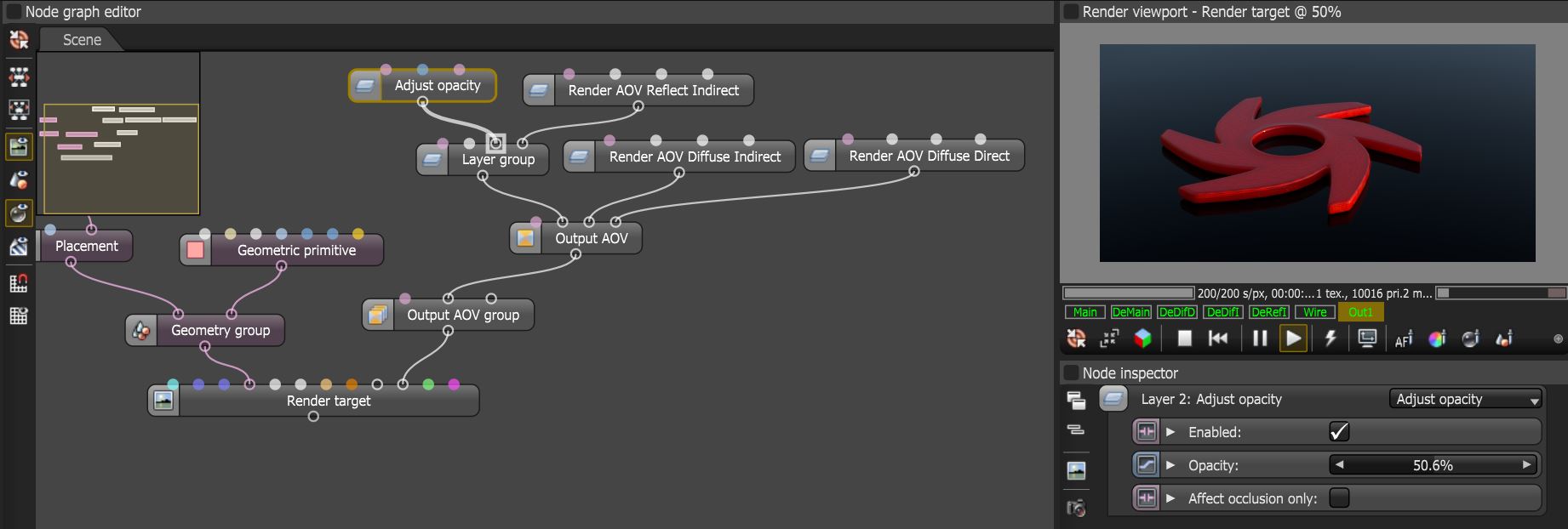
Figure 1: The Adjust Opacity Output AOV node used to decrease the opacity of the reflection AOV in a composite node tree
Adjust Opacity Parameters
Enabled - Determines whether the Texture node is active or not.
Opacity - Determines the opacity of the node.
Affect Occlusion Only - If enabled, scales only the alpha channel to control how much the image blocks light from beneath it without changing how much additional light the image contributes. If disabled, scales the (premultiplied) RGB channels as well, to control how much additional light the image contributes. This should be disabled for a normal SDR image masking scenario where the image is thought of as a colored sheet with an alpha mask, and enabled for an emissive/HDR image where occlusion (alpha) and emission (RGB) are considered separately.