AI Up-Sampler
OctaneRender® includes a built-in AI upsampler in the Camera Imager. When specifying an Upsampler Mode, the AI upsampler performs a faster render at a lower resolution, then upscales to the final resolution. The AI Upsampler also has progressive and one-stop upsampling modes, similar to the AI denoiser.
|
|
AI Up Sampler
|

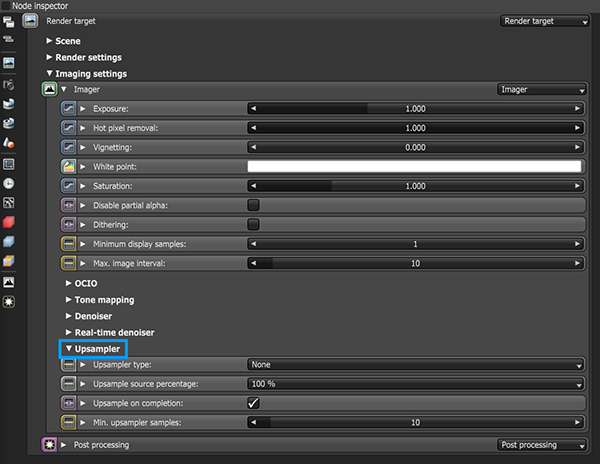
Figure 1: Accessing Upsampler parameters in the Node Inspector
Upsampler Parameters
Upsampler Mode - Selects the upsampler mode for rendering. The image renders at a lower resolution divided by the sampling mode, then it upscales to the final resolution.
Upsample Source Percentage - Determines the upsample source percentage. DLSS supports only 33% and above and falls back to Linear upsampling at 25%..
Upsample On Completion - Beauty passes upsample once at the end of a render.
Min. Upsampler Samples - The minimum number of samples per pixel until the upsampler activates. This parameter does not apply if No Upsampling is selected in Upsampler Mode.
In figure 2, a scene was rendered with Path Tracing and 4000 sample with AI Up-Sampling turned off. The render time was 13 mins 44 sec. In figure 3, a scene was rendered with Path Tracing and 4000 sample with AI Up-Sampling turned on. The render time was 3 mins 49 sec. The final output is nearly identical but with vastly different render times.
|
|
Up-Sampling Off
|

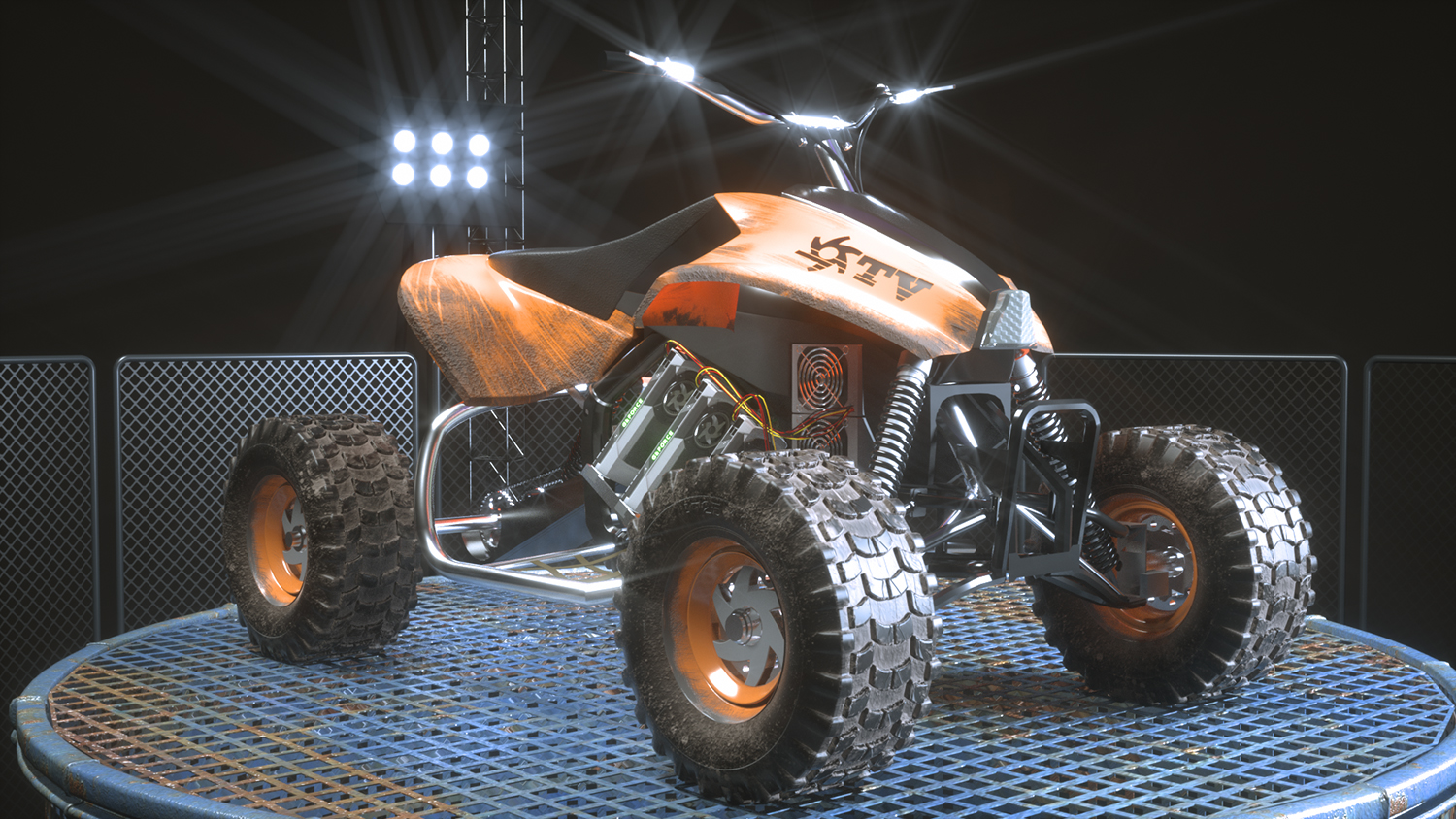
Figure 2: A rendering without AI Up-Sampling
|
|
UP-Sampling On
|

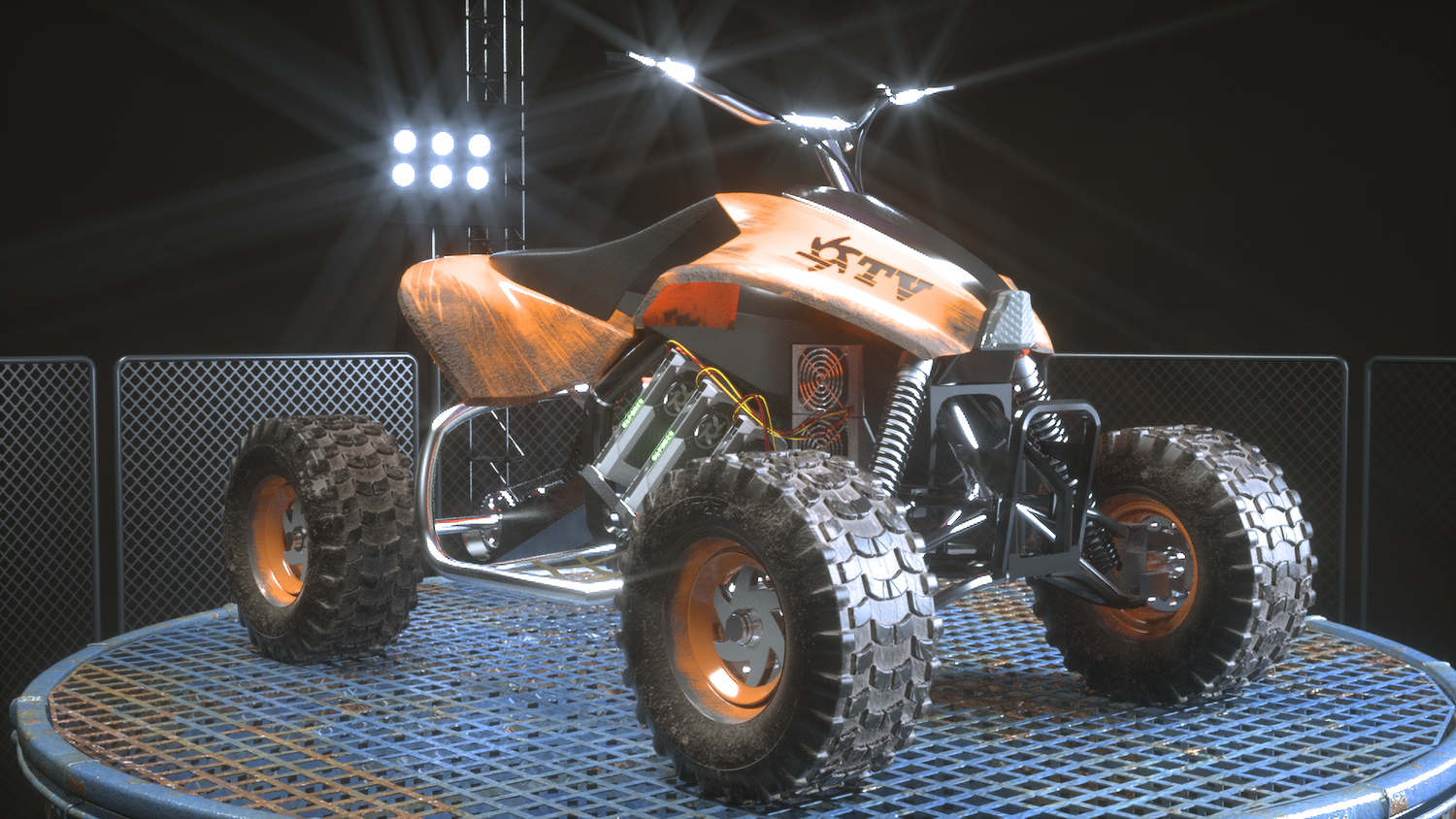
Figure 2: A rendering with AI Up-Sampling