Tool Range
The Range node can be added to remap an incoming texture's color range to a specified output range (figure 1).
|
|
Tool Range
|
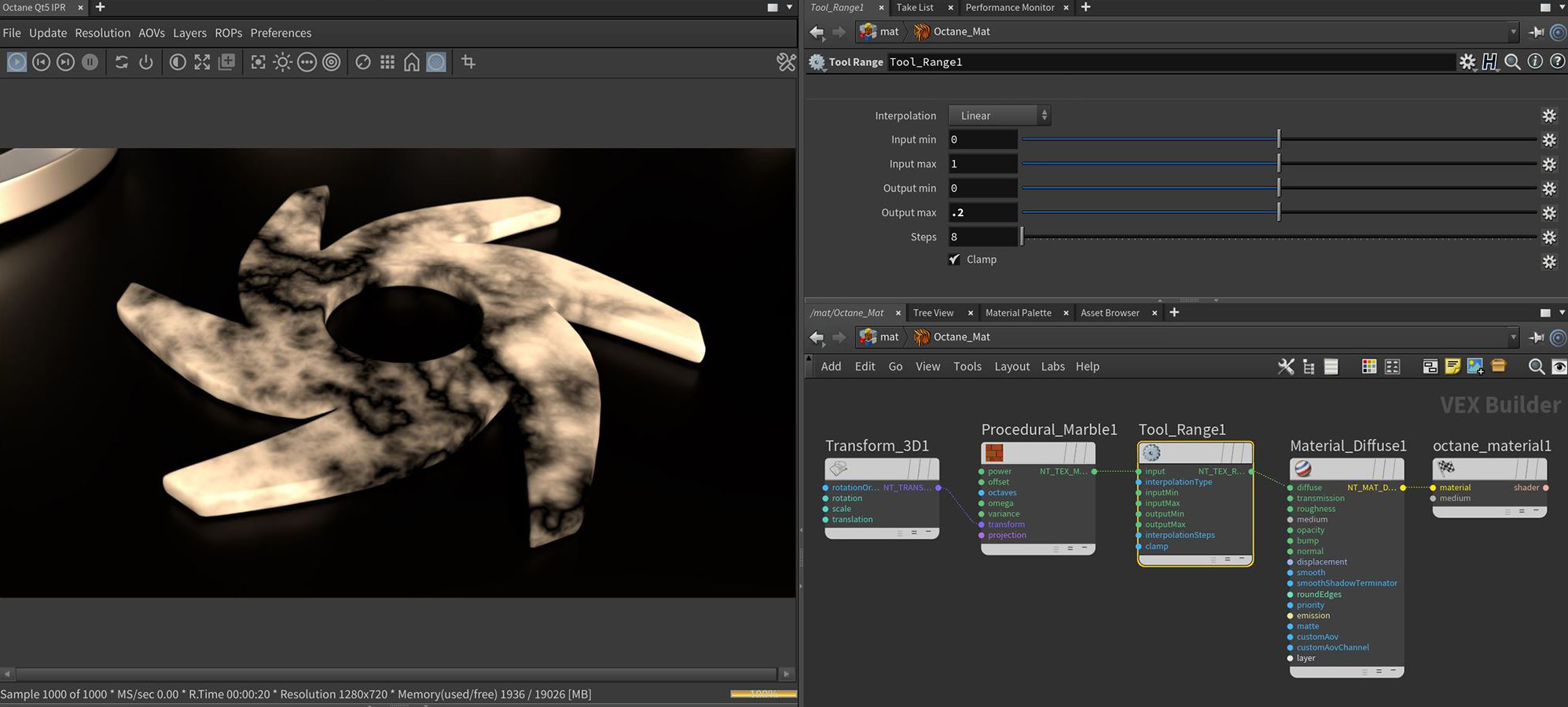
Figure 1: The Diffuse color range is being remapped by the Range node, resulting in a value shift
Range Parameters
Input Pin- This pin accepts a texture node to be processed by the color correction node.
Interpolation - Determines the type of interpolation to perform during the mapping.
Input Minimum - The start value of the input range.
Input Maximum - The end value of the input range.
Output Minimum - The start value of the output range.
Output Maximum - The end value of the output range.
Clamp - If enabled, the values are clamped to the minimum and maximum ragne, otherwise, values which are outside the range with be untouched.