Tool Add
The Add node acts like the Add blending mode in Photoshop®. This node takes the color information in each texture map and brightens the base color to reflect the blend color by increasing the brightness. Darker colors such as black produce no change. In Figure 1, the Add node is blending a Marble texture with a RGB Color node, whose Value parameter is set to red. This allows the Marble texture to take on a red color instead of its default of grayscale.
|
|
Tool Add
|

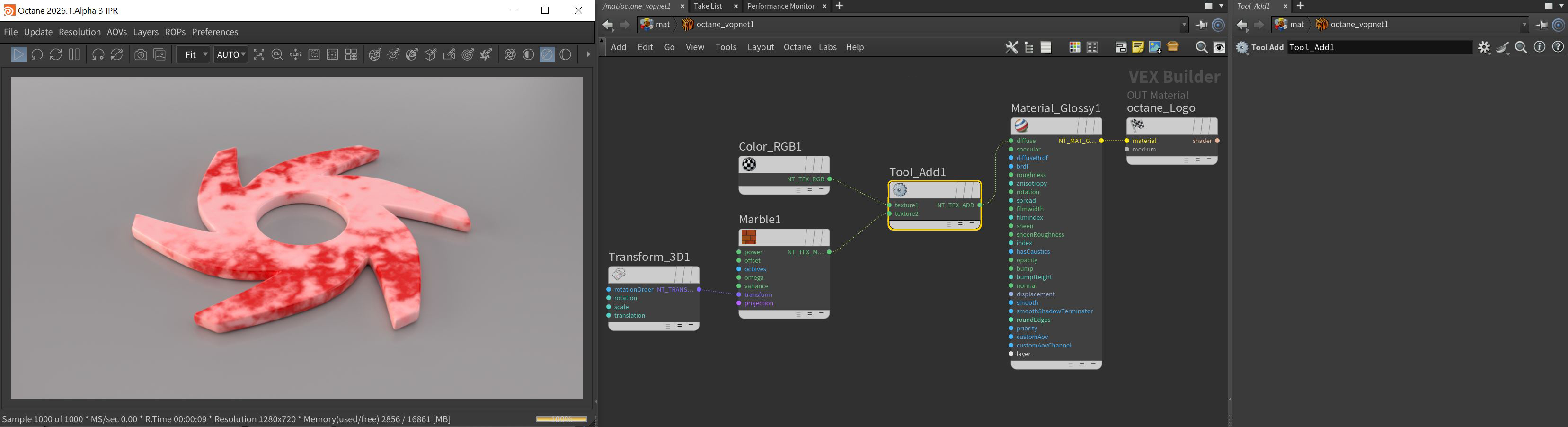
Figure 1: The Add tool adding color to a Marble texture