Texture Layers
The Texture Layer nodes can be used to combine textures in complex ways for various effects. These nodes are used in conjunction with Composite Texture node. In figure 1, a Checks and Color Squares node are blended together using the Blend Texture and Composite Texture nodes. An Adjust Hue node is connected to the Layer 2 pin on the Composite Texture node to adjust the hue of the Color Squares node.
|
|
Texture Layers
|

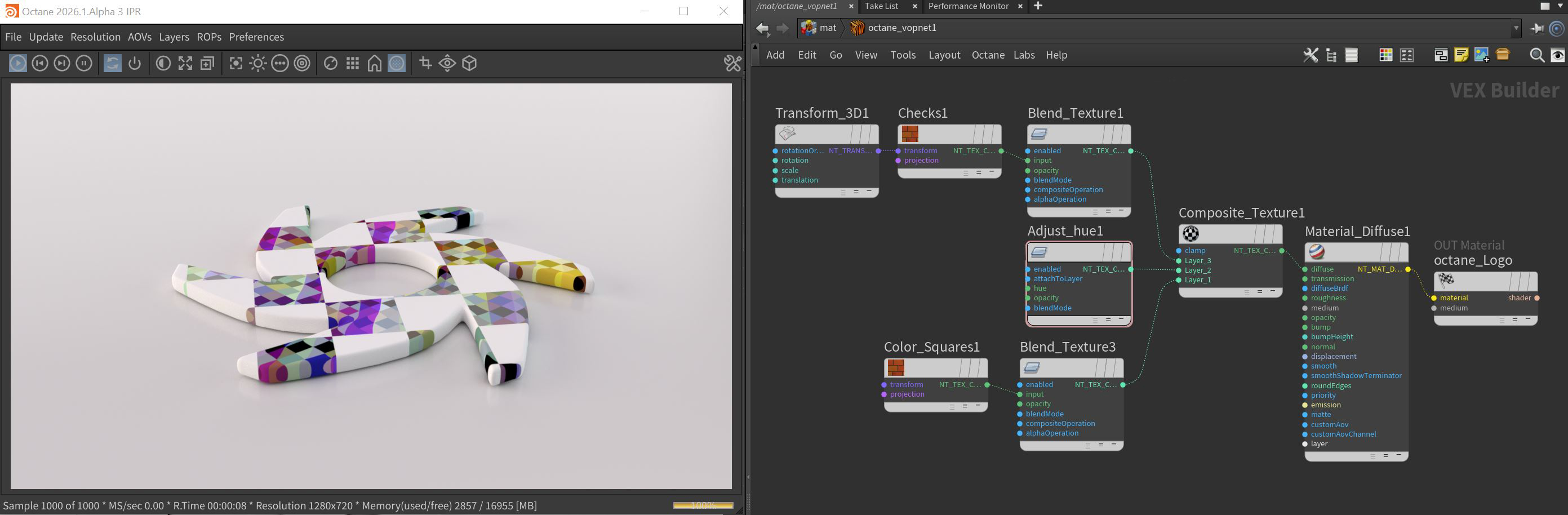
Figure 1: A Texture Layer node structure example