Texture Instance Color
The Instance Color texture node is used to distribute color (Cd) information across geometric instance IDs via an Attribute node such as Attribute Create or Attribute from Map (Figure 1).
|
|
Instance Color
|

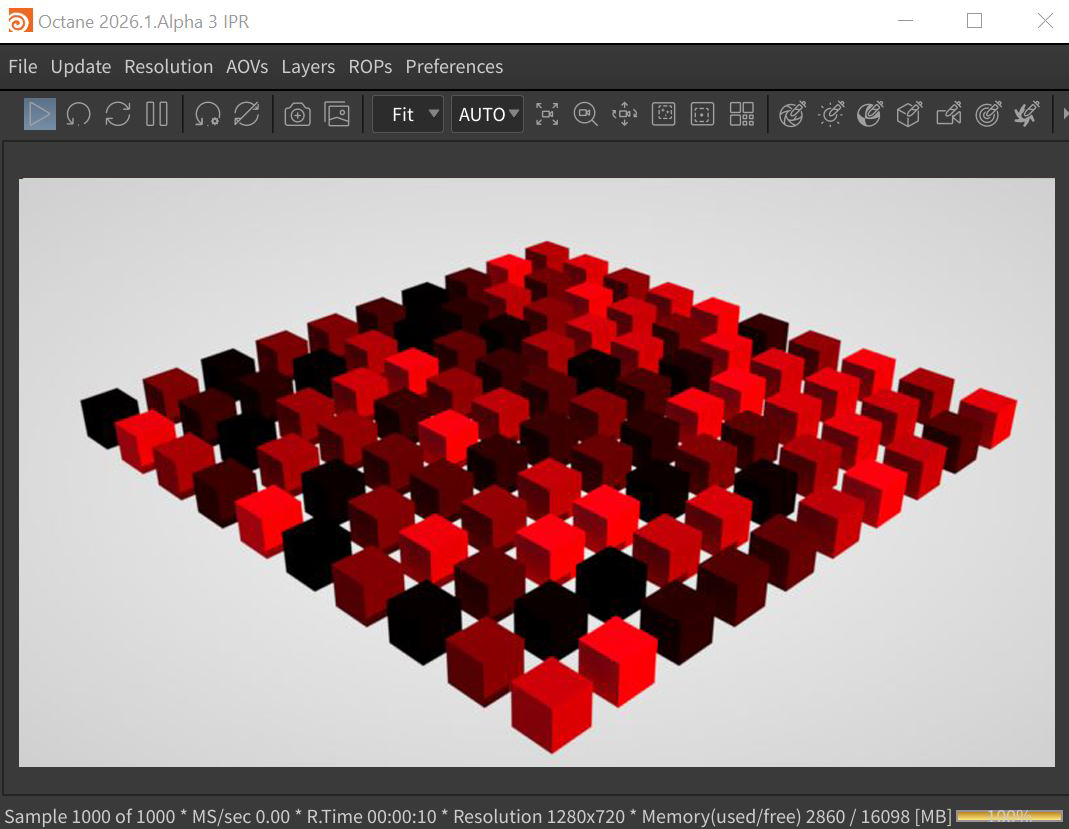
Figure 1: A random color (Cd) attribute applied to instances via the Instance Color Texture node.
Instance Color Parameters
Power - Controls the image brightness. Lowering the value causes the image to appear darker on the surface.
Color Space - Determines the color space of the image texture.
Legacy Gamma - Controls the image's luminance and can tune or color-correct the image but can only be used with the Linear sRGB+Legacy Gamma color space.
Invert - Inverts the image's color output values.
Linear sRGB Invert - This option is used to swap the order of gamma correction and image color conversion.
Filename - The file path name of the image texture.
Reload - Should be activated if the file needs a reload or the preference of the image file has been changed.
Image Chosen Layer Name - Indicates the chosen layer name, if the current image has multiple layers.
IES Photometry Mode - Can be used to adjust the normalization of data from an IES file.