Octane Material Creator
The Octane Material Creator node is used to speed up the process of creating an Octane material and assigning it to a scene object.It can be accessed within a scene Geometry (SOP) node (figure 1).
|
|
Octane Material Creator
|

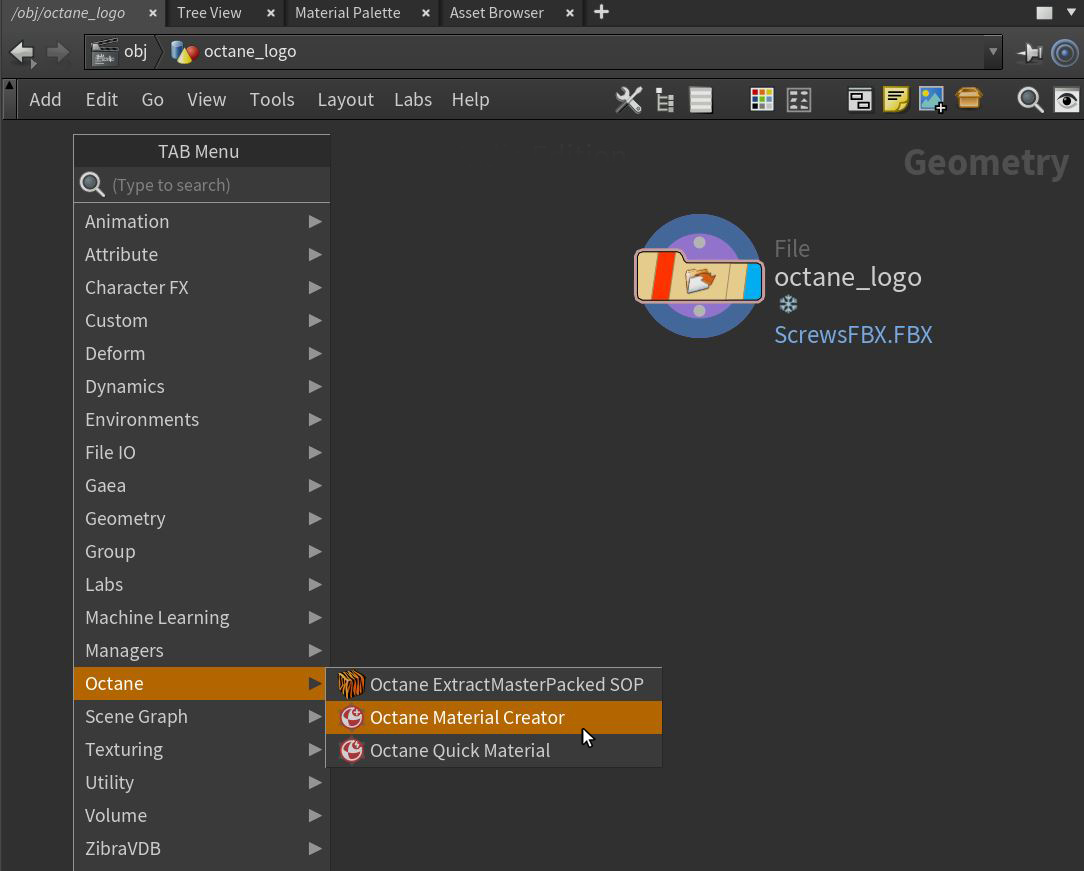
Figure 1: Accessing the Octane Material Creator node
The Octane Material Creator window will pop up with a series of options (figure 2).
|
|
Octane Material Creator
|

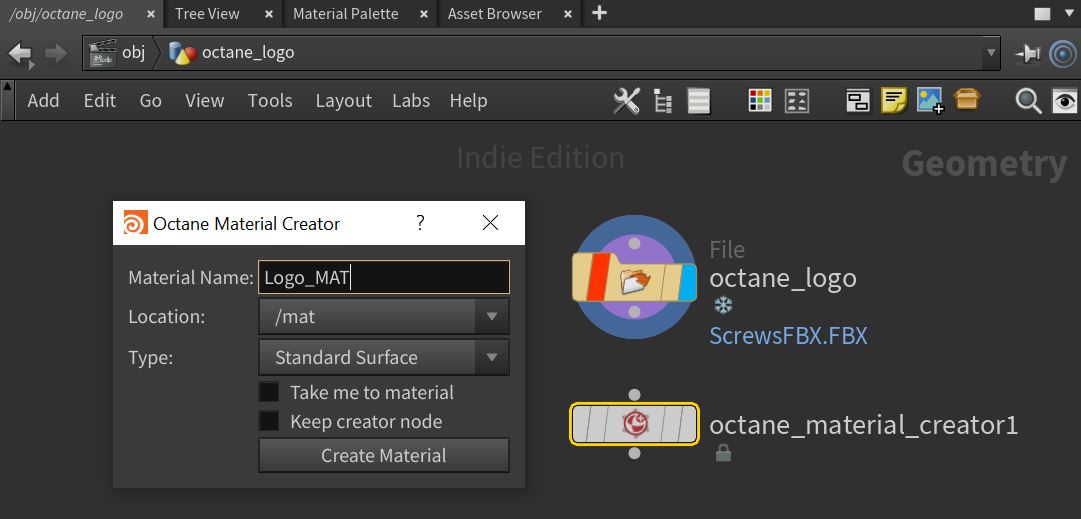
Figure 2: The Octane Material Creator window
Octane Material Creator Parameters
Material Name - Determines the name of the Material Builder (VOP NET) node created in the MAT network.
Location - Determines where the Material Builder (VOP NET) node is created, the default is the MAT network.
Type - Determines what type of material is created in the Material Builder (VOP NET) node.
Take Me To The Material - If activated, the Network window will jump into the newly created Material Builder (VOP NET).
Keep Creator Node - If activated, a Material Creator node will be added in addition to the Material node in the SOP (Geometry) network. This option allows for more materials to be created.
Create Material - Creates the Material node and the Material Creator node (if this option is activated).
Once created, make sure to connect the Geometry node to the Material node or Material Creator node and adjust the Display flag (figure 3).
|
|
Octane Material Creator
|

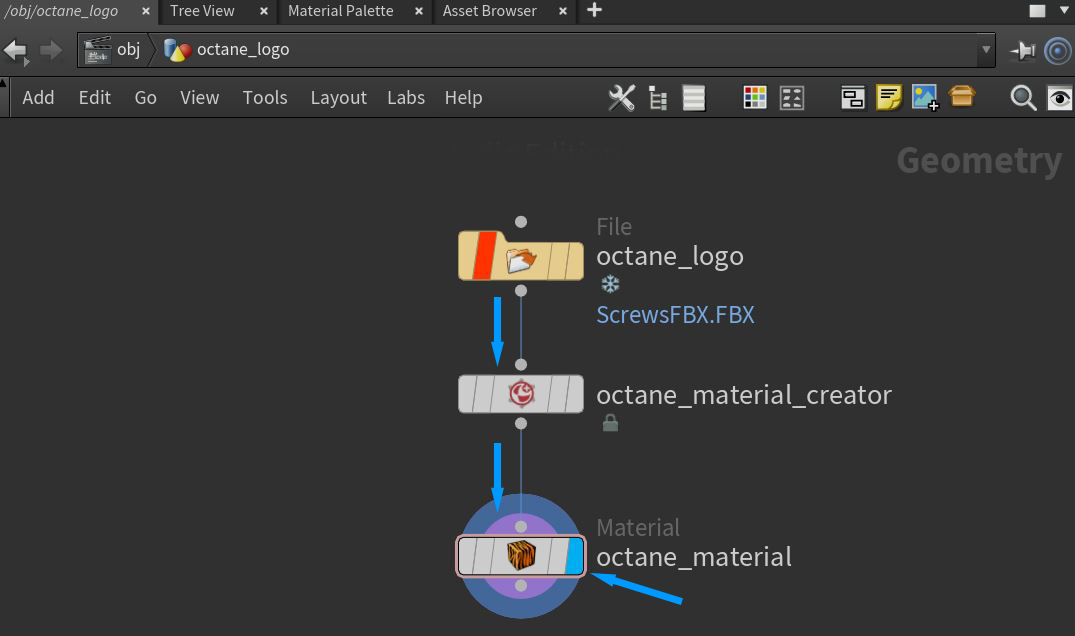
Figure 3: Connecting the Geometry node to the Octane material nodes & adjusting the Display flag