Hair And Fur
The OctaneRender® for Houdini® plugin can render polygon mesh edges as Octane Hair and Houdini Fur objects. The Octane Fur is rendered with motion blur if the hair object has the Velocity parameter enabled. It also supports UV texture mapping from the UV map available in the Skin root object.
Rendering Polygonal Meshes As Hair
To enable the fur rendering for any polygonal object, add the +ObjParms node to the object (Figure 1).
|
|
Hair and Fur
|


Figure 1: Adding the Octane Object Parameters tab to an object
In the object's Octane tab, select Fur as the Octane Object Type (figure 2). You can control the hair thickness with the additional parameters in this tab.
|
|
Hair and Fur
|

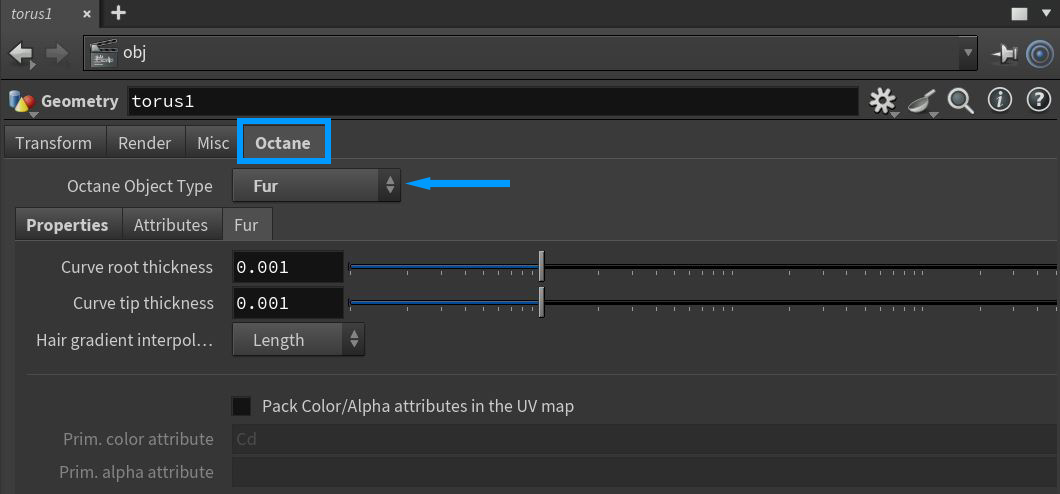
Figure 2: Accessing the Fur options from the Octane Object Parameters tab
|
|
Hair And Fur
|

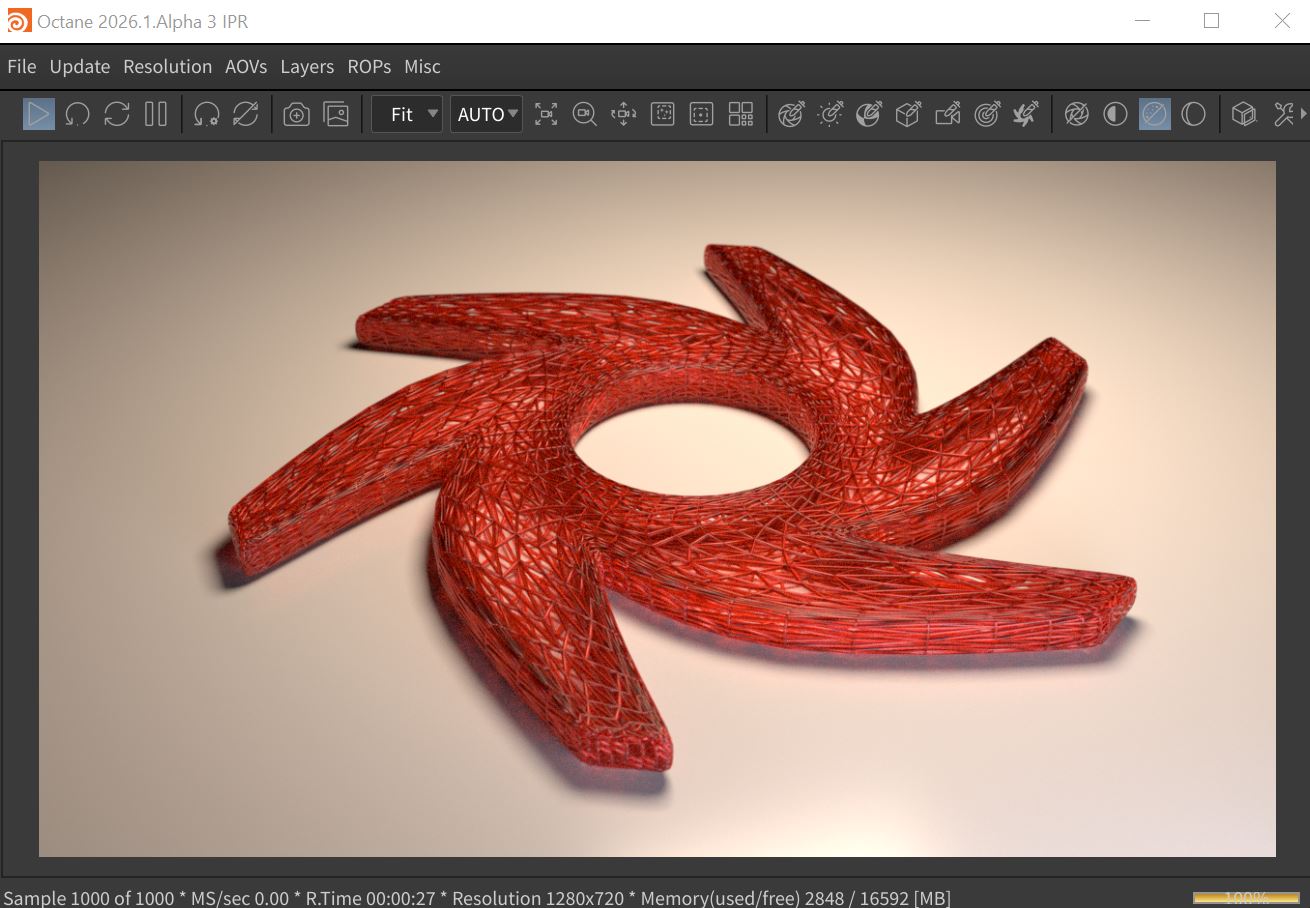
Figure 3: A scene object rendered as a Curves/Fur object
Rendering Houdini Fur Objects With OctaneRender
Select your object and create Houdini Fur using the Add Fur button on the Hair Utils shelf (figure 4)
|
|
Hair and Fur
|


Figure 4: Adding Houdini Fur to an object
Next, select the Hair Generate node (Figure 5) and change the Hair Generation type to Use SOP Geometry from the Render sub-tab (Figure 6).
|
|
Hair and Fur
|

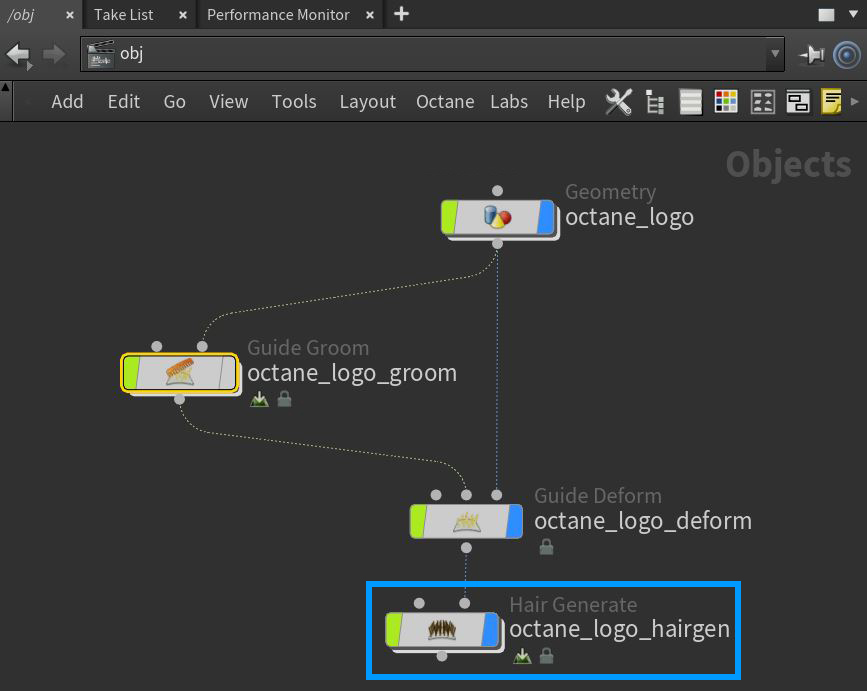
Figure 5: Selecting the Hair Generate (hairgen) node
|
|
Hair And Fur
|

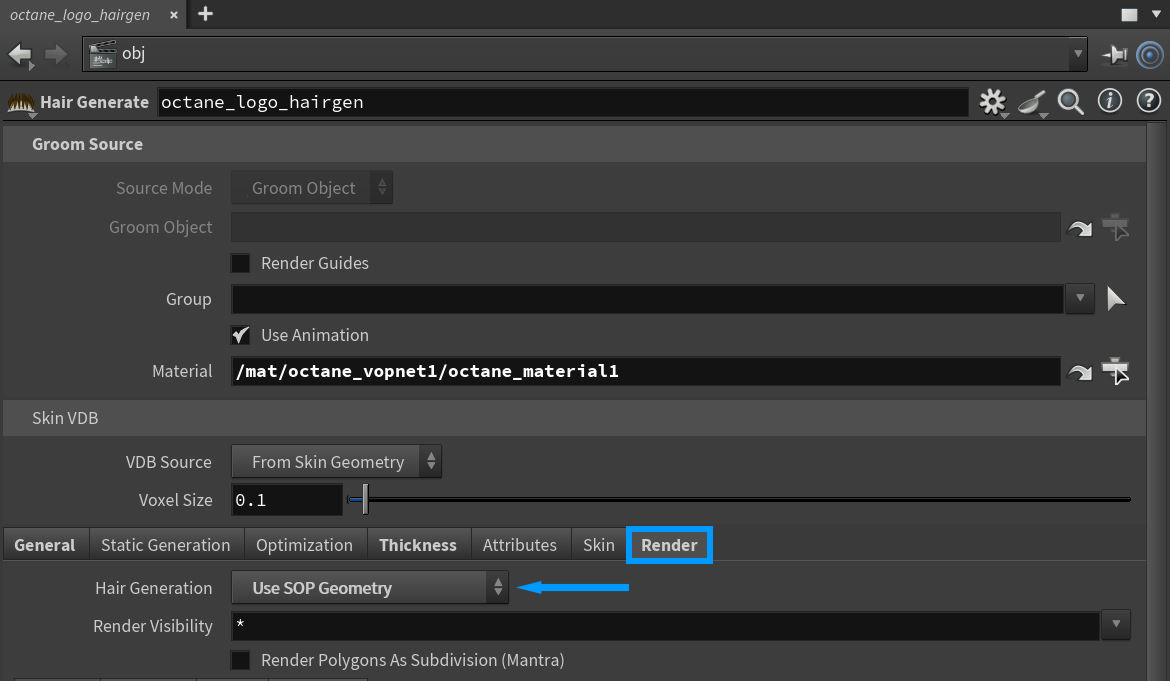
Figure 6: Setting the Hair Generation type to Use SOP Geometry
Make sure to add the +ObjParms node to the Hair Generate node and set the Octane Object Type to Fur in the object's Octane tab (figure 7). Create a material for the hair in the MAT network. There is an Octane specific hair material that can be applied to the object. More information on the Octane Hair Material can be found in the Materials Overview section. Select the object's Hairgen node and add the hair material in the Material parameter (Figure 8).
|
|
Hair And Fur
|

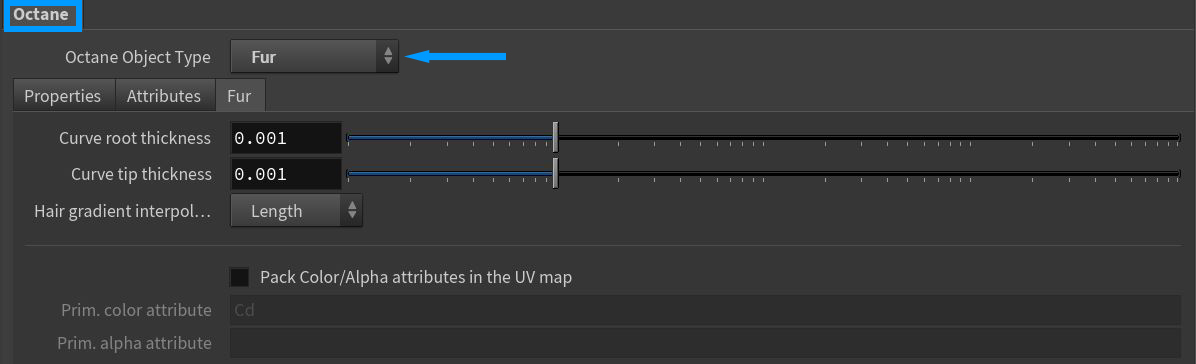
Figure 7: Setting the Octane Object Type to Fur
|
|
Hair And Fur
|

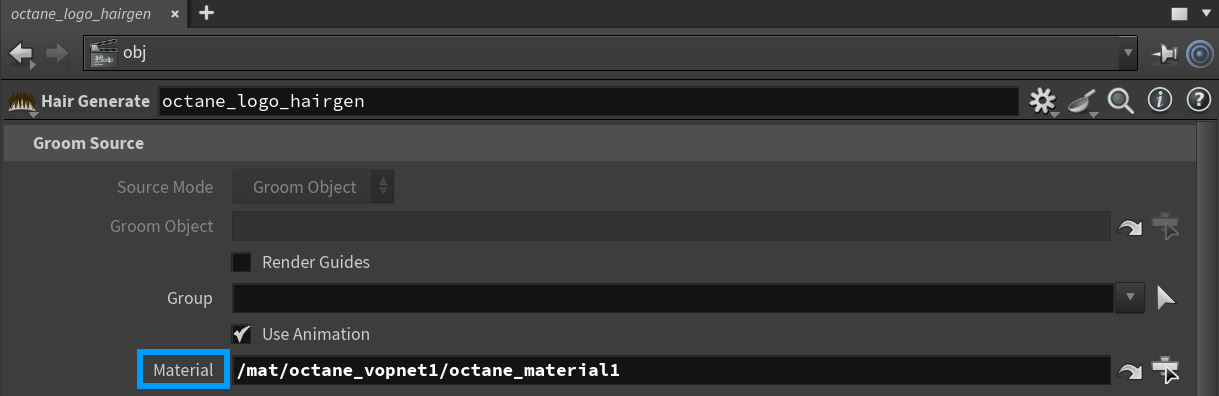
Figure 8: Assignment a material to the Hair Generate node
The hair is ready for OctaneRender to render. Open the IPR window to see the Octane hair rendering in action. The example in Figure 9 also consists of Frizz and Length nodes.
|
|
Hair And Fur
|

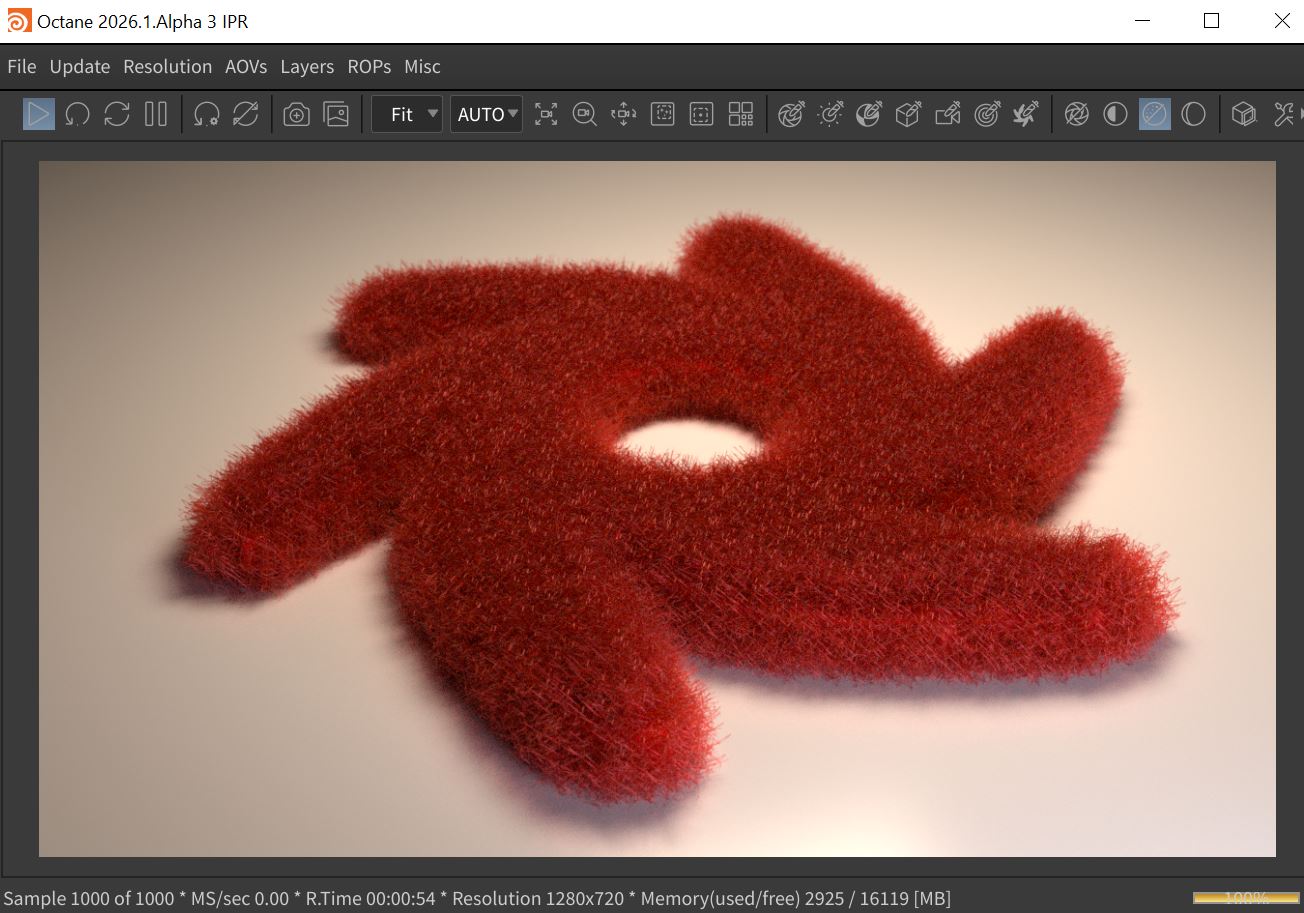
Figure 8: A Hair object rendered in the Octane IPR