Color Vertex Attribute
The Color Vertex Attribute texture works in conjunction with the Houdini® Attribute Paint node (Figure 1). This texture node displays vertex paint data on native OctaneRender® materials.
|
|
Color Vertex Attribute
|

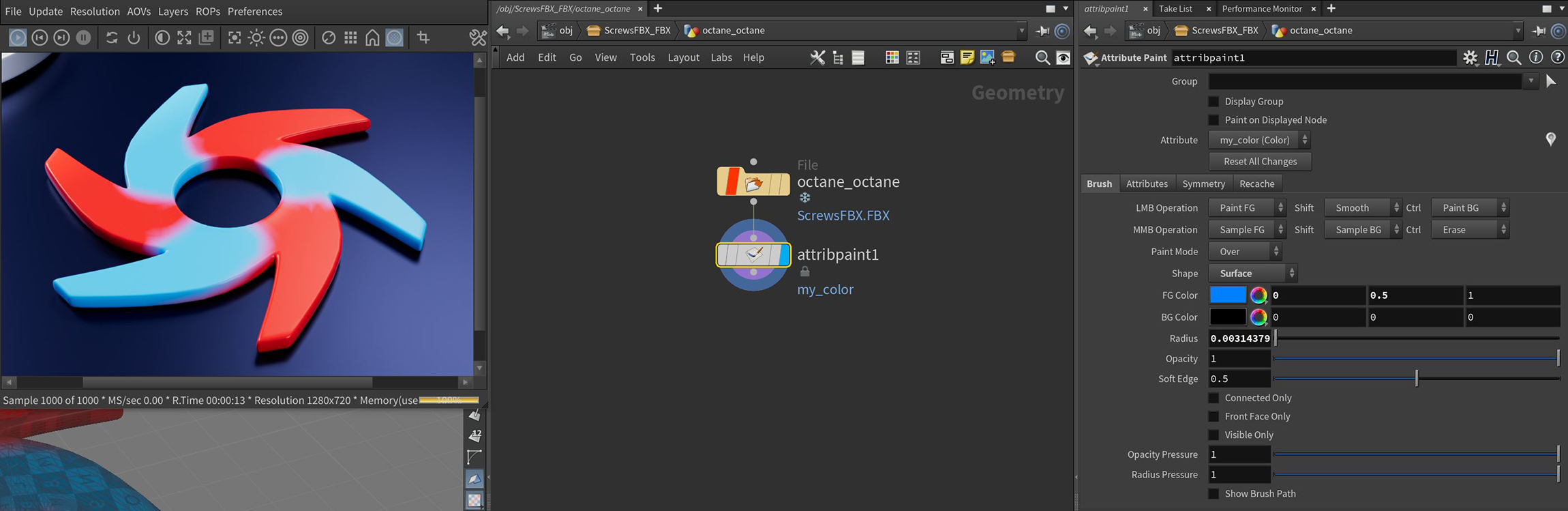
Figure 1: Attribute Paint data rendered with an Octane material
The Color Vertex Attribute node has one parameter for a Name (Figure 2) that references the name given to the attribute that is painted in an Attribute Paint node (Figure 3).
|
|
Color Vertex Attribute
|

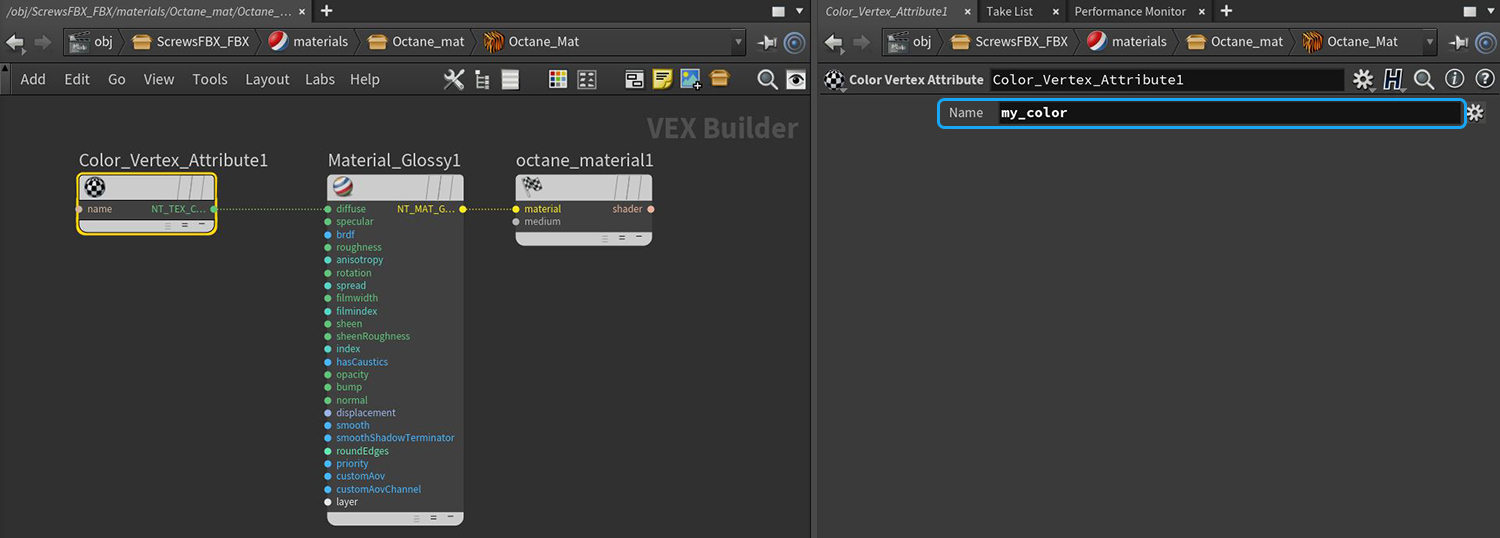
Figure 2: The Name attribute for a Color Vertex Attribute node that is connected to the Diffuse input on an Octane material
|
|
Color Vertex Attribute
|

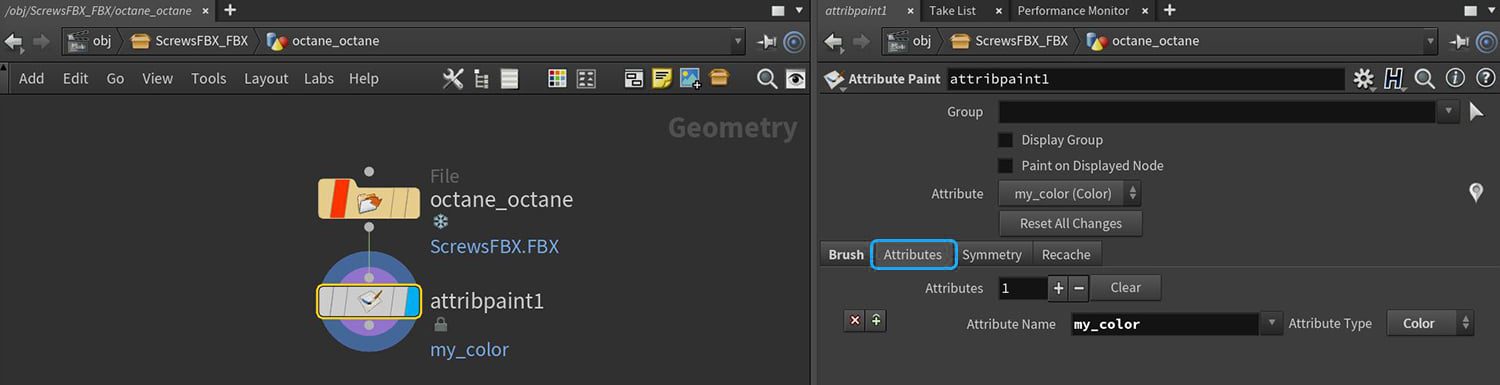
Figure 3: The Attribute Paint node's Attribute Name parameter
One additional step is required in order to render the Attribute Paint data on an object in the scene. The Object Spare Parameters need to be added to the scene object (Figure 4) and the attribute name from the Attribute Paint node needs to be added to the Point Vector Attrs. parameter in the Attributes tab (Figure 5).
|
|
Color Vertex Attribute
|


Figure 4: Adding the Object Spare Parameters to a scene object
|
|
Color Vertex Attribute
|

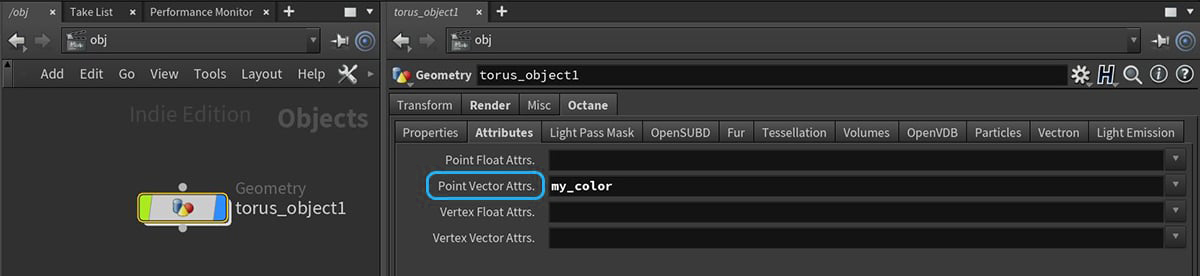
Figure 5: Adding the Attribute Paint node's attribute name to the Point Vector Attrs. in the Object Spare Parameters