Circle Spiral
The Circle Spiral procedural texture produces a spiral pattern of circles (figure 1).
|
|
Circle Spiral
|

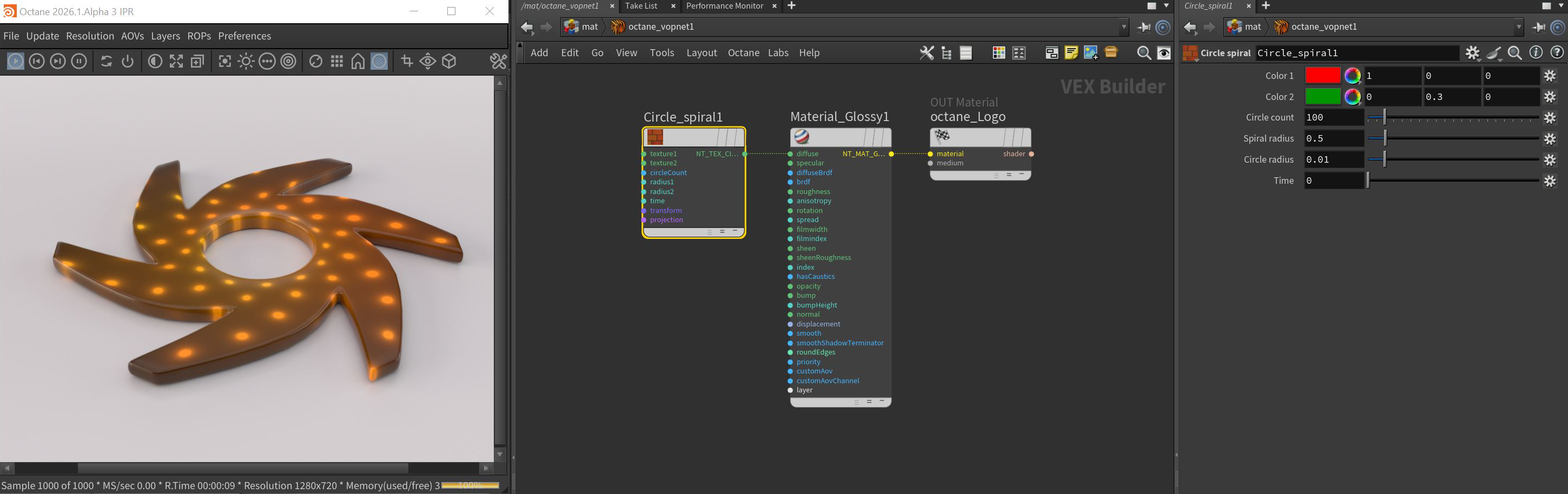
Figure 1: The Circle Spiral texture applied to a Diffuse material on the Octane logo
Circle Spiral Parameters
Color 1 - The primary color of the circles.
Color 2 - The secondary color of the circles, a blending occurs between the primary and secondary colors.
Circle Count - The number of circles to be generated in the spiral.
Spiral Radius - The radius of the entire spiral shape.
Circle Radius - Set the size or radius of the circles shapes.
Time - Animates the circle spiral effect.
Transform Pin - Positions, scales, and rotates the surface texture.
Projection Pin - Sets how the texture projects onto the surface.