Vectron
Vectron (Vector-Polygon) is a procedural über primitive, providing infinite procedurally-generated scenes, volumes, and geometry, which bypass meshes and volumes. Vectrons have zero-memory footprints, driving increased efficiencies when compared to meshes or volumes generated on CPUs. This enables Vectron to provide procedurally-generated scenes on the GPU without using VRAM. Vectron provides tools in your workflow, and it helps render triangle-free geometry with OctaneRender's built-in OSL (Open Shader Language) support and OSL texture shaders. The Vectron nodes can be accessed in the Shader Editor window (figure 1).
|
|
Vectron
|

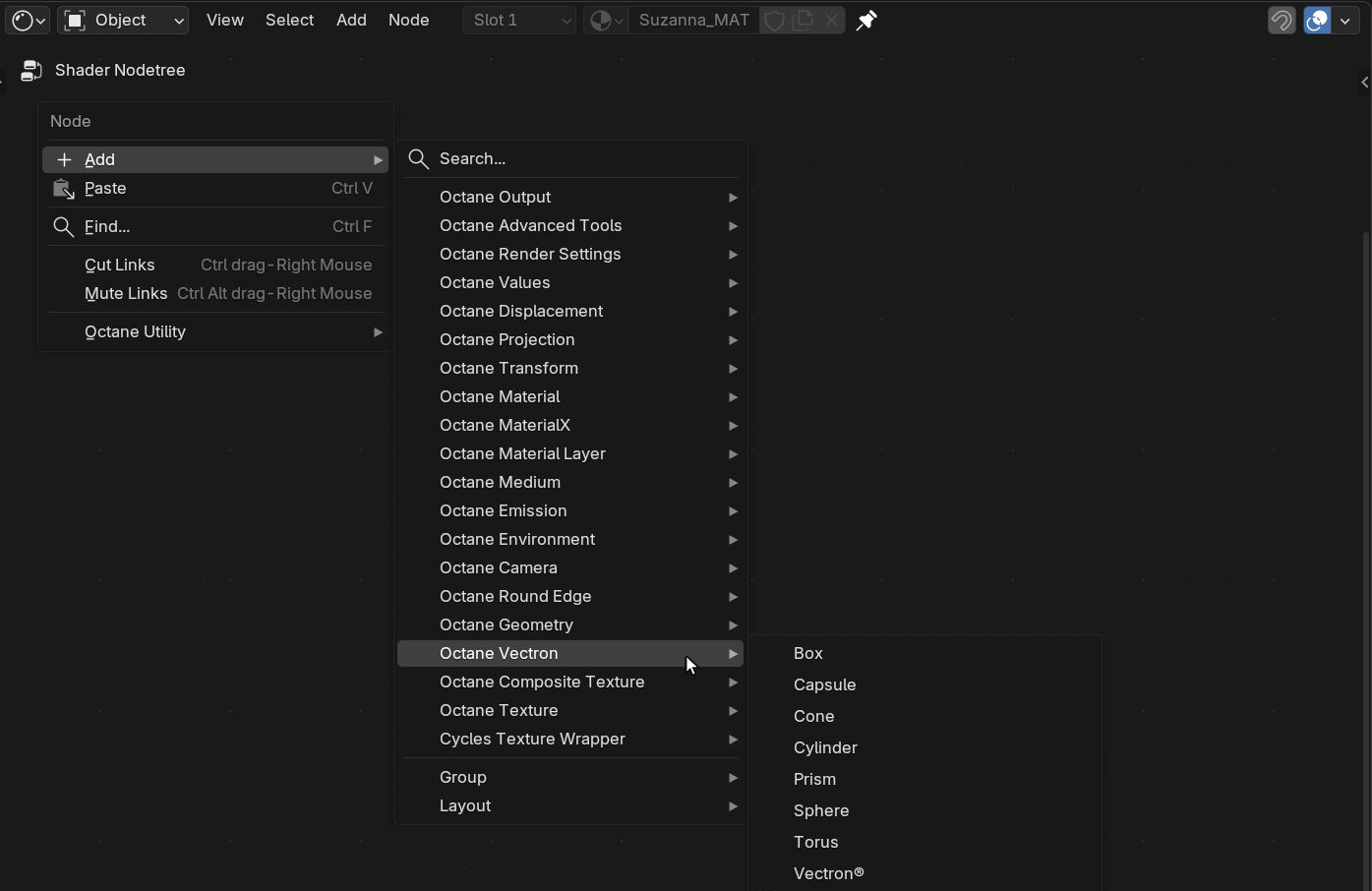
Figure 1: Accessing the Vectron nodes
To start using the Vectron nodes, create a primitive object that will display the Vectron object. This primitive shape will become invisible once the Vectron system is set up. Add a Vectron node to the object's material in the Shader Editor window. The Vectron node should be connected to the Displacement socket on the Material Output. Any Vectron node can be connected but it is best practice to connect a Domain Transform node then connect the Vectron node to the SDF socket on the Domain Transform node (figure 2). Additionally in Figure 2, a Glossy Material was added to the object and a 3D Transform node is used to position the object in the scene.
|
|
Vectron
|

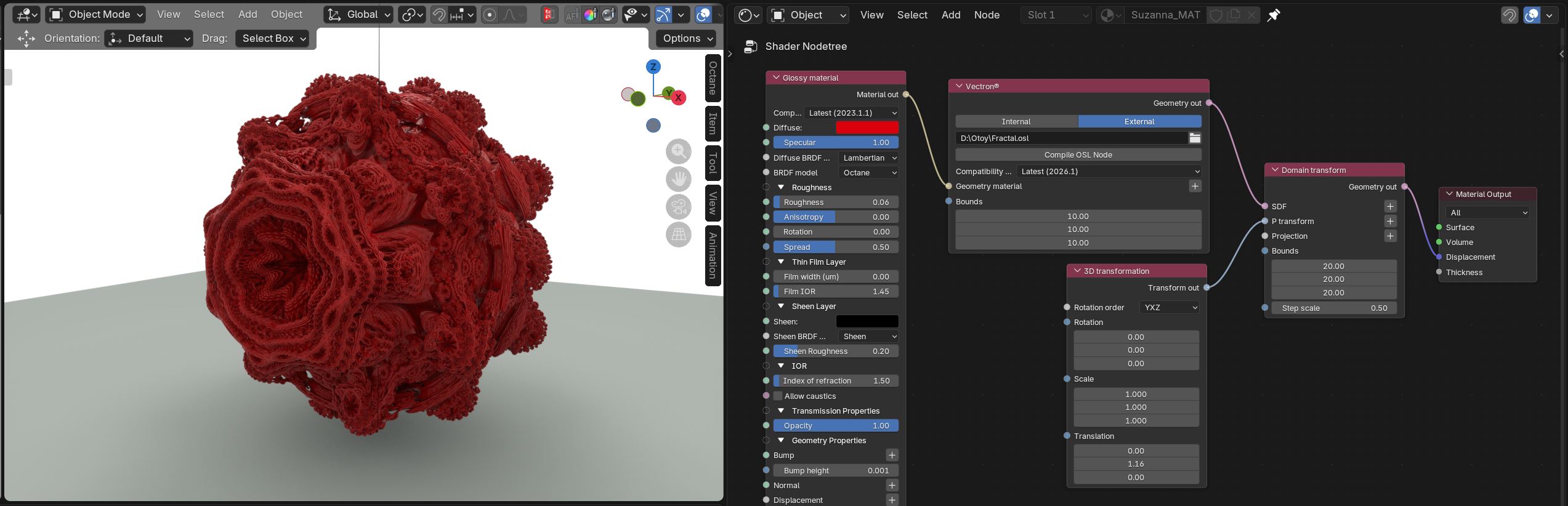
Figure 2: Adding Vectron nodes to the Shader Editor window
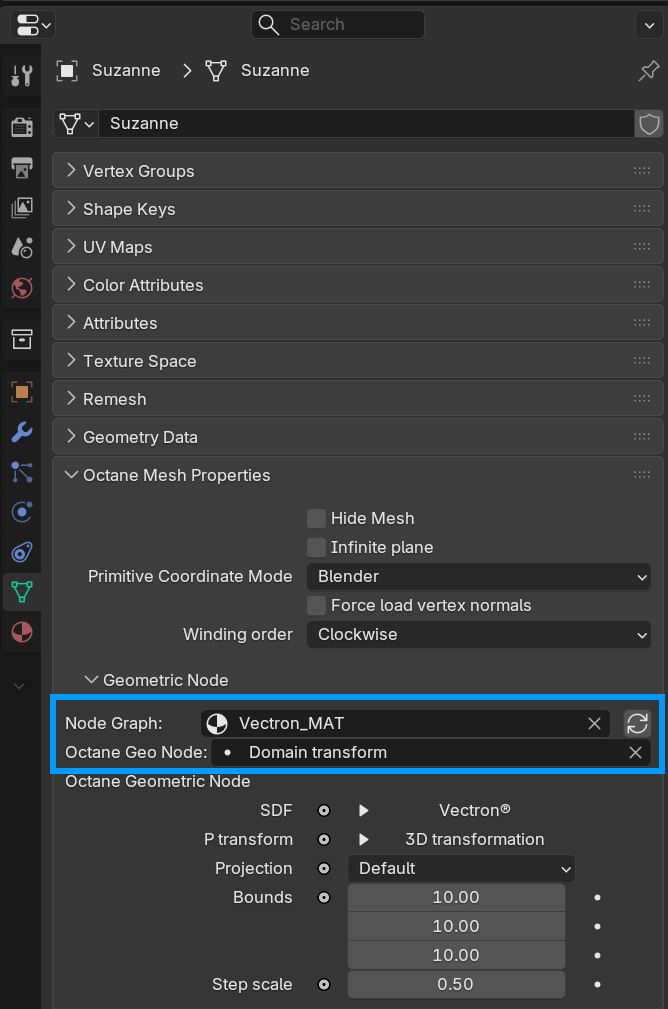
In the Object Data Properties tab for the primitive shape, add the material to the Node Graph parameter and the Vectron node to the Octane Geo Node parameter (figure 3). Vectron OSL code and files can be found from various sources across the web or they can be coded from scratch.
|
|
Vectron
|