Light IDs
The Octane Light ID system provides options for include and exclude illumination contributions of light sources on objects in a scene. The Light IDs are located in the Render Properties tab under the Octane Kernel rollout (figure 1). They can also be accessed from the Octane Kernel Editor window (figure 2).
|
|
Light IDs
|
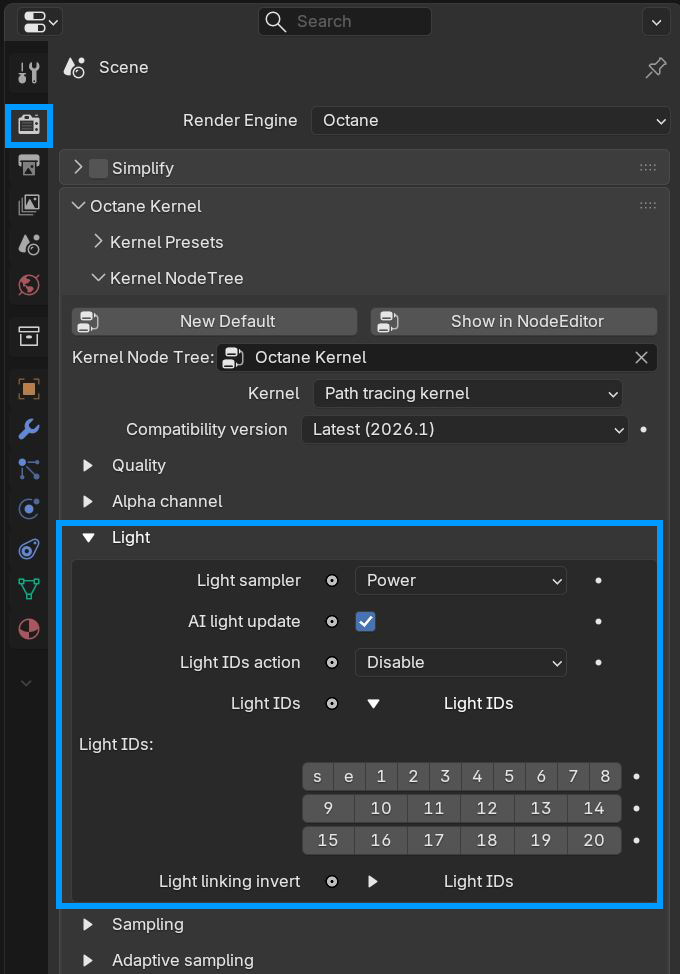
Figure 1: The Light IDs located in the Render Kernel
|
|
Light IDs
|
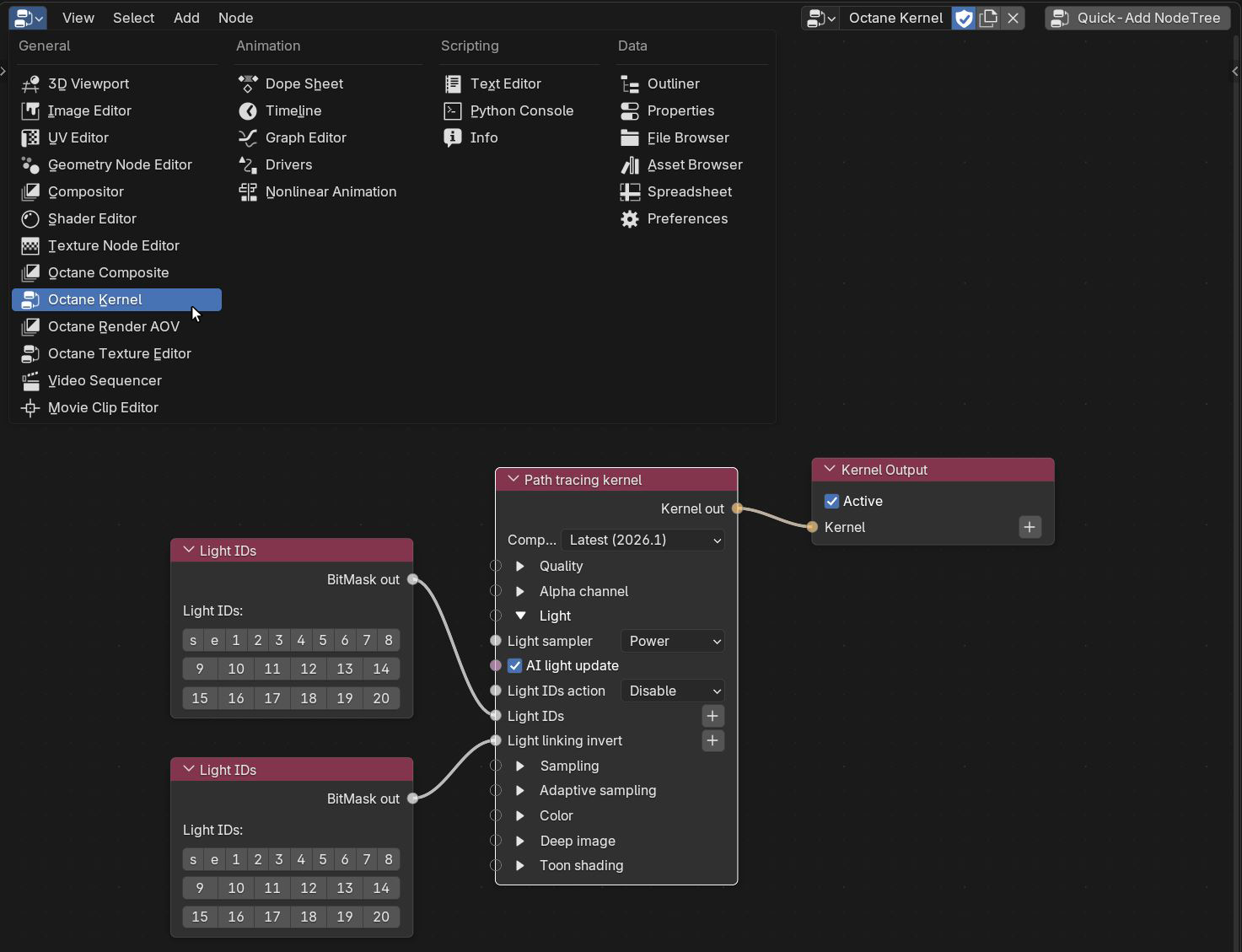
Figure 2: The Light IDs located in the Octane Kernel Editor window
Light IDs for scene objects are specified in the Object Properties tab under the Octane Object Properties rollout (figure 3). The active Light Pass Mask numbers are used to specify which light sources affect the scene object. S and E are Light IDs for the Sun and Environment lighting sources. Light IDs for light sources are located on the Emission node in the Shader Editor window (figure 4). For example: if a scene object has Light Pass Mask of 2 active, any light source with a Light Pass ID of 2 will illuminate that scene object.
|
|
Light IDs
|
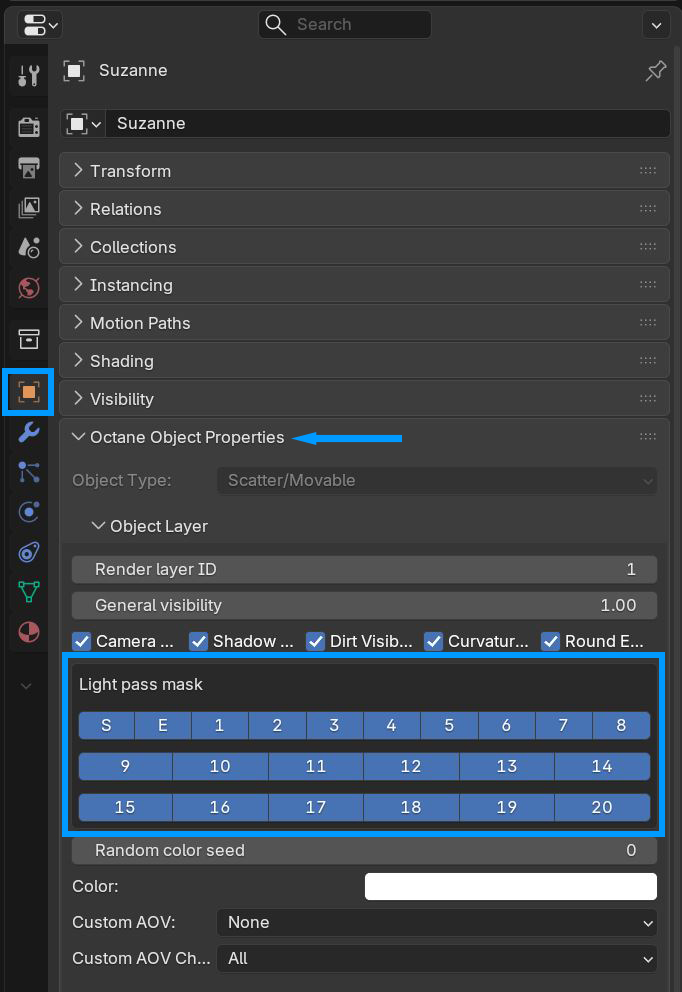
Figure 3: Specifying Light IDs for scene objects
|
|
Light IDs
|
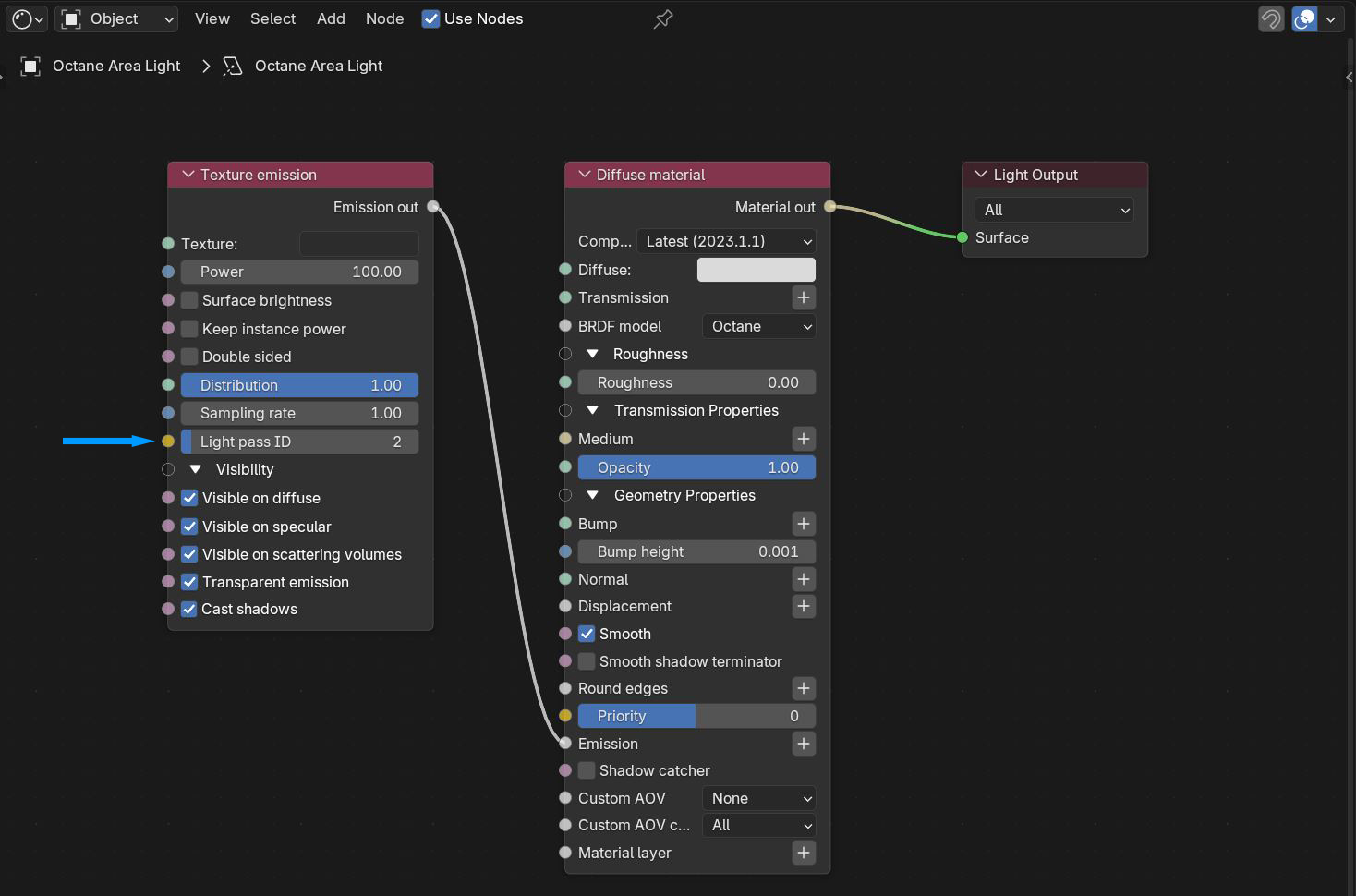
Figure 4: Specifying a Light Pass ID for a light source
The Light Pass ID for light sources can also be accessed from the Object Data Properties tab under the Emission rollout (figure 5).
|
|
Light IDs
|
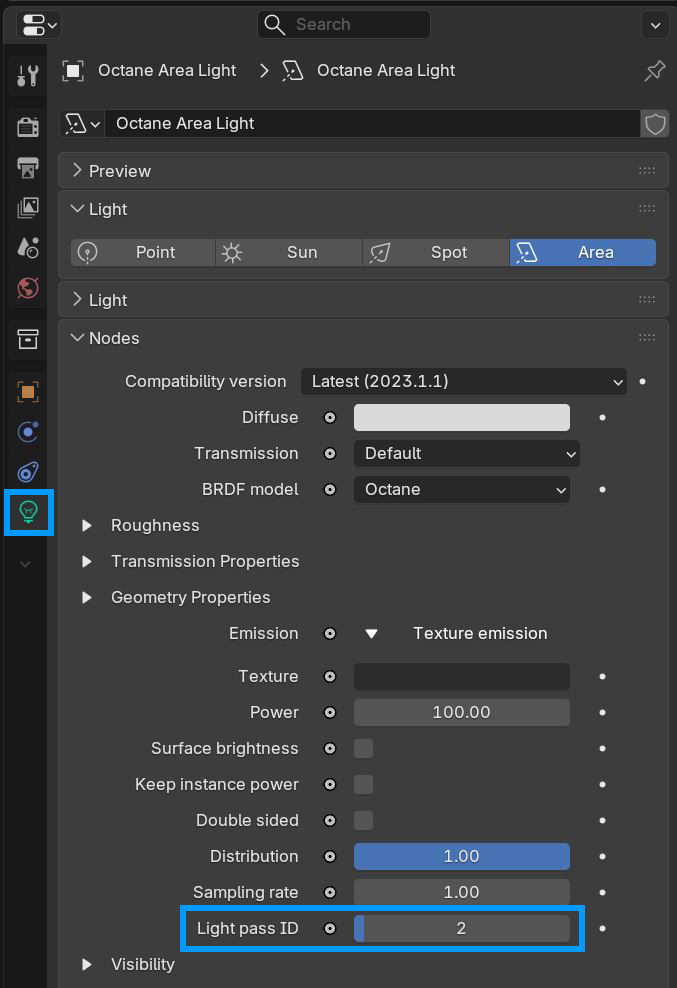
Figure 5: Specifying Light IDs in the Object Data Properties
Light Linking And Light Exclusion Parameters
Light ID Action - Action to take on selected Light IDs.
Light IDs - Light ID specified.
Light Linking Invert - These are used by the light linking and light exclusion features for Emitter nodes. You can enable or disable Light IDs globally in the Kernel Settings. The Light Linking Invert option inverts the light linking behavior for selected light IDs.