GPU Settings
OctaneRender® uses one or more GPUs for rendering, which you can adjust by clicking the Device Preferences button in the Render tab (Figure 1), which opens the OctaneRender Devices Preferences window (Figure 2).
|
|
GPU Settings
|

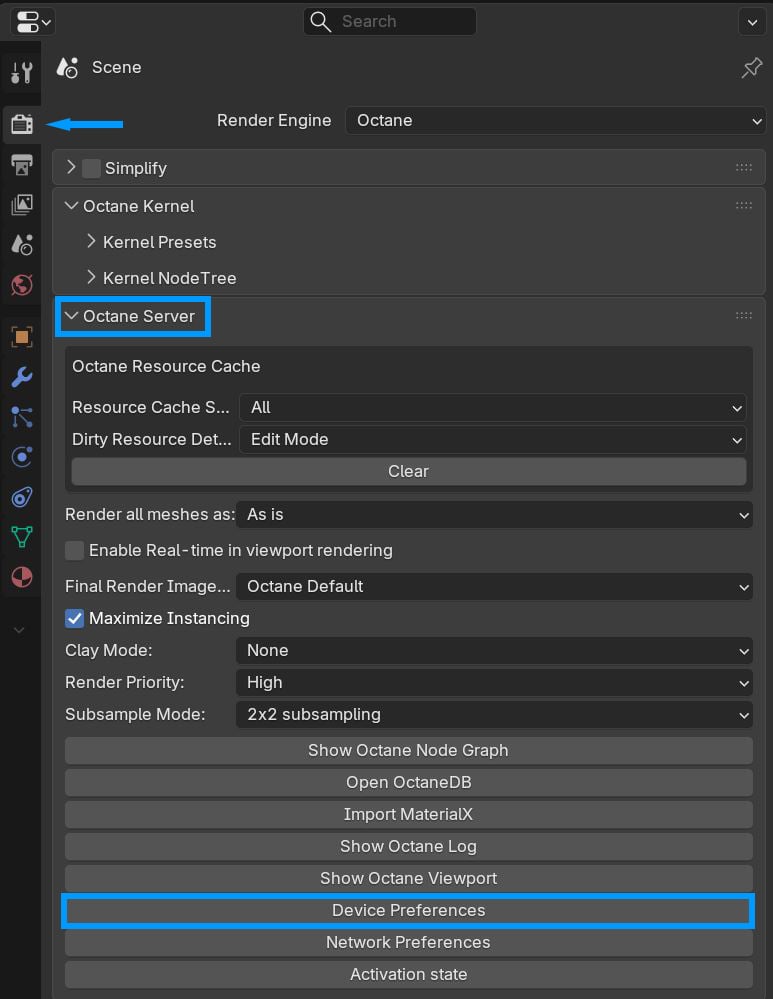
Figure 1: The Device Preferences button
|
|
GPU Settings
|

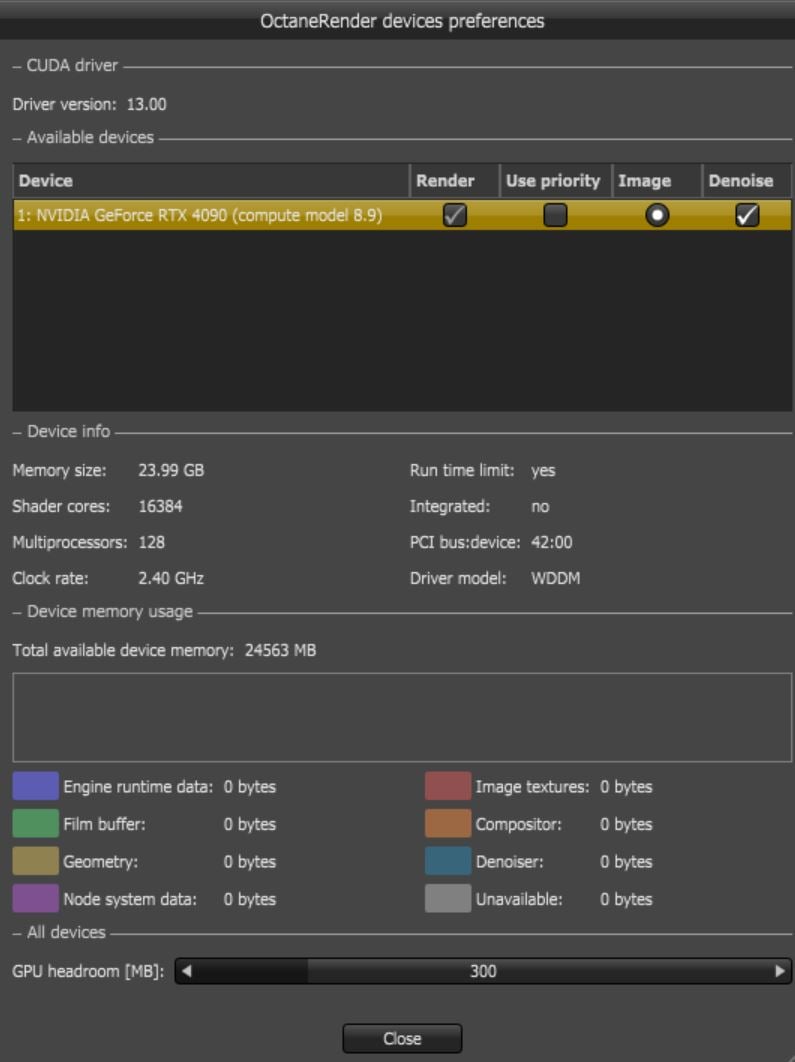
Figure 2: The OctaneRender Devices Preferences window
For help with troubleshooting problems, please refer to the Troubleshooting topic in the Standalone manual and the Troubleshooting topic in this manual.