Cinema 4D noise
The Cinema 4D Noise node is for using Cinema 4D's Noise shaders. Recent versions of OctaneRender® added OSL versions of the Cinema 4D noises. The Octane Noise node is a native tool and very efficient. For speed and reliability, the Octane Noise node is the better first choice, with the Cinema 4D Noise node as a fallback as needed. More details on what the C4D Noise Shader is and what it does can be found in the Cinema 4D help documentation.
|
|
Cinema 4D Noise
|

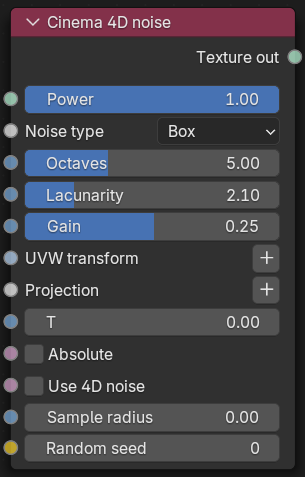
Figure 1: Cinema 4D noise Node
|
|
Cinema 4D Noise
|

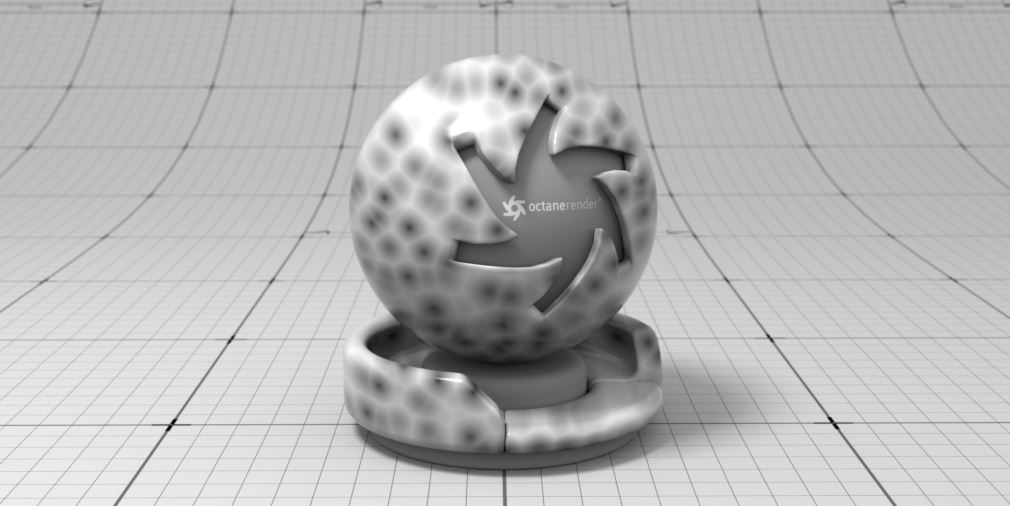
Figure 2: A Cinema 4D Noise node example
Cinema 4D Noise Parameters
Power - Power/Brightness.
Noise Type - Noise type (Cinema4D Noise Type).
Octaves - Controls the number of layers the noise pattern generates, in general higher values increase the amount of detail in the noise pattern.
Lacunarity - Controls the scale of the noise pattern for each succeeding octave, in general this affects the amount of detail added per octave. Values above 1 result in smaller noise scales per octave while values below 1 result in larger noise scales per octave. A lacunarity value of 1 results in a noise pattern scale that is the same scale as the first octave, values closer to 1 tend to result in less differentiation per octave.
Gain - Controls the brightness of each octave.
UVW Transform - Positions, scales, and rotates the surface texture.
Projection - Sets how the texture projects onto the surface.
T - Controls how fast the noise animates in cycles per second.
Absolute - When enabled, the value of the noise becomes absolute which causes the noise to fold about its midpoint.
Use 4D noise - Switch between 2D and 4D noise.
Sample Radius - Radius used to sample the noise pattern. Larger radius can result in smoother noise, while a smaller radius can create more detail.
Random Seed - This creates a unique random noise pattern, changing this number makes it easy to use the same noise setup while achieving different results.