Turbulence
The Turbulence node can create many different effects based on banded noise, such as wood, marble, flesh, and more.
|
|
Turbulence
|

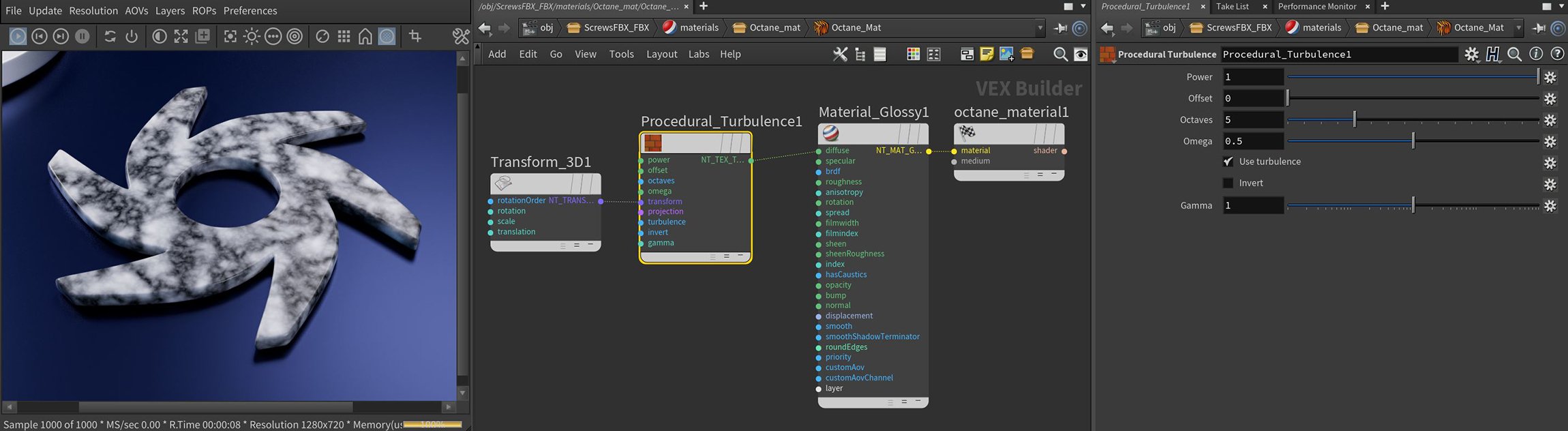
Figure 1: The Turbulence parameters and a typical node network setup
Turbulence Parameters
Power - A multiplier that controls the texture's overall brightness.
Offset - Shifts the Turbulence pattern in 3D space.
Octaves - Sets the scale of the noise detail.
Omega - Controls the detail in the underlying fractal pattern.
Use Turbulence - Toggles on the turbulent noise calculation, which is multiplied against procedural noise.
Invert - Inverts the values of the Noise texture.
Gamma - Adjusts the Noise texture's luminance values.
Transform Pin - Sets the position, scale, and rotation of the texture on the surface.
Projection Pin - Sets the way the texture projects onto the surface.