Tool Gradient Generator
The Gradient Generator texture node generates a gradient pattern. This node does not have options for color selections, therefore, it is typically used in conjunction with the Gradient Map node to produce colored gradient patterns (figure 1).
|
|
Tool Gradient Generator
|

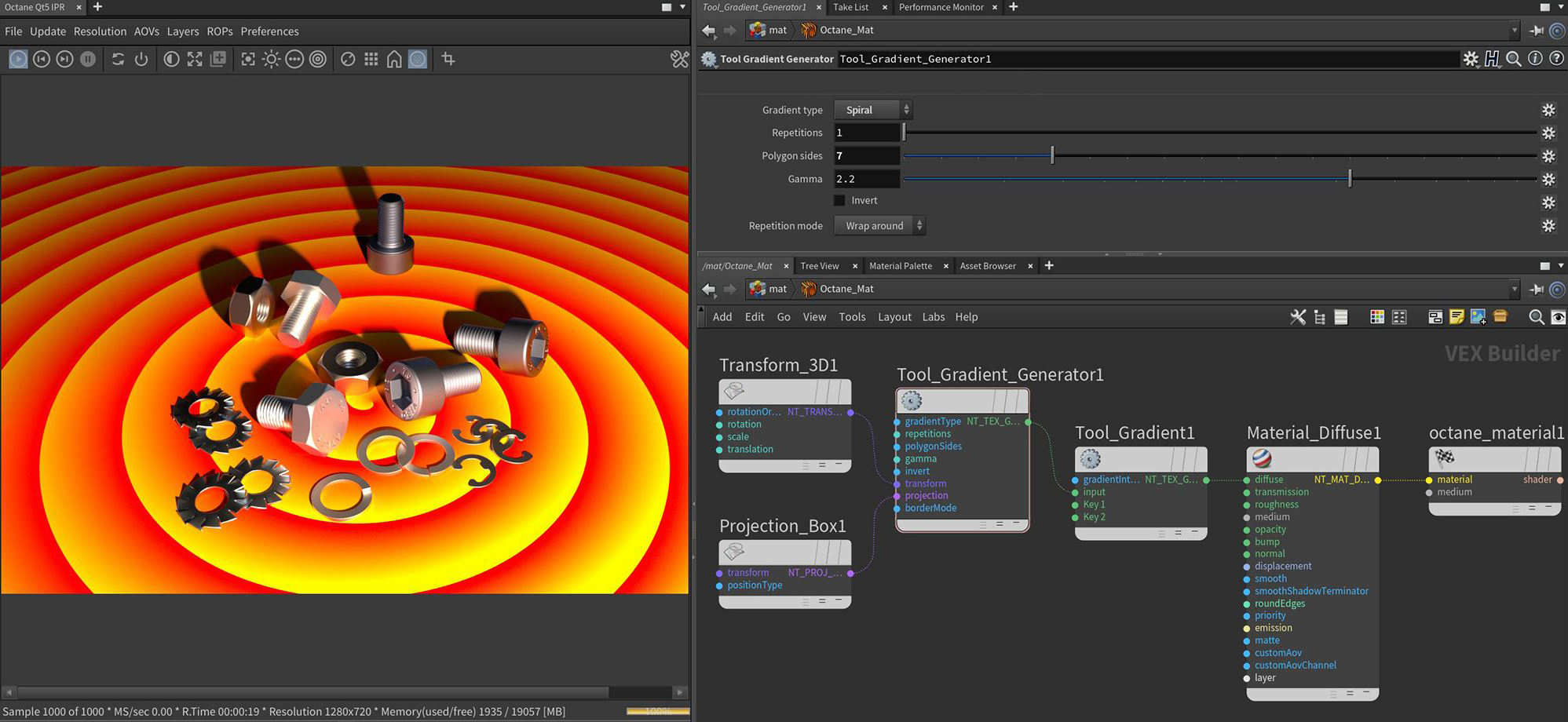
Figure 1: The Gradient Generator node connected to a Gradient Map node's Input Texture pin to produce a colored radial gradient
Gradient Generator Parameters
Gradient Type - Determines the type of gradient to be generated.
Repetitions - Determines the number of times the gradient repeats.
Polygon Sides - Determines the number of sides when the Polygonal gradient type is selected.
Gamma - Determines the Gamma correction coefficient.
Invert - Inverts the gradient.
Transform Pin - Accepts any of the transform nodes to alter the position, rotation, and scale the surface texture.
Projection Pin- Accepts projection nodes. If nothing is connected to this input, the image texture uses the surface's UV texture coordinates by default. This also changes the UV set if the original surface contains more than one UV set. For more details, see the Octane Projections topic in this manual.
Repetition Mode - Determines the gradient characteristic outside of the Repetition value.