Spotlight
The Spotlight node can be used to place a spotlight-shaped texture onto the surface of an object (figure 1).
|
|
Spotlight
|

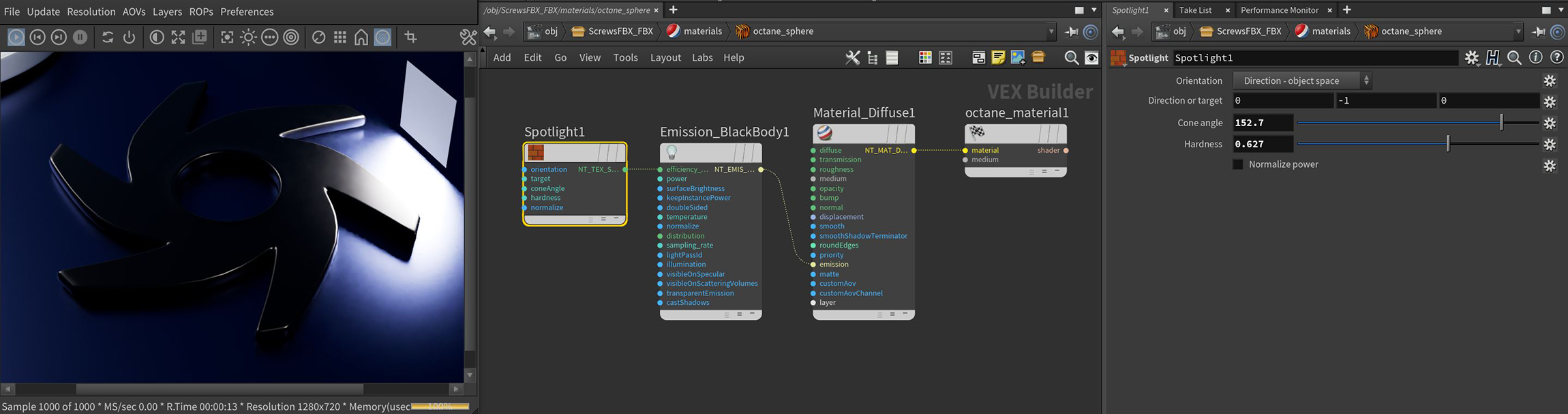
Figure 1: The Spotlight node connected to the Efficiency input on a Black Body Emission node
Spotlight Parameters
Orientation - Primary axis for the emission cone.
Direction or Target - Specifies the direction or target point, this parameter is ignored if orientation is set to surface normal.
Cone Angle - Width of the cone angle in degrees.
Hardness - Controls how abruptly the emission pattern falls of at the edges.
Normalize Power - Keeps the emitted power constant when the cone angle changes.