Noise
The Noise procedural node creates and controls the appearance of intentional noise (figure 1)
|
|
Noise
|

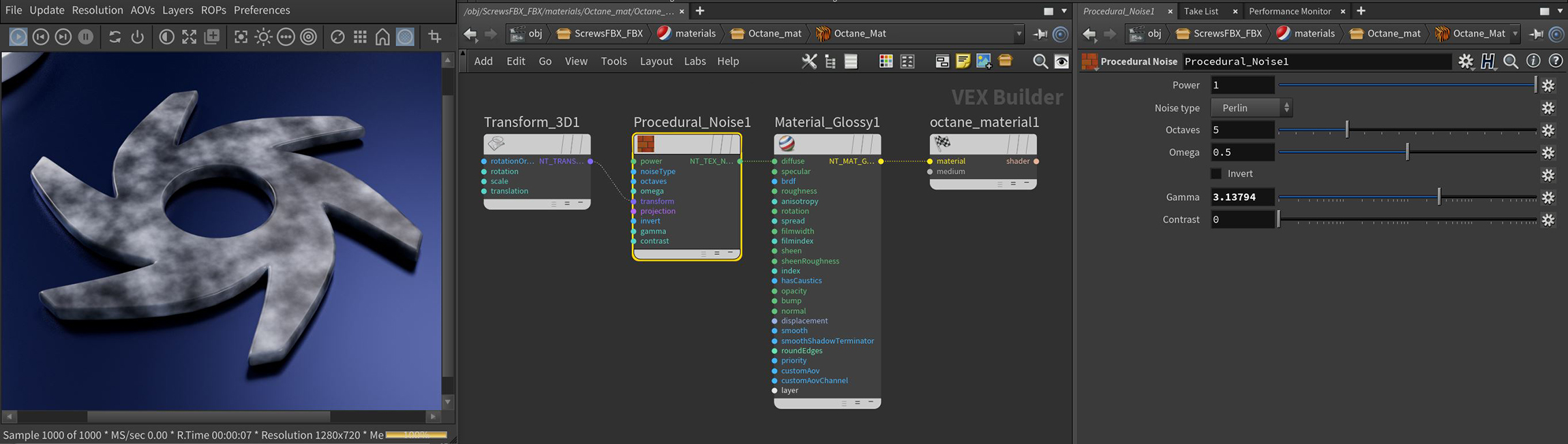
Figure 1: The Noise node applied to a Diffuse material on the Octane logo
Noise Texture Parameters
Power - Determines the overall brightness of the noise pattern.
Noise Type - Select from five different noise generators.
- Perlin - Similar to the Turbulence node when you disable Use Turbulence.
- Turbulence - Similar to the Turbulence node when you enable Use Turbulencebut produces more contrast than the Perlin option. .
- Circular - Produces a Worley noise-like pattern.
- Chips - Produces a Voronoi noise pattern similar to Perlin but with a denser pattern.
- Voronoi - Produces a Voronoi pattern.
|
|
Noise Types
|

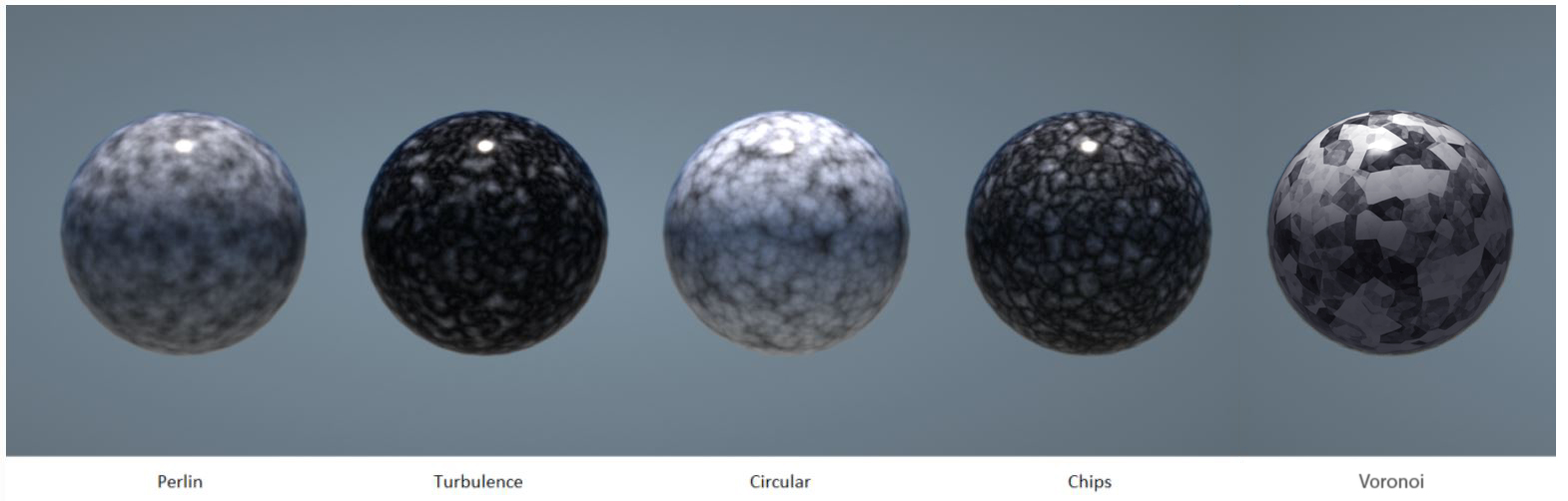
Figure 2: The various noise types
Octaves - Sets the noise detail's scale.
Omega - Controls the fractal pattern detail.
Invert - Inverts the Noise texture values.
Gamma - Adjust the Noise texture's luminance values.
Contrast - Adjusts the Noise detail sharpness.
Transform Pin - Positions, scales, and rotates the surface texture.
Projection Pin - Sets how the texture projects onto the surface.