Marble
The Marble procedural node is similar to the Turbulence texture, but it's fine-tuned to create marble-like noise patterns (figure 1).
|
|
Marble
|

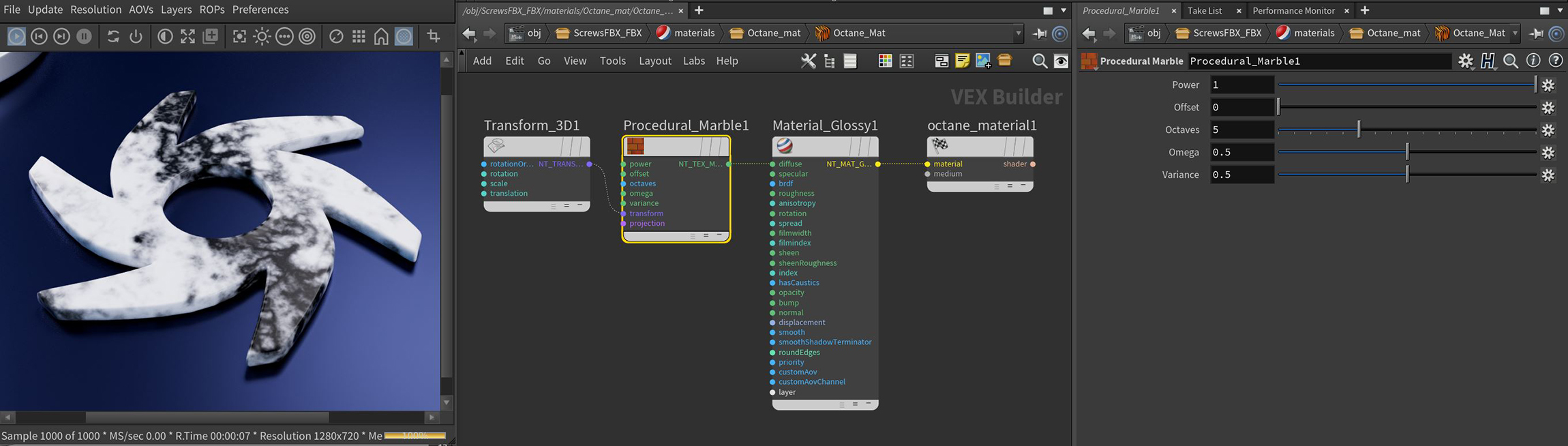
Figure 1: A typical network setup for using the Marble texture node
Marble Parameters
Power - Controls the texture's overall brightness.
Offset - Sets the texture position in 3D space.
Octaves - Adjusts the scale of detail in the noise.
Omega - Controls detail in the underlying fractal pattern.
Variance - Randomizes the Marble pattern.
Transform Pin - Positions, scales, and rotates the surface texture.
Projection Pin - Sets how the texture projects onto the surface.