Smoke/Fluid Volume Render
Explaining how to generate gaseous fluid dynamics is beyond the scope of this manual. This section outline the basic steps for rendering smoke with OctaneRender® using Blender's Fluid dynamics.
Create a Sphere (used as an emitter) then define it as a smoke fluid by going to the Physic Properties tab and clicking the Fluid button. Enter these values:
- Type - Flow
- Flow Type - Smoke
- Flow Behavior - Inflow
- Flow Source - Mesh
|
|
Creating a Fluid Emitter
|

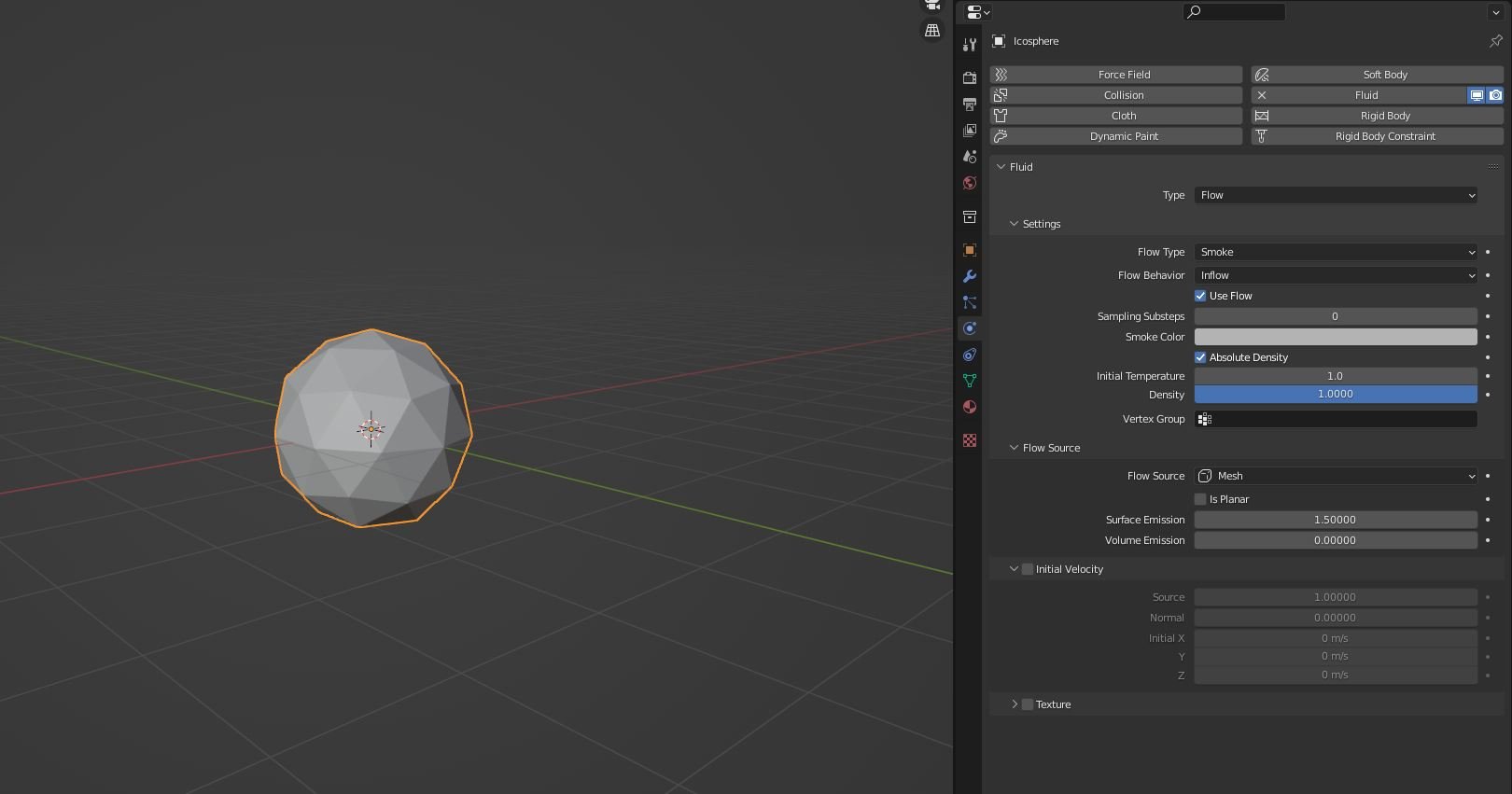
Figure 1: Creating a sphere emitter
Create a cube for the smoke's domain. The cube needs to encompass the sphere emitter or no smoke will be created in the domain. Select the cube, then go to the Physic Properties tab and and clicking the Fluid button. Enter these values:
- Type - Domain
- Domain Type - Gas
- Resolution Divisions - 128
- Enable Adaptive Domain
- Vorticity - .1
- Cache - Define the directory to store you generated volume data
- Precision Volumes - Full
- Press the timeline play button and watch the smoke get generated in the cube domain.
|
|
Creating Smoke Domain
|

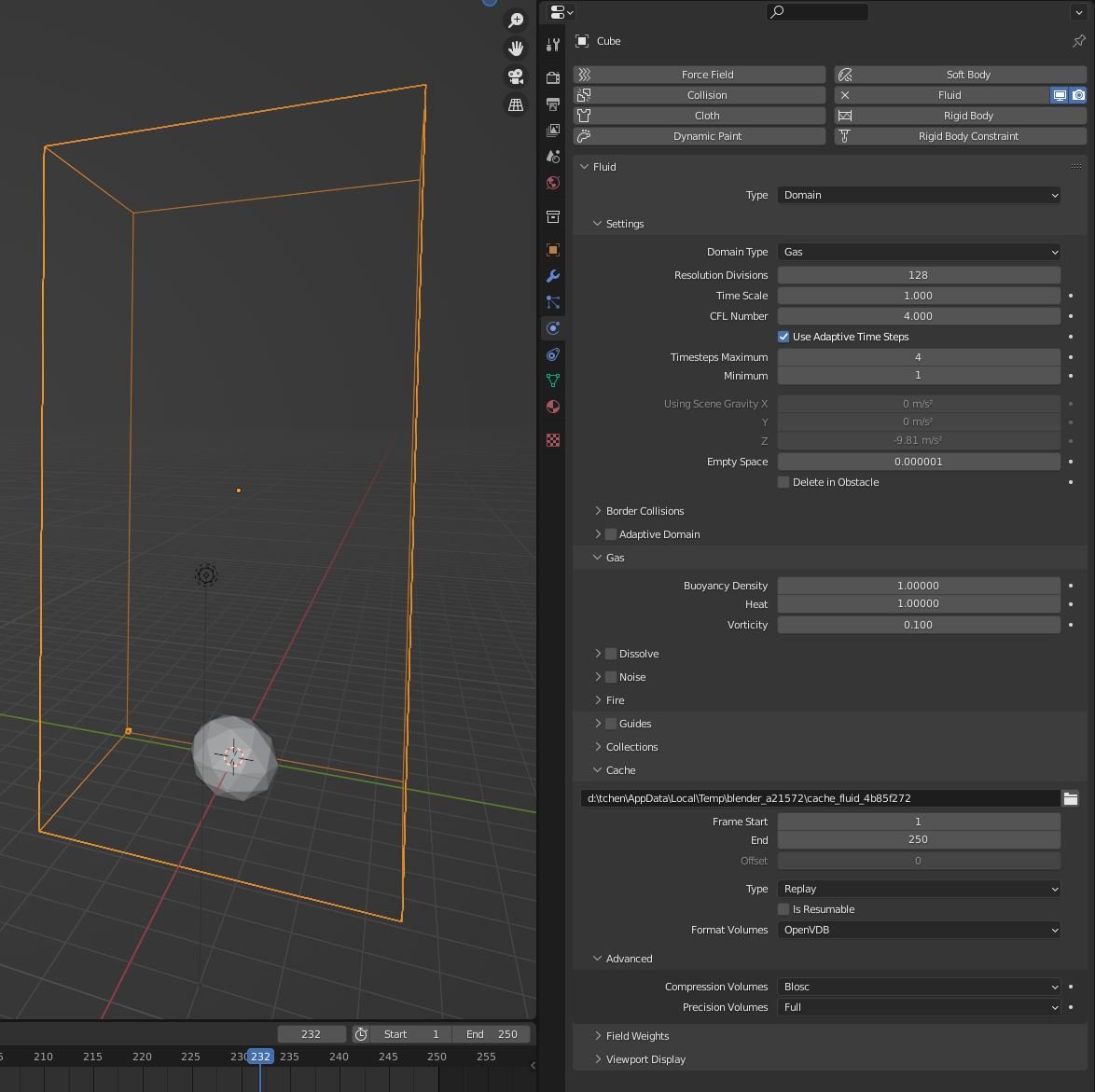
Figure 2: Gas Domain for smoke
Create a Material for the cube and add a Volume Medium node to the Volume socket on the Material Output node.
|
|
Smoke Material
|

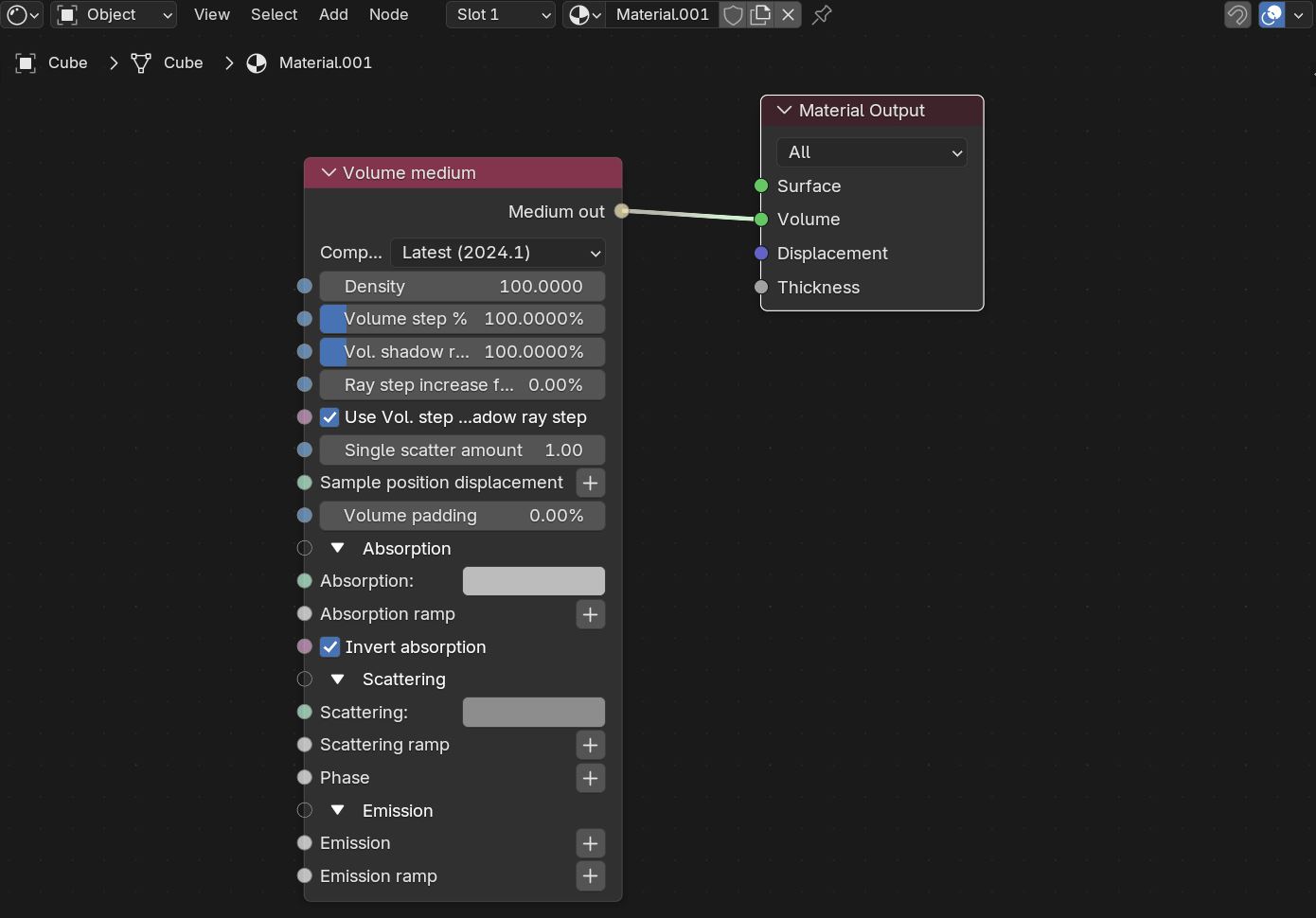
Figure 3: Creating a Volume Material
After connecting the Volume medium, the colors can be adjusted using the Absorption and Scattering.parameters. The Volume Step length can also be adjusted to see more details in the volume.
|
|
Fluid Volume Render
|

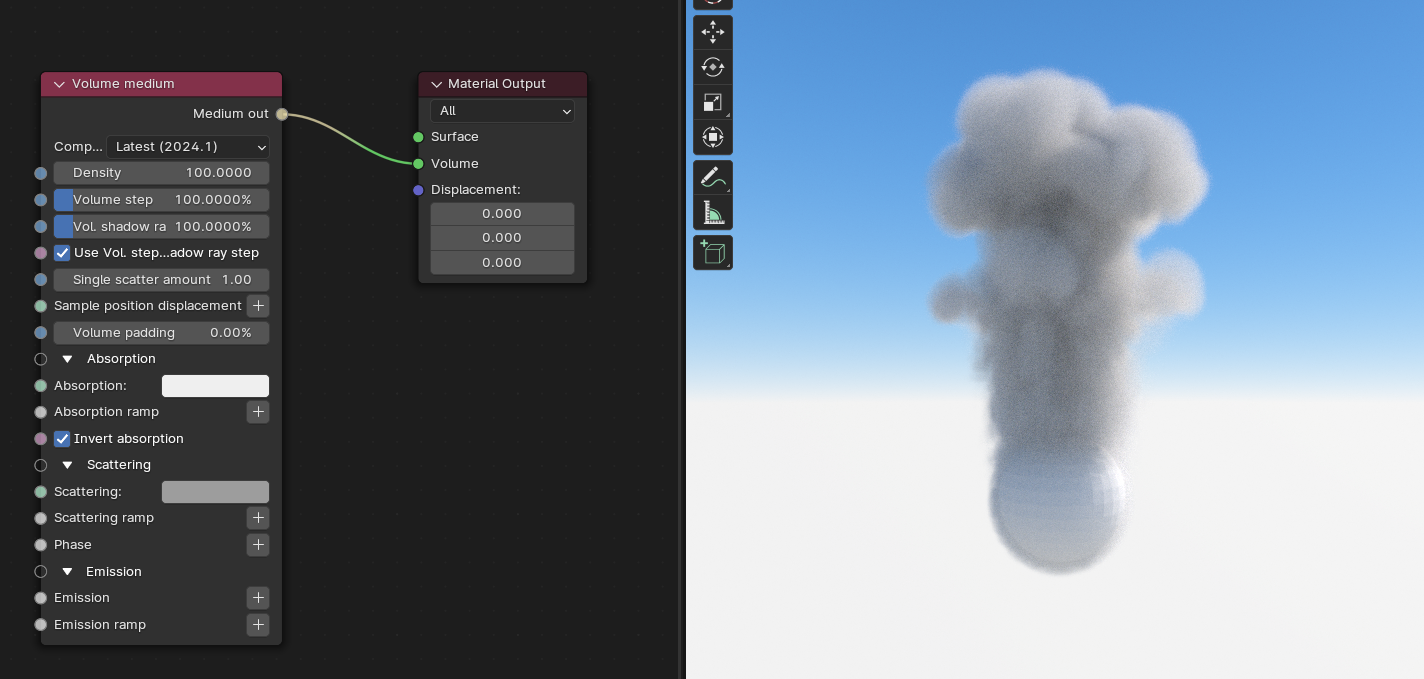
Figure 7: Volume medium Adjustment