Meshlets
The Meshlet feature allows Octane to render highly detailed geometry while utilizing memory efficiently. It works similar to Nanite in Unreal Engine by adaptively choosing a not too fine and not too coarse level of detail for different parts of a mesh, depending on what is visible in the render. This feature is well suited for 3D scans and/or vertex displaced, subdivided geometry.
It needs to be enabled explicitly in the Meshlet rollout in the Data tab for each scene object as it requires a fairly expensive preprocessing step (figure 1). During preprocessing, Octane clusters a mesh into meshlets and reduces the amount of geometry iteratively into multiple levels of detail. The preprocessed data is stored as a cache file in the OctaneRender® cache directory to avoid having to redo the preprocessing every time the mesh is used.
|
|
Meshlets
|

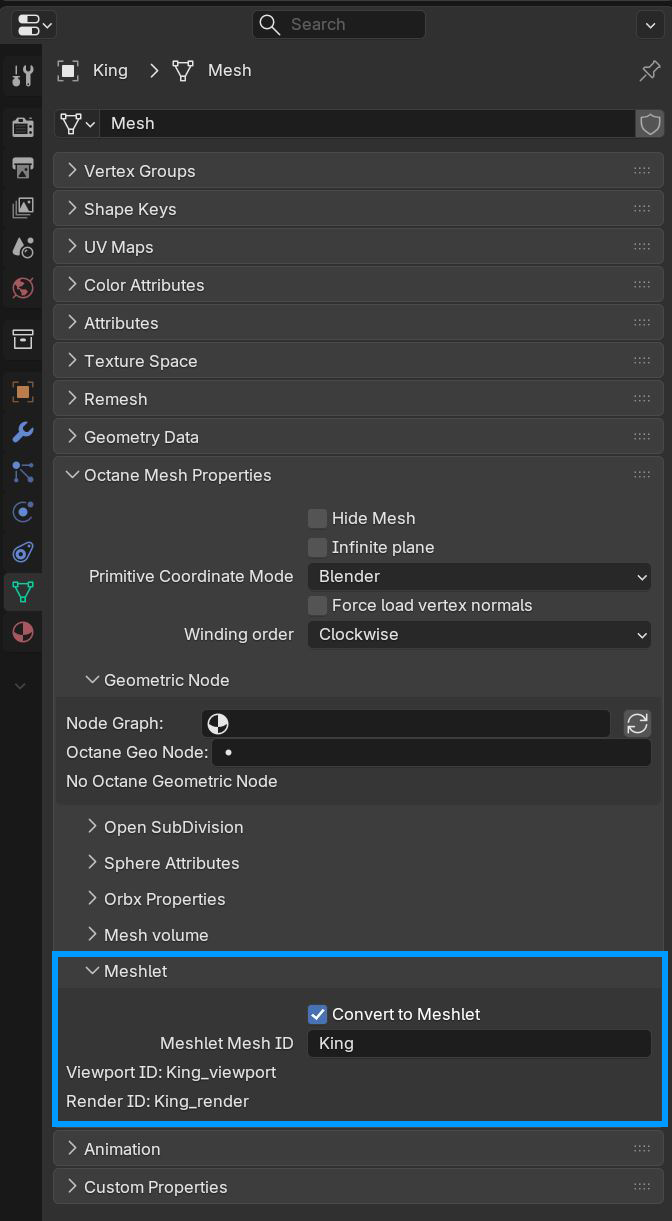
Accessing the Meshlet properties
During rendering, Octane chooses a selection of meshlets that results in a watertight mesh while making sure that the triangles are not too small or too large in image space and compared to the pixel size. This automatically limits the amount of data that is actually loaded into GPU RAM without showing a visible difference to the original high resolution geometry. Since Octane needs to render the scene to determine the meshlet selection, we introduced the concept of a settling phase where Octane determines a fitting meshlet and virtual texture selection by iteratively rendering the current scene, and only starts progressive rendering after meshlets and virtual textures have settled.