Installing on Mac
Installing the Octane Server consists of mounting the files from the downloaded .dmg file. The mounted Octane Server folder contains the OctaneServer file which needs to be run before opening Blender.
Once the Octane Server is running, open Blender and go to the Add-ons section of the Preferences window and choose Install from Disk and choose the zipped Blender Add-on file (figure 3).
|
|
Mac Install
|

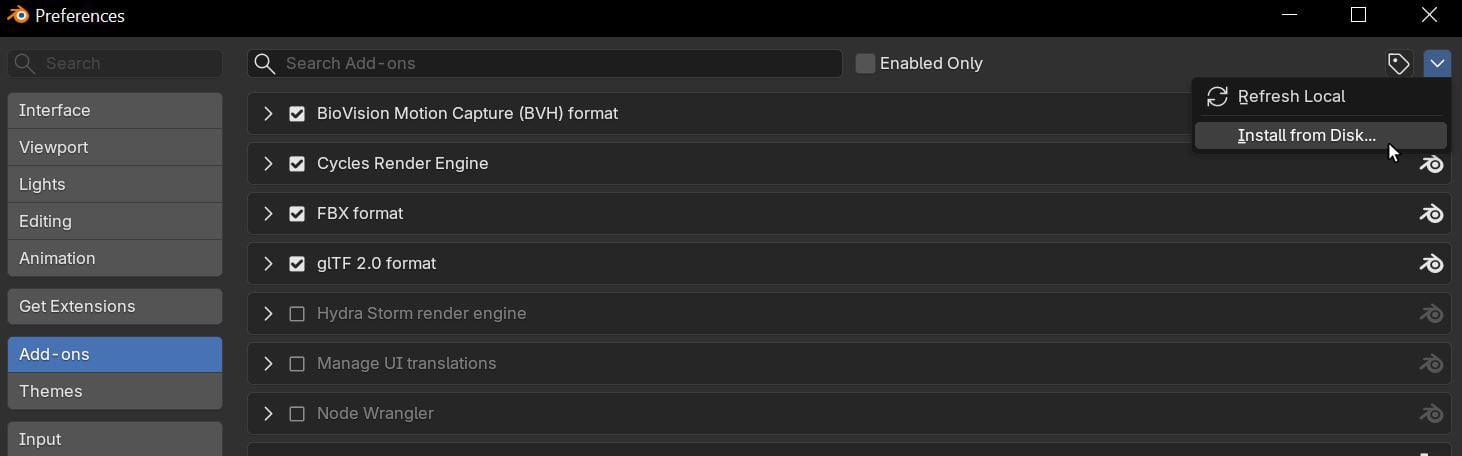
Figure 3: Installing the Blender Add-on
|
NOTE The downloaded Blender Add-on file must remained zipped. Do not extract this zipped file otherwise it will not install properly. |
The Blender Add-on will now be visible in the Add-ons window (figure 4).
|
|
Mac Install
|

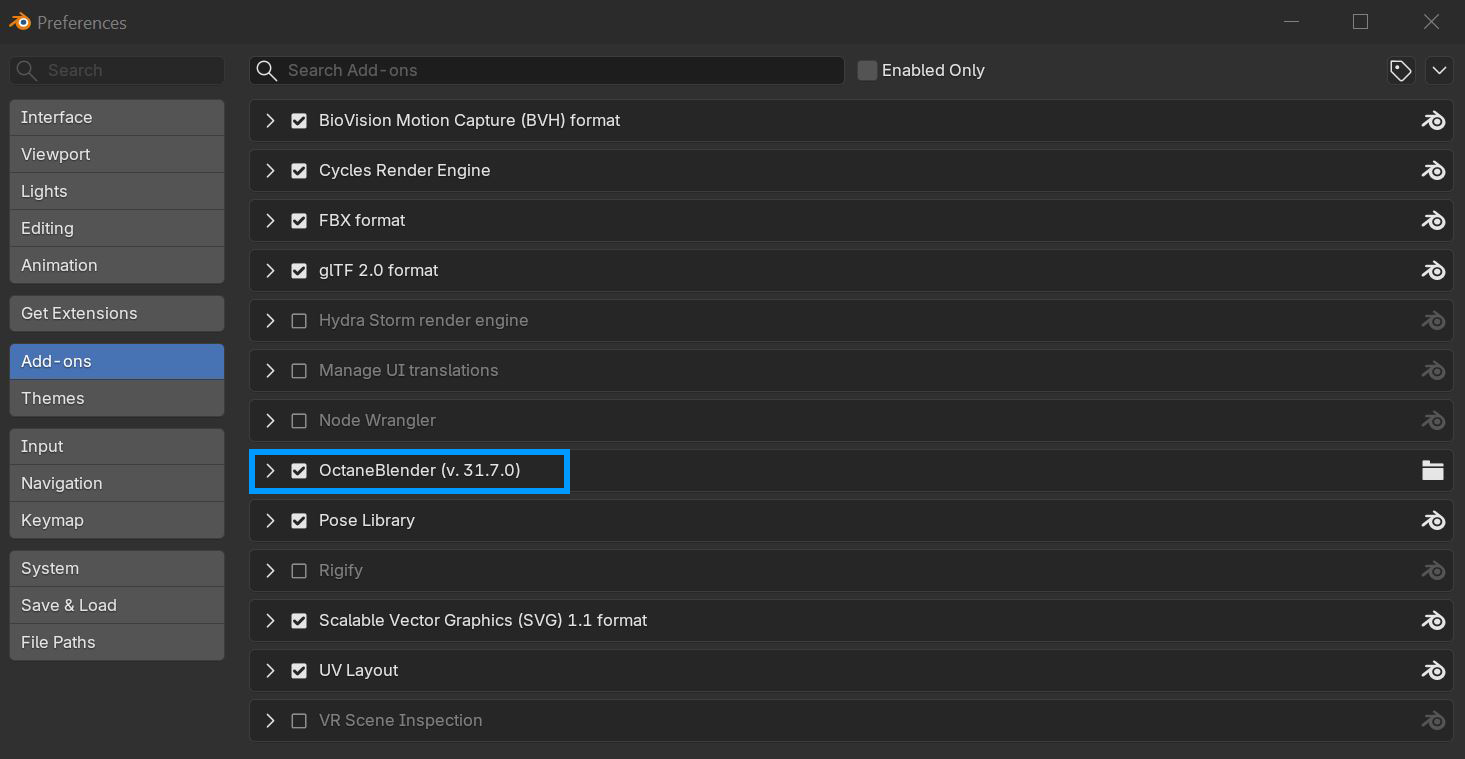
Figure 4: Accessing the Octane Add-on in the Preferences window